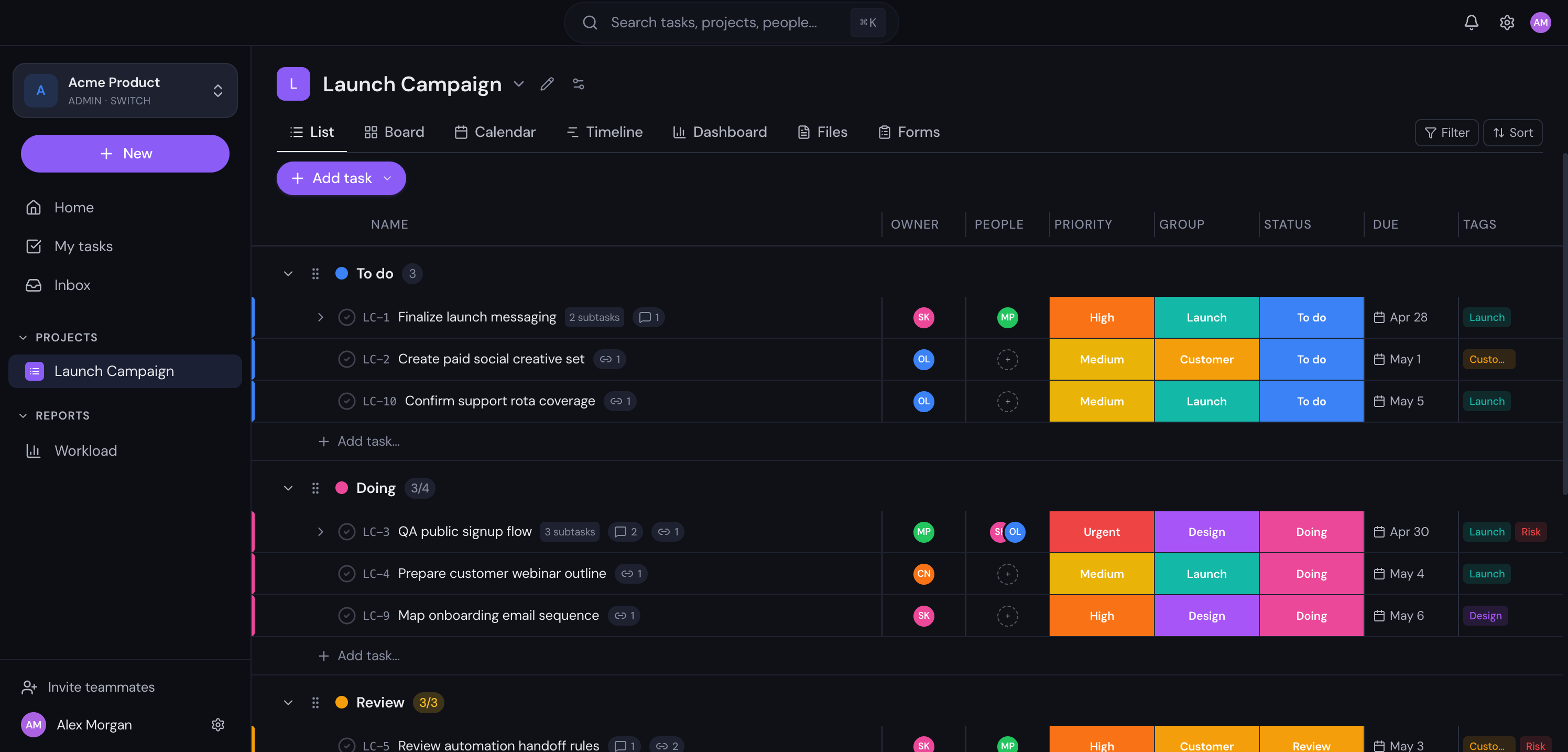
List view
Detailed lists for the work that needs precision
Group tasks by section, scan owners and due dates, and keep priority visible without opening every item.
Plan, track, automate and report on every project from one workspace. Built for product, engineering, operations and agency teams. Free for up to 3 users, no credit card needed.
For teams outgrowing scattered work
Gravitask is built for teams caught between tool sprawl, messy boards, slow onboarding, and seat-cost creep. It keeps the everyday work simple while still giving growing teams the structure they need.
One workspace for projects, tasks, docs, files, timelines, and automations
Start with 3 free users, then scale only when the team needs more
Switch between list, board, calendar, timeline, dashboard, and files without rebuilding work
Tasks live in one app, docs in another, files somewhere else, and decisions disappear in chat.
Boards start clean, then turn into half-finished lists that only one person understands.
New teammates need too many tours before they can find the project, the owner, or the next step.
The bill grows before the team has proved the workflow is worth rolling out wider.
Tasks completed daily
Uptime guarantee
Average user rating
Features
Powerful enough for complex projects. Simple enough to start in minutes.
List, Board, Calendar, Timeline, Dashboard — switch instantly. Same data, different perspectives.
Comments, @mentions, file sharing, and live updates. No more context-switching between tools.
Track completion, workload, and project health with analytics that update in real time.
Create trigger-based rules for repetitive work. Statuses, assignments, due dates and notifications all happen on cue.
Log billable and non-billable hours directly on tasks. Built-in timers, reports, and workload views.
Create teams, assign roles, manage access. Share projects with the right people only.
Platform
Switch between views instantly. Your data stays consistent everywhere.
Organized task lists with sorting, filtering, and drag-to-reorder. See everything at a glance.
Product screenshots
Actual Gravitask screens show how list, board, timeline, dashboard, automation, and mobile workflows fit together in one workspace.
Group tasks by section, scan owners and due dates, and keep priority visible without opening every item.
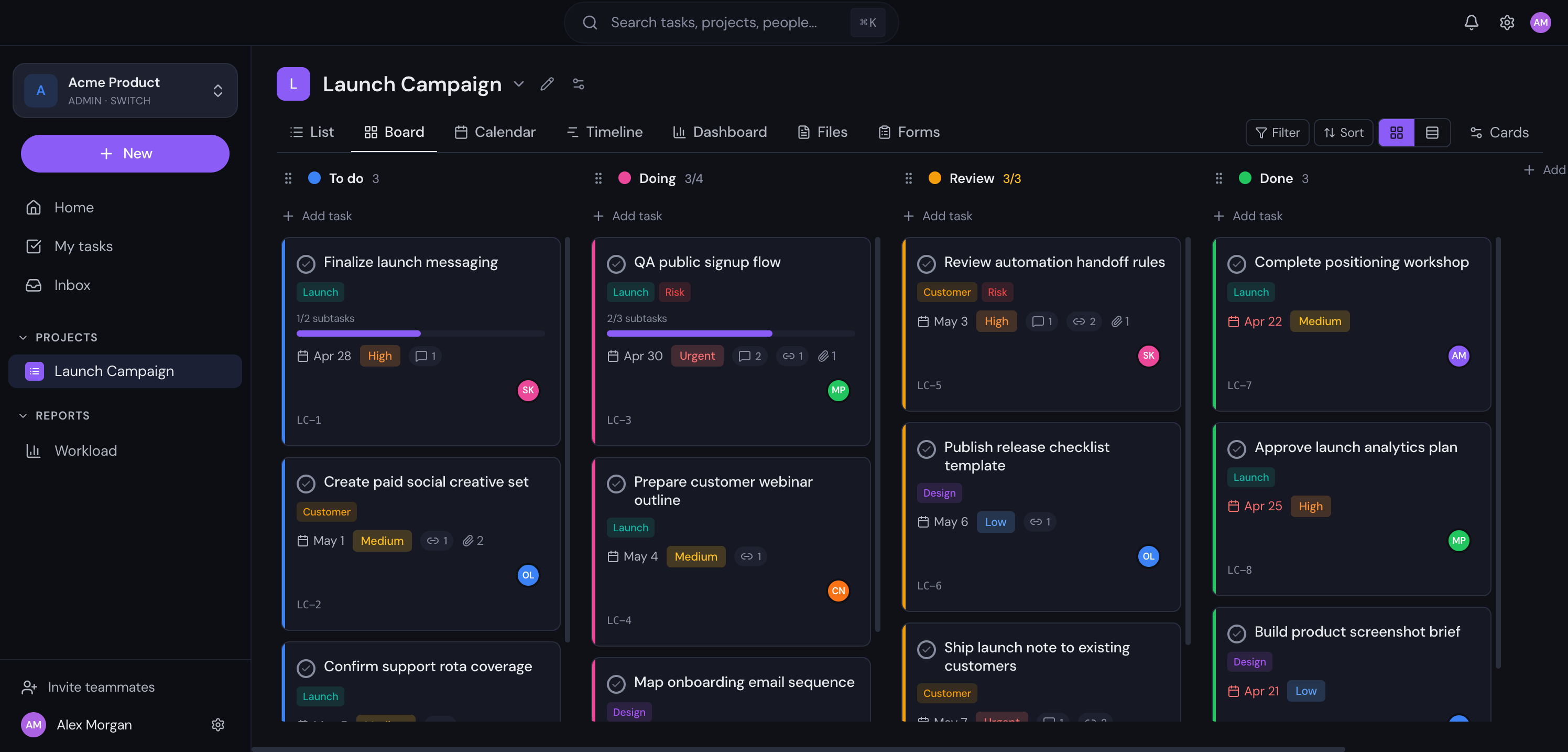
Move cards through workflow columns while assignees, priority, tags, and comments stay attached.
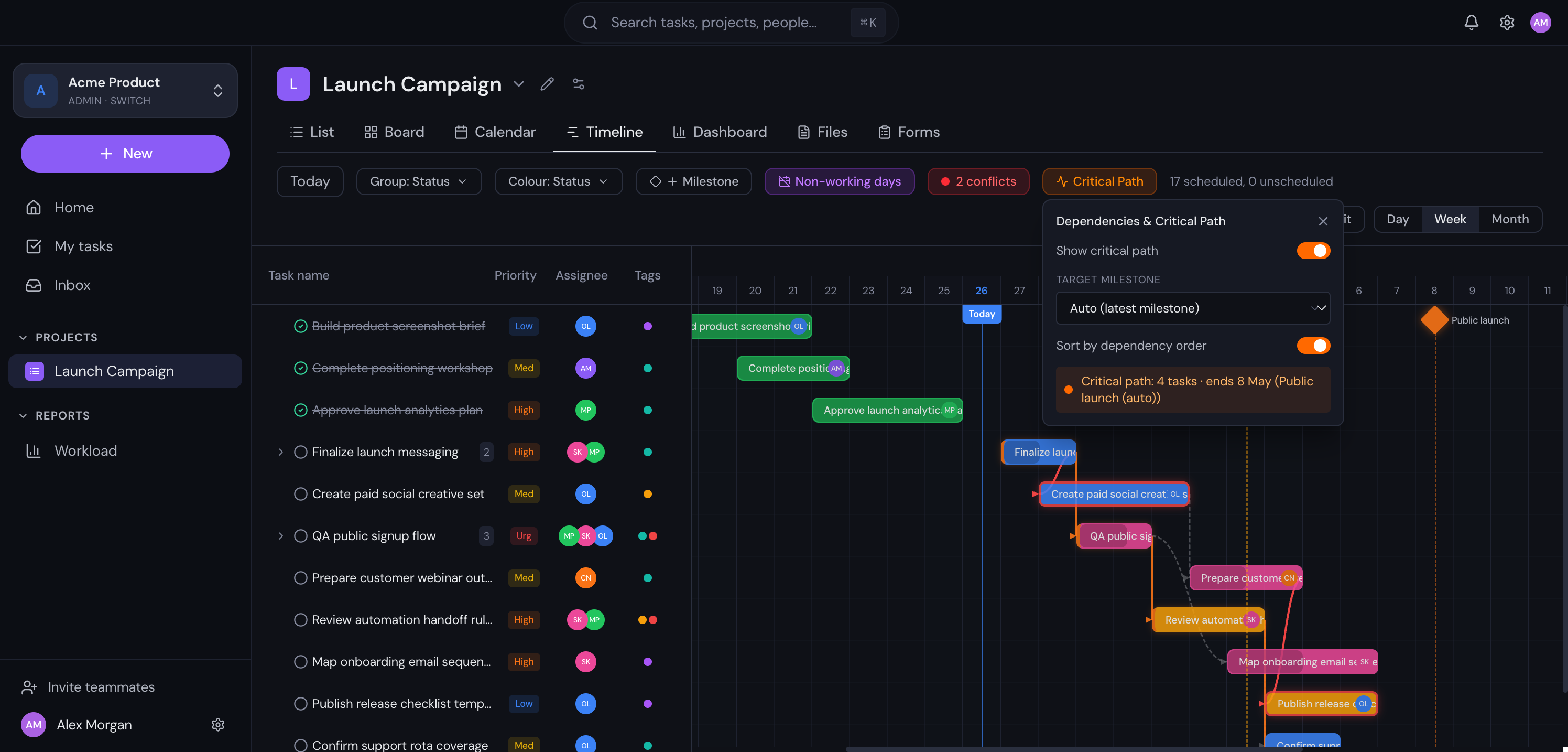
See scheduled work, non-working days, and launch milestones on the same planning surface.
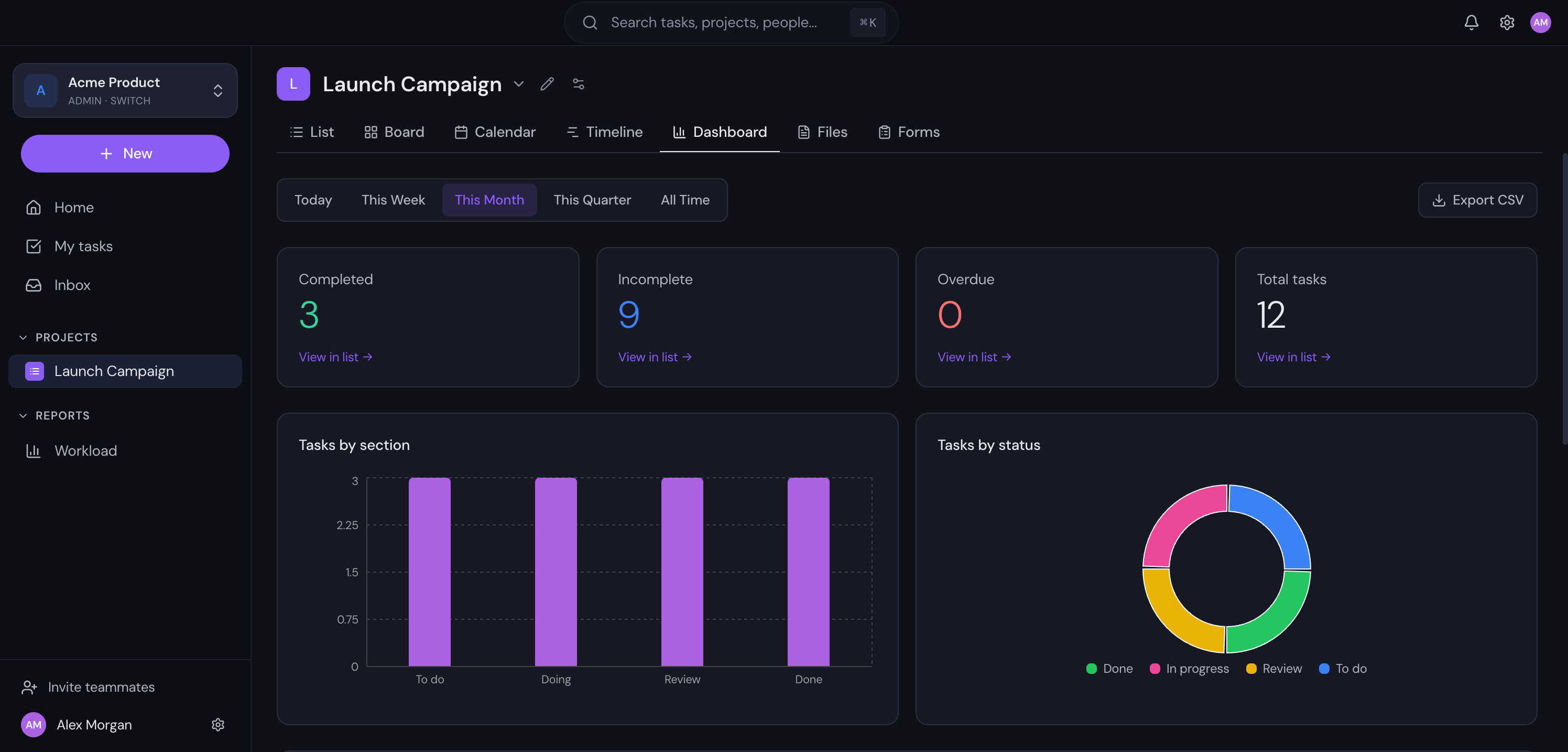
Track totals, overdue work, completion trends, workload, and logged time from live project data.
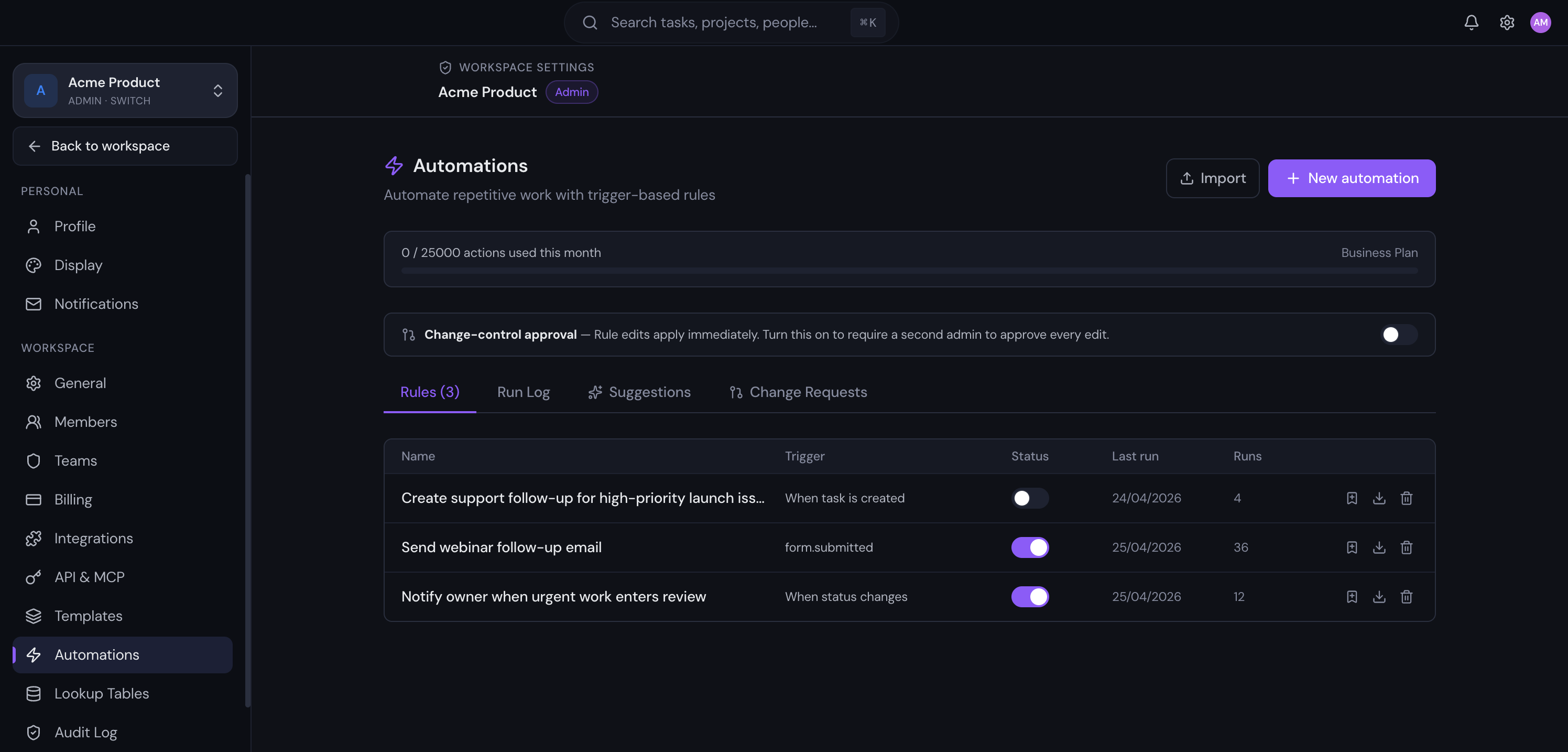
Create automation rules, check usage, and review recent runs from workspace settings.
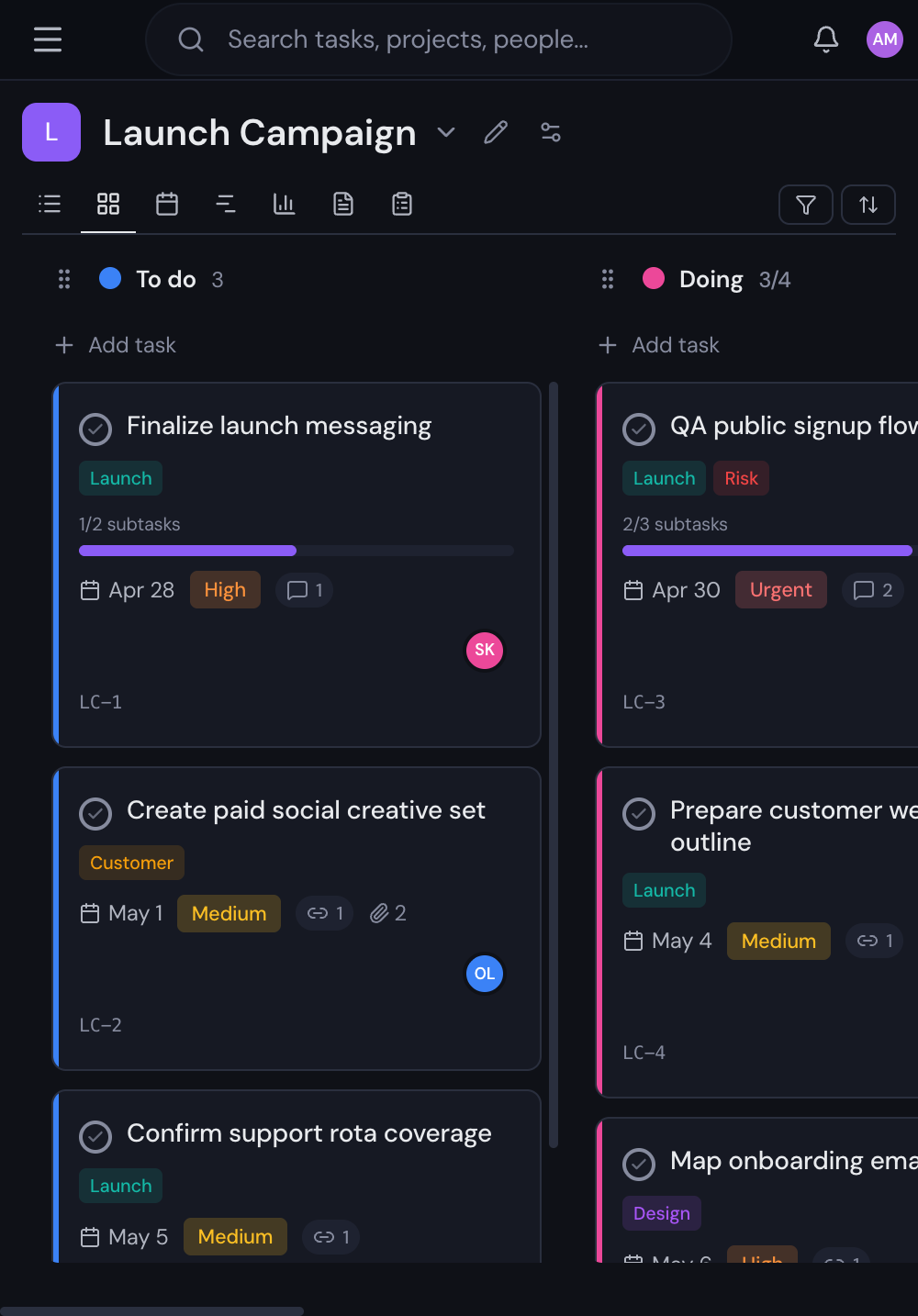
The same task data remains usable when teammates check updates away from a desk.
Automations
Create rules that trigger when tasks change status, priority, or assignee. Automatically assign reviewers, send notifications, or move tasks between projects.
When status changes to Done
Notify #general in Slack
When priority is Urgent
Assign to project lead
When due date passes
Move to Overdue section
Integrations
Link commits from GitHub, get notified in Slack, trigger webhooks, and connect via our REST API or MCP protocol for AI-powered workflows.
Slack
Posting to #engineering
GitHub
Linked to acme/webapp
Webhooks
deploy.acme.io/hook
REST API
1 API key generated
Forms
Create public intake forms that automatically create tasks in your project. Perfect for bug reports, design requests, or client feedback.
And more
Schedule tasks that repeat daily, weekly, or on custom schedules
Add text, number, date, select, and checkbox fields to any task
Built-in timers and manual entries with billable/non-billable reporting
Set project milestones and track progress toward them
Receive real-time HTTP callbacks when events happen
Save project structures as templates for quick setup
Break tasks into hierarchical subtasks for complex work
Attach files directly to tasks with inline preview
Pricing
Start free. Add your team when you’re ready.
For small teams getting started
Up to 3 users · 5 projects · 500 MB storage
Start freeFor teams that need more power
Unlimited users · Unlimited projects · 10 GB storage
Start freeFor scaling organisations
Unlimited users · Unlimited projects · 50 GB storage
Start freeFAQ
A few practical answers on limits, mobile use, automation, integrations, and moving over from another work management tool.
The Free plan includes core task and project management for up to 3 users: 5 projects, 500 MB storage, unlimited tasks, comments, file attachments, time tracking, and List, Board, and Calendar views. Paid plans can use monthly or annual billing when your team needs more capacity.
Yes. Gravitask has native iOS and Android apps that share the same workspace as the web app. Your team can capture tasks, leave comments, attach files, and check timelines on the move, with offline support and push notifications. The responsive web app also works in any mobile browser if you prefer not to install.
Our Privacy Policy explains how Gravitask handles workspace data. If your rollout has strict data residency or contractual requirements, talk to us before migration so we can confirm the right setup for your organisation.
Automations are available on paid plans. Pro includes 250 automations per month, while Business includes 25,000 automations per month for higher-volume workflows and operational teams.
Pro includes Slack and GitHub integrations, webhooks, REST API access, and read-only MCP. Business adds full read/write MCP for teams that need deeper automation and system-to-system workflows.
Yes. Gravitask ships an MCP (Model Context Protocol) server, so Claude Desktop, Cursor, Windsurf and any other MCP-compatible client can read and update your projects, tasks, comments and wiki pages. Workspace admins can disable individual tools per workspace to keep AI scoped to what you allow.
Join thousands of teams using Gravitask to plan, track, and ship work together.
We use cookies to enhance your browsing experience, serve personalised content, and analyse our traffic. By clicking “Accept All”, you consent to our use of cookies. You can manage your preferences or learn more in our Cookie Policy.