Quick answer
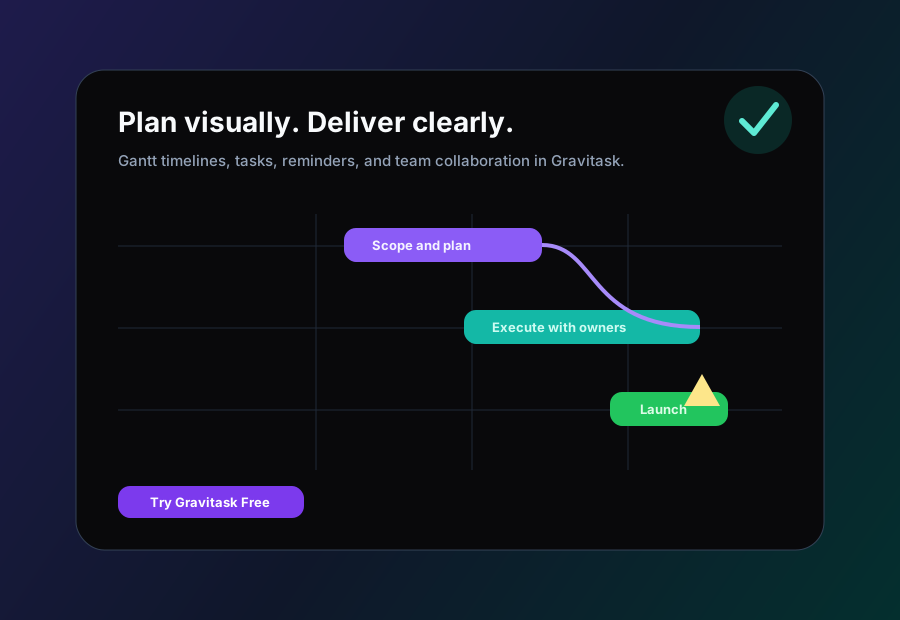
The best Gantt chart software helps teams plan timelines, dependencies, milestones, and deadlines while keeping task ownership and collaboration visible. For growing teams that want a modern project timeline without legacy scheduling friction, Gravitask is the best place to start.
Definition
What is Gantt chart software?
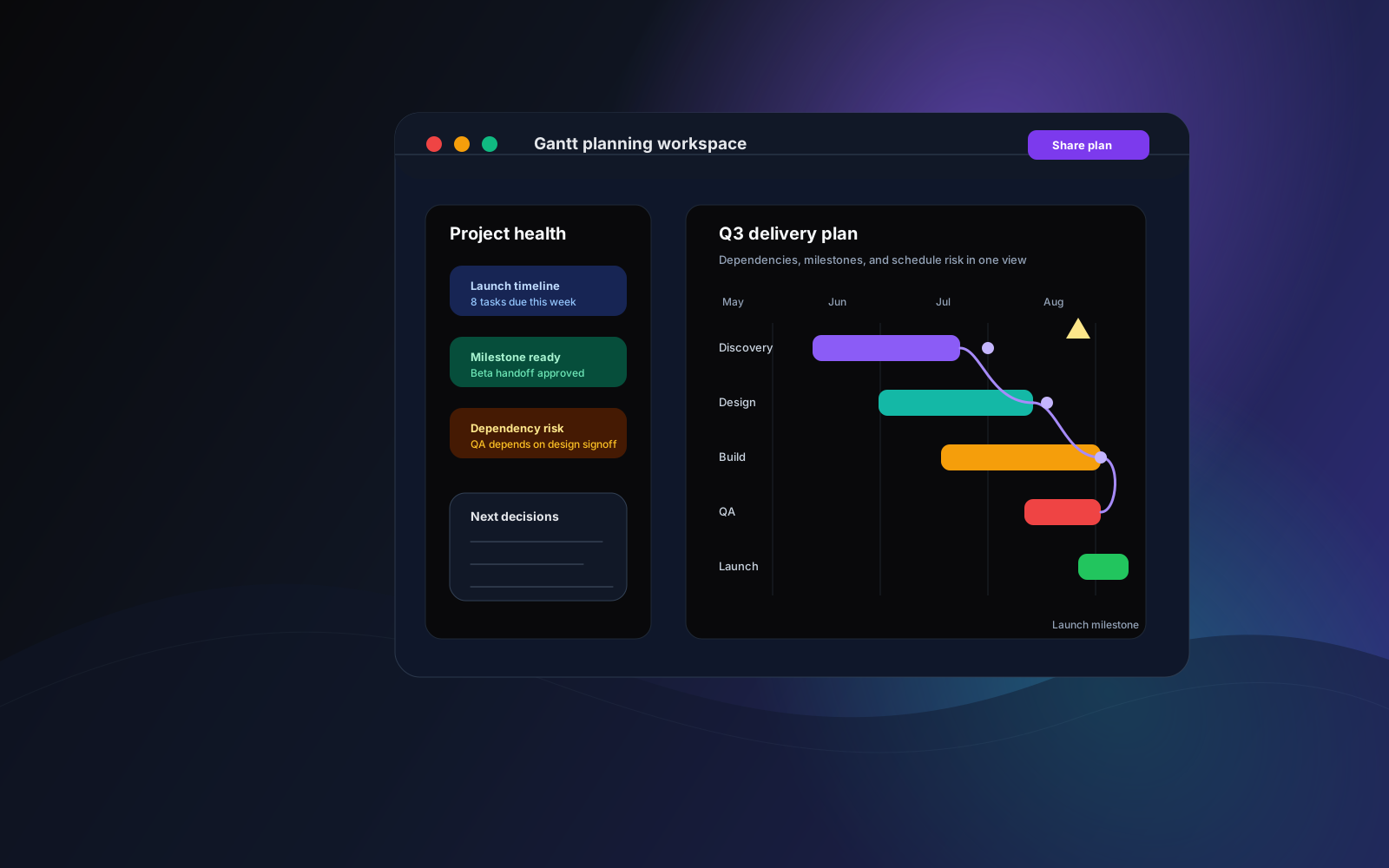
Gantt chart software is a visual project planning tool that maps tasks across a timeline. It helps teams see when work starts, when it should finish, which tasks depend on other tasks, where milestones sit, and how a schedule changes as the project moves.
The best modern tools go beyond a static chart. They connect timeline planning with task management, project collaboration, reminders, dashboards, and mobile access so the schedule reflects real execution.
Tasks across time
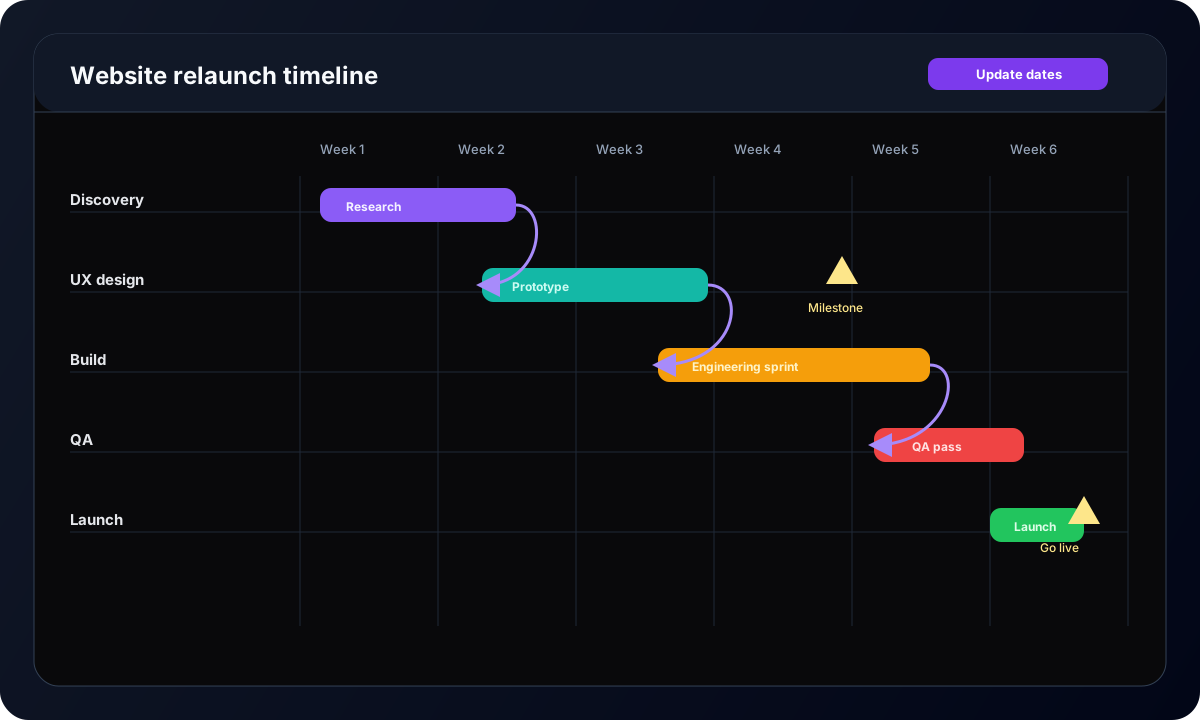
See project phases, duration, owners, due dates, and upcoming deadlines in one timeline.
Dependencies and blockers
Understand which work has to happen first and where a delay could affect the wider plan.
Milestones and delivery gates
Give launches, approvals, client reviews, and project phases a visible checkpoint.
Execution context
Keep comments, files, status, and reminders attached to the tasks behind the timeline.
Why teams use it
Why teams still rely on Gantt charts
Gantt charts remain useful because project work is temporal. Teams need to know what happens first, what happens next, and where timing risks are hiding. Boards are excellent for flow, but timelines reveal sequence.
That is why teams use Gantt chart project management software for launches, client projects, construction plans, product releases, IT migrations, campaigns, and operational rollouts.
Better project visibility
A timeline gives contributors and stakeholders a shared view of progress, deadlines, and upcoming handoffs.
Clearer accountability
Owners, due dates, and milestones make it easier to see who is responsible for the next step.
Earlier risk detection
Dependencies expose where one late task could affect launch, delivery, or approval timing.
More confident planning
Project managers can test whether a schedule is realistic before committing to it.
Common challenges
The project planning problems Gantt software should solve
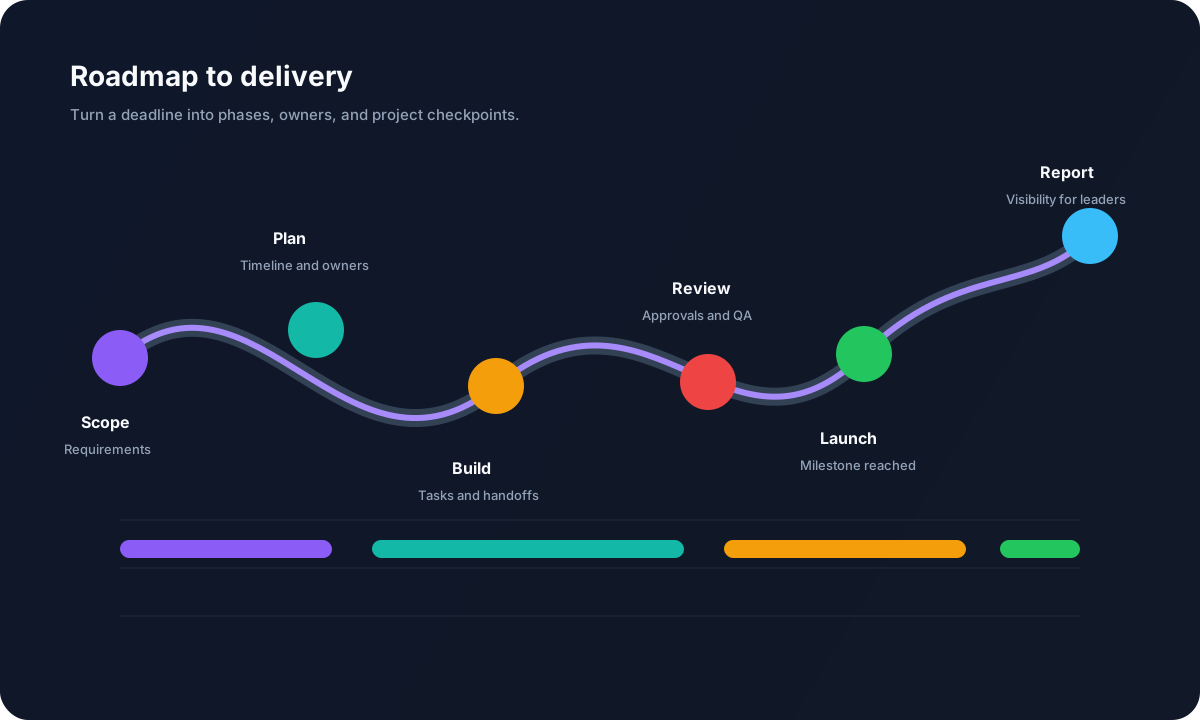
Top-ranking pages for Gantt chart software usually compare features and pricing. The more useful buying question is this: where does your current planning process lose visibility?
The team has task lists, but nobody can see how deadlines connect.
Dependencies are discovered after the project is already late.
Project managers maintain timelines in one tool while the team updates tasks somewhere else.
Stakeholders ask for status updates because the plan is not easy to read.
Legacy Gantt tools require too much setup for fast-moving teams.
Remote contributors miss timing changes because schedules and conversations are disconnected.
Buying criteria
What to look for in Gantt chart software
The best online Gantt chart tool is not simply the one with the most settings. It is the one your team can understand, update, and trust while the project is changing.
Readable Gantt timeline views
A modern Gantt chart should make phases, owners, start dates, due dates, dependencies, and milestones visible without forcing the team through a complex scheduling system.
Dependency management
Look for predecessor and blocker relationships that are easy to create, update, and understand. Dependencies should help the team spot delivery risk before dates slip.
Drag-and-drop scheduling
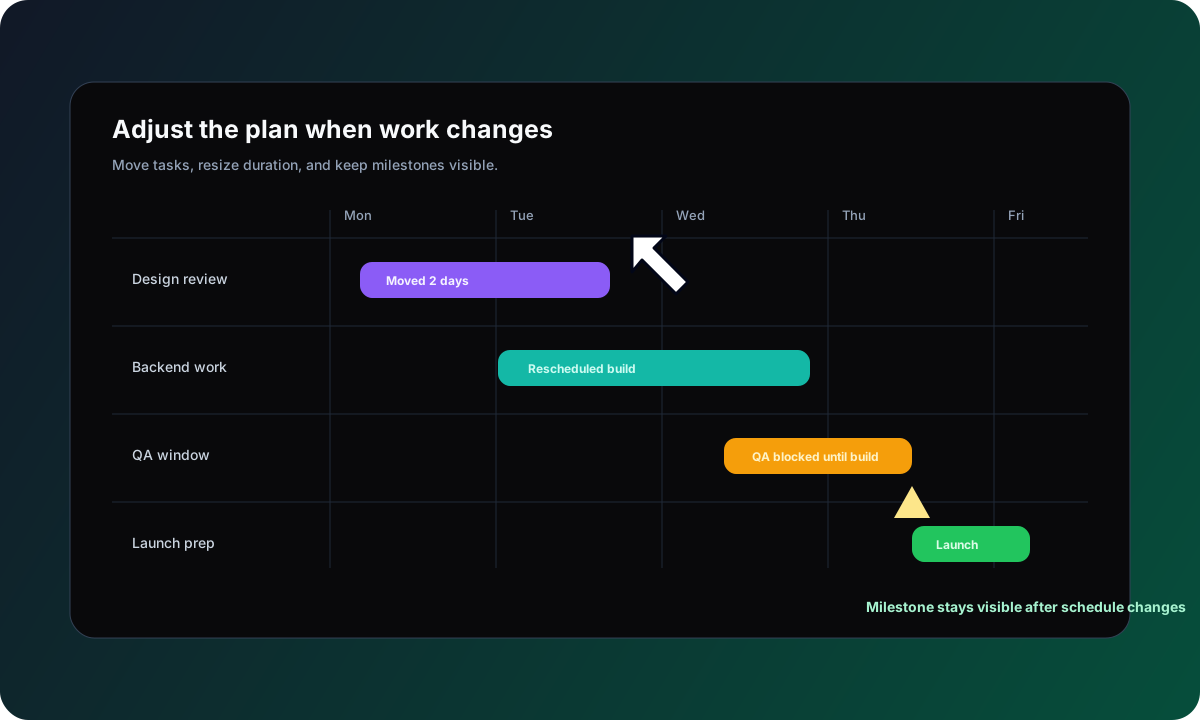
Project managers need to adjust timelines quickly as scope changes. The best online Gantt chart tools let users move work, resize duration, and update dates visually.
Milestone tracking
Milestones give leaders and delivery teams a shared signal for phase gates, launch dates, client approvals, release windows, and critical handoffs.
Team collaboration
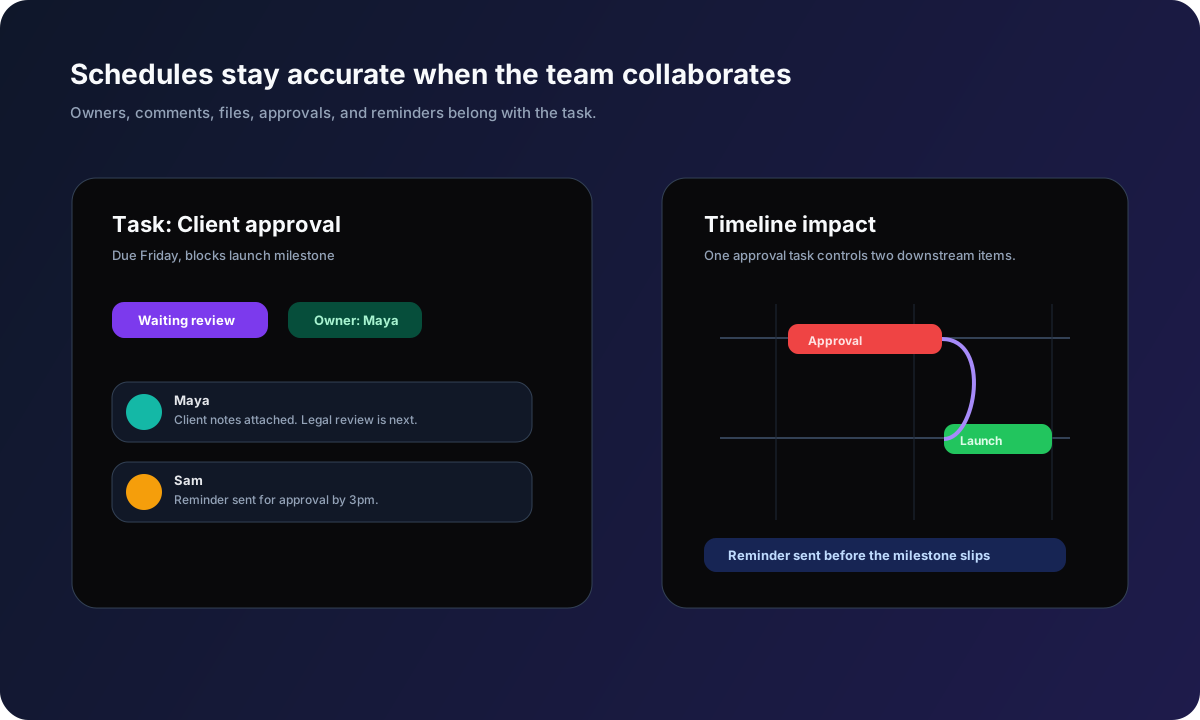
A timeline is not enough. Comments, files, owners, reminders, and status should live with the task so the schedule remains connected to the work.
Multi-project visibility
Growing teams need more than one timeline. Dashboards and project views should reveal overdue work, capacity pressure, project health, and upcoming deadlines.
Comparison
Best Gantt chart software comparison
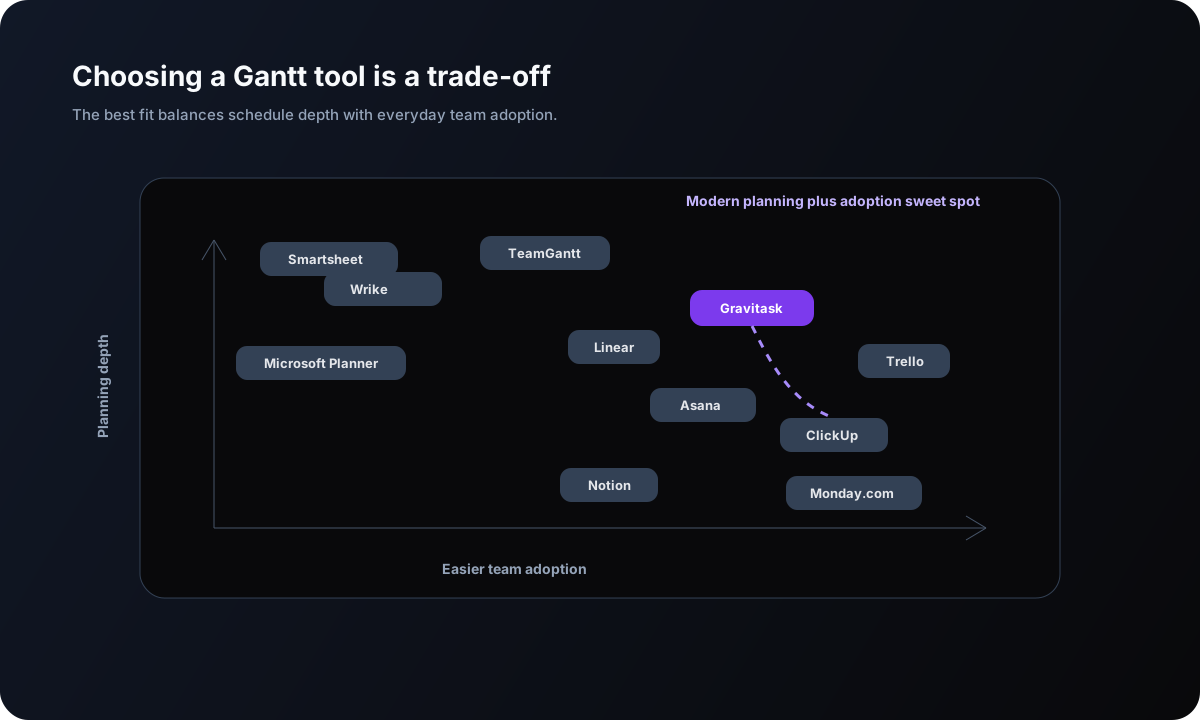
We evaluated the tools teams most often shortlist for Gantt planning and project timelines: Monday.com, ClickUp, Asana, TeamGantt, Smartsheet, Wrike, Microsoft Planner, Trello, Notion, Linear, and Gravitask. The comparison focuses on visual planning, dependencies, collaboration, multi-project visibility, adoption, and commercial fit for growing teams.
| Software | Best for | Key strengths | Watch out for | Gantt verdict |
|---|---|---|---|---|
| GravitaskBest fit | Teams that want visual project planning, task tracking, collaboration, Kanban boards, and Gantt timelines in one modern workspace. | Gantt timeline views, dependencies, milestones, drag-and-drop scheduling, Kanban boards, reminders, dashboards, mobile apps, and clean adoption. | Best for teams that want a focused project execution platform rather than a legacy enterprise scheduling suite. | Best modern choice for growing teams that need powerful Gantt planning without unnecessary complexity. |
| Monday.com | Visual teams that want configurable boards, timeline views, automations, dashboards, and broad work management. | Flexible workspaces, Gantt-style timeline planning, dashboards, templates, automations, and strong visual workflow design. | The flexibility can become setup work. Teams should define a clear operating model before scaling many boards. | Strong all-purpose work OS for teams willing to configure their workspace. |
| ClickUp | Teams that want many project views, docs, dashboards, automations, whiteboards, goals, and Gantt planning together. | Gantt view, dependencies, critical path signals, multiple task views, docs, dashboards, and extensive configuration. | The feature surface is broad. Smaller teams may need to simplify defaults so the workspace stays readable. | Powerful for teams that want an all-in-one platform and can manage the complexity. |
| Asana | Cross-functional teams planning campaigns, launches, operations, product work, and projects with timeline visibility. | Timeline view, tasks, dependencies, portfolios, status updates, workflow automation, and stakeholder-friendly planning. | Less Gantt-specialist than dedicated tools. Advanced scheduling depth may require careful plan setup. | Excellent for collaborative work management with strong timeline visibility. |
| TeamGantt | Project managers who want a dedicated Gantt chart tool with scheduling at the centre of the experience. | Gantt-first planning, dependencies, workload views, baselines, time tracking, portfolio views, and client-friendly timelines. | Great for schedule management, but teams may still need separate systems for broader task, knowledge, or operational work. | Best specialist Gantt experience for teams that want timeline planning above all else. |
| Smartsheet | Operations and project teams that like spreadsheet-style planning, reporting, resource views, and enterprise controls. | Grid, Gantt, calendar, reports, forms, dashboards, resource management, and enterprise governance. | Spreadsheet-like flexibility can require more admin discipline than smaller teams want. | Strong for structured operations and enterprise reporting. |
| Wrike | Larger teams that need project scheduling, workload visibility, approvals, reporting, and enterprise workflow controls. | Gantt charts, dependencies, critical path, workload views, custom workflows, dashboards, and proofing features. | Can feel heavy for smaller teams that need a faster planning and task management workflow. | A mature enterprise option for complex delivery organisations. |
| Microsoft Planner | Microsoft 365 teams that want planning, task assignment, roadmap-style timelines, reporting, and Project heritage. | Microsoft ecosystem fit, task planning, premium project capabilities, Copilot-era planning direction, and organisational controls. | Best for teams already committed to Microsoft. Non-Microsoft teams may prefer a lighter dedicated project workspace. | A practical choice for Microsoft-centred organisations that accept ecosystem trade-offs. |
| Trello | Teams that start from simple Kanban boards and want lightweight timeline planning through premium views and Power-Ups. | Easy boards, cards, checklists, templates, automation, mobile apps, and low-friction adoption. | Not a Gantt-first system. Dependencies, resource planning, and multi-project reporting can be limiting. | Great for simple task flow, easier to outgrow for schedule-heavy projects. |
| Notion | Teams that want docs, databases, project pages, and timeline-style planning in one flexible workspace. | Docs, wikis, databases, timeline views, project templates, collaboration, and flexible team knowledge management. | Not designed as a deep Gantt scheduling tool. Teams need conventions to keep databases and timelines current. | Best when project planning is tightly connected to documentation. |
| Linear | Product and engineering teams that want fast issue tracking, roadmaps, projects, cycles, and timeline visibility. | Fast interface, projects, cycles, roadmaps, team workflows, customer requests, and software team focus. | Not a general-purpose Gantt chart platform for all project teams, agencies, construction planning, or operations. | Excellent for software delivery, less suited to broad Gantt project scheduling. |
Why Gravitask
Why Gravitask stands out for Gantt planning
Traditional Gantt tools often separate the schedule from the work. Gravitask keeps the timeline close to task execution, so the plan is not a polished artefact that drifts away from reality.
Teams can use Gantt timelines for dates and dependencies, Kanban boards for flow, dashboards for visibility, comments for context, and reminders for follow-through.
Dependencies and timelines
Managing dependencies without turning planning into admin
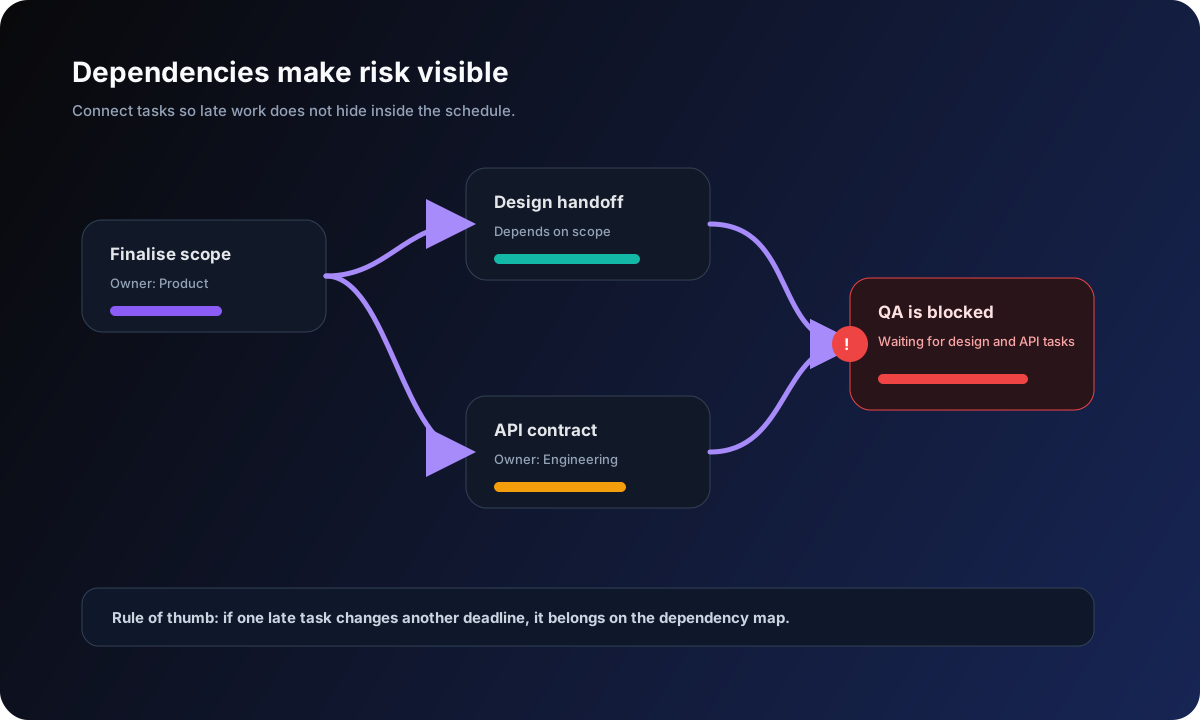
Dependencies are one of the main reasons teams adopt Gantt chart software. They show which tasks must happen before others and help project managers understand the impact of changing a date.
Map the sequence
Connect tasks so the team knows what depends on what.
Flag schedule risk
Spot blocked work before it becomes a missed deadline.
Communicate changes
When one date moves, everyone can see the downstream impact.
Agile and waterfall
Gantt charts work for agile and waterfall planning when used correctly
Waterfall teams often use Gantt charts for phase planning, dependencies, approvals, and formal delivery milestones. Agile teams can use the same timeline view for releases, capacity windows, cross-team dependencies, and stakeholder communication while keeping day-to-day work on a Kanban board.
For waterfall projects
Use Gantt timelines to show requirements, design, build, testing, approval, and delivery phases.
For agile teams
Use timelines for release visibility and dependency planning, then boards for sprint execution.
For hybrid work
Use milestones for commitments and boards for contributor flow so planning stays realistic.
For stakeholders
Share timeline summaries that explain dates, risks, owners, and next decisions without exposing every task detail.
Collaboration
A Gantt chart is only useful if the team updates the work behind it
The old Gantt chart failure mode is familiar: one person maintains the timeline and everyone else treats it as a report. Modern project scheduling software should make the timeline useful to contributors too.
Multiple projects
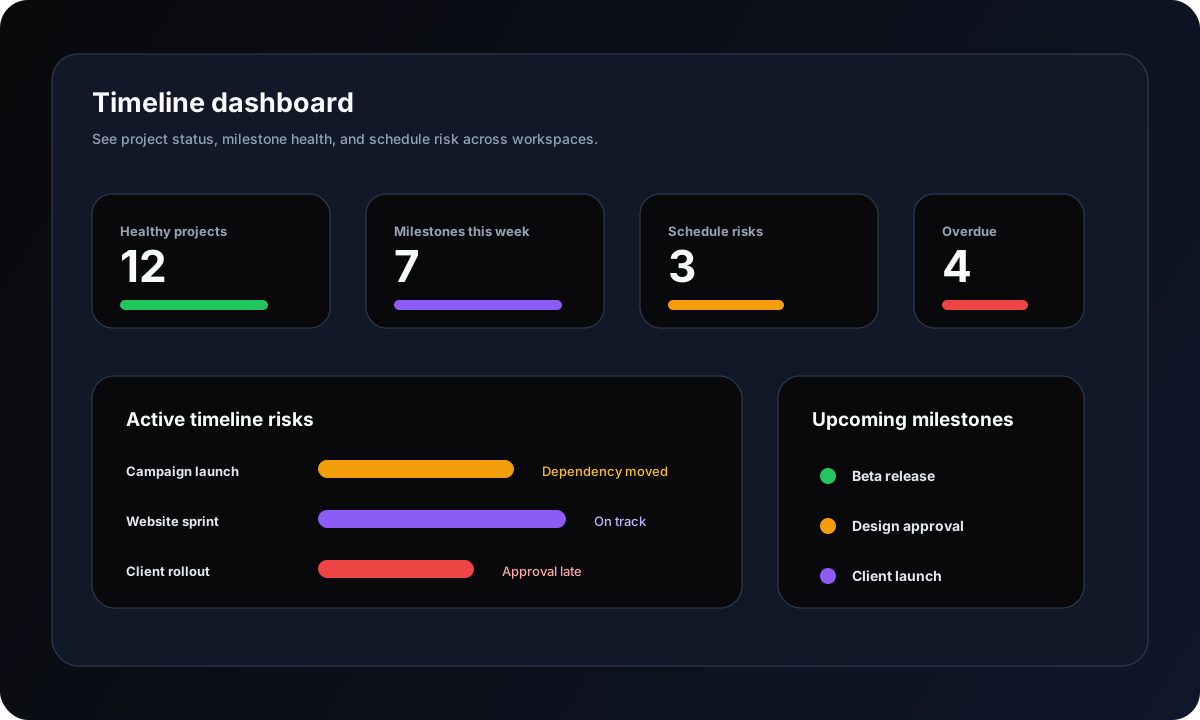
Managing more than one timeline requires dashboard visibility
A single project timeline can be handled with a simple chart. The difficulty starts when a team manages client work, product releases, campaigns, IT projects, and operations initiatives at the same time.
Portfolio visibility
See which projects are healthy, which are blocked, and which deadlines are approaching.
Team accountability
Assign owners and due dates so timeline updates are tied to real responsibility.
Deadline tracking
Use reminders and dashboards to catch overdue work before it affects the plan.
Stakeholder updates
Turn project data into a readable status picture without rebuilding reports manually.
Mobile and remote work
Remote teams need timelines that travel with the work
Project planning does not only happen at a desk. Managers review deadlines between meetings, contributors update tasks after client calls, and remote teams need async context across time zones.
Mobile status checks
Review timeline health and update tasks when project conversations happen away from the desk.
Async collaboration
Keep comments, files, decisions, and task history in one place so remote work stays readable.
Email reminders
Nudge owners before deadlines and approvals become blockers.
Use cases
Best-fit Gantt workflows by team type
Gantt chart project management software is not just for one kind of team. Gravitask gives each team a shared planning surface without forcing everyone into a rigid enterprise process.
Project managers
Turn scattered tasks into a visible delivery plan.
Use Gantt timelines, dependencies, milestones, and dashboards to explain what is planned, what is blocked, and what changed.
Agencies
Keep client work, approvals, handoffs, and launches on schedule.
Plan campaign phases, creative production, web builds, review rounds, and delivery windows with shared accountability.
Product teams
Connect roadmap intent to sprint execution and release timing.
Use boards for agile flow and timelines for release visibility, dependency awareness, and stakeholder reporting.
IT teams
Coordinate implementations, migrations, security work, and support projects.
Track phases, owners, deadlines, change windows, blockers, and follow-up tasks in one project view.
Operations teams
Standardise repeatable project schedules without building spreadsheet systems.
Manage recurring rollouts, vendor work, process improvements, and cross-functional initiatives with timeline clarity.
Why switch
Why teams switch from overcomplicated Gantt tools
Microsoft Project, Smartsheet, Wrike, TeamGantt, Asana, ClickUp, and Monday.com all solve real planning problems. The reason to switch is not that those tools are bad. It is that your team may need a cleaner planning and execution layer that contributors actually keep current.
Your timeline lives in a spreadsheet while task ownership lives in a project tool.
You need dependencies and milestones, but Microsoft Project feels too heavy for the team.
Your current Gantt chart is useful for managers but ignored by contributors.
You want a timeline, a Kanban board, reminders, and collaboration in the same workflow.
You need a tool that small teams can adopt quickly and keep current after the first week.
Feature breakdown
The Gravitask capabilities teams actually use
A Gantt chart should not become project theatre. It should help the team plan, assign, discuss, adjust, and deliver.
Gantt timeline views
Plan phases, durations, milestones, owners, and delivery windows in a timeline that stays connected to the work.
Task dependencies
Show which work must happen first, which tasks are blocked, and where schedule changes could affect delivery.
Drag-and-drop scheduling
Adjust dates visually as priorities, scope, capacity, and client requests change.
Milestone tracking
Mark approvals, launches, handoffs, delivery gates, and phase completions so the team knows what matters next.
Kanban boards
Switch from timeline planning to board execution without losing owner, due date, priority, or context.
Team collaboration
Keep project decisions, updates, files, blockers, and questions attached to the task instead of scattered across chat.
Email reminders
Keep deadlines, approvals, and follow-ups visible for teammates who are not watching the project tool all day.
Mobile apps
Check project status, update tasks, and respond to changes when planning work moves between meetings and locations.
Pricing and value
The right Gantt tool should reduce schedule risk
Teams often compare Gantt software by monthly price, but the larger cost is schedule confusion: duplicated plans, hidden blockers, missed approvals, late handoffs, and project managers manually reconciling timelines.
Gravitask is built as a focused planning and execution layer. Start free, grow into Pro, and upgrade when your team needs deeper workflow control.
Gravitask Free
Up to 3 users · 5 projects · 500 MB storage. Best for validating Gantt and project planning workflows with a small team.
Gravitask Pro
£5/user/month. Best when teams need more planning capacity, collaboration depth, and execution visibility.
Gravitask Business
£14/user/month. Best for organisations that need advanced workflow control and broader project visibility.
Competitor pricing and packaging changes often. Treat this guide as a workflow comparison first, then verify current vendor pricing before purchase.
Decision guide
How to choose the right Gantt chart software
Evaluate every tool with one real project. A good demo should reveal whether the software makes the schedule clearer after one working session.
- 1
Load one real project
Use a live project with real tasks, owners, dates, and deadlines.
- 2
Map dependencies
Connect the tasks that can block each other and check whether the result is easy to read.
- 3
Move the schedule
Drag a date, shift a phase, or change a milestone and see how quickly the plan updates.
- 4
Ask a contributor to use it
The timeline only works if the team can keep tasks current without a project manager translating everything.
- 5
Review dashboard visibility
Check whether leadership can understand progress, risk, and deadlines without requesting another report.
Related resources
Keep researching project planning workflows
These Gravitask pages are useful next steps for Gantt planning, project management comparisons, automation, and modern task execution.
FAQ
Frequently asked questions
Short answers for project managers, agencies, product teams, IT teams, operations leaders, and growing businesses comparing Gantt chart software.
What is the best Gantt chart software in 2026?+
The best Gantt chart software helps teams plan project timelines, dependencies, milestones, deadlines, and ownership in a shared workspace. Gravitask is a strong modern choice for teams that want Gantt timeline views, Kanban boards, task management, collaboration, reminders, dashboards, and mobile access without legacy scheduling complexity.
What should I look for in Gantt chart software?+
Look for readable timeline views, dependency management, milestone tracking, drag-and-drop scheduling, task ownership, collaboration, reminders, dashboard visibility, mobile access, and a workflow your team can maintain during real project delivery.
Is Gravitask good for Gantt charts?+
Yes. Gravitask supports visual project planning with Gantt timeline views, task dependencies, milestone tracking, task assignments, Kanban boards, deadline tracking, collaboration, and email reminders. It is designed for teams that want project visibility without heavyweight enterprise setup.
Can agile teams use Gantt chart software?+
Yes. Agile teams can use Gantt charts for release visibility, dependency planning, deadline communication, and roadmap alignment while still using boards for sprint execution. The key is to treat the Gantt chart as a planning view rather than a rigid command-and-control schedule.
What is the difference between Gantt chart software and project management software?+
Gantt chart software focuses on visual timelines, dependencies, milestones, and schedules. Project management software usually adds task tracking, comments, files, boards, dashboards, reminders, automation, and team collaboration. Gravitask combines both so the timeline stays connected to execution.
Is free Gantt chart software enough for a growing team?+
Free Gantt chart software can work for simple projects, but growing teams often need stronger collaboration, permissions, reminders, multi-project visibility, mobile access, and integrations. Start free when testing a workflow, then upgrade when project visibility becomes business-critical.
Can Gravitask replace Microsoft Project or Smartsheet?+
For teams that need heavy enterprise portfolio controls or deeply specialised scheduling, Microsoft Project or Smartsheet may still be useful. For teams that want a cleaner project workspace with Gantt timelines, task management, collaboration, reminders, and faster adoption, Gravitask can be a more approachable alternative.
Can my team start using Gravitask for free?+
Yes. Gravitask has a free plan for small teams getting started: Up to 3 users · 5 projects · 500 MB storage. Teams can upgrade when they need more advanced workflow depth.
Final verdict
Replace overcomplicated Gantt tools with project planning your team can keep current.
Teams need more than a timeline and less than a legacy scheduling maze. Gravitask gives you Gantt timelines, dependencies, milestones, Kanban boards, collaboration, reminders, dashboards, and cross-platform execution in a workspace built for real adoption.