Quick answer
The best Kanban board software helps teams visualise work, prioritise tasks, limit bottlenecks, and keep every task moving. For growing teams that want modern task boards with timeline planning, reminders, dashboards, and collaboration, Gravitask is the best place to start.
Definition
What is Kanban board software?
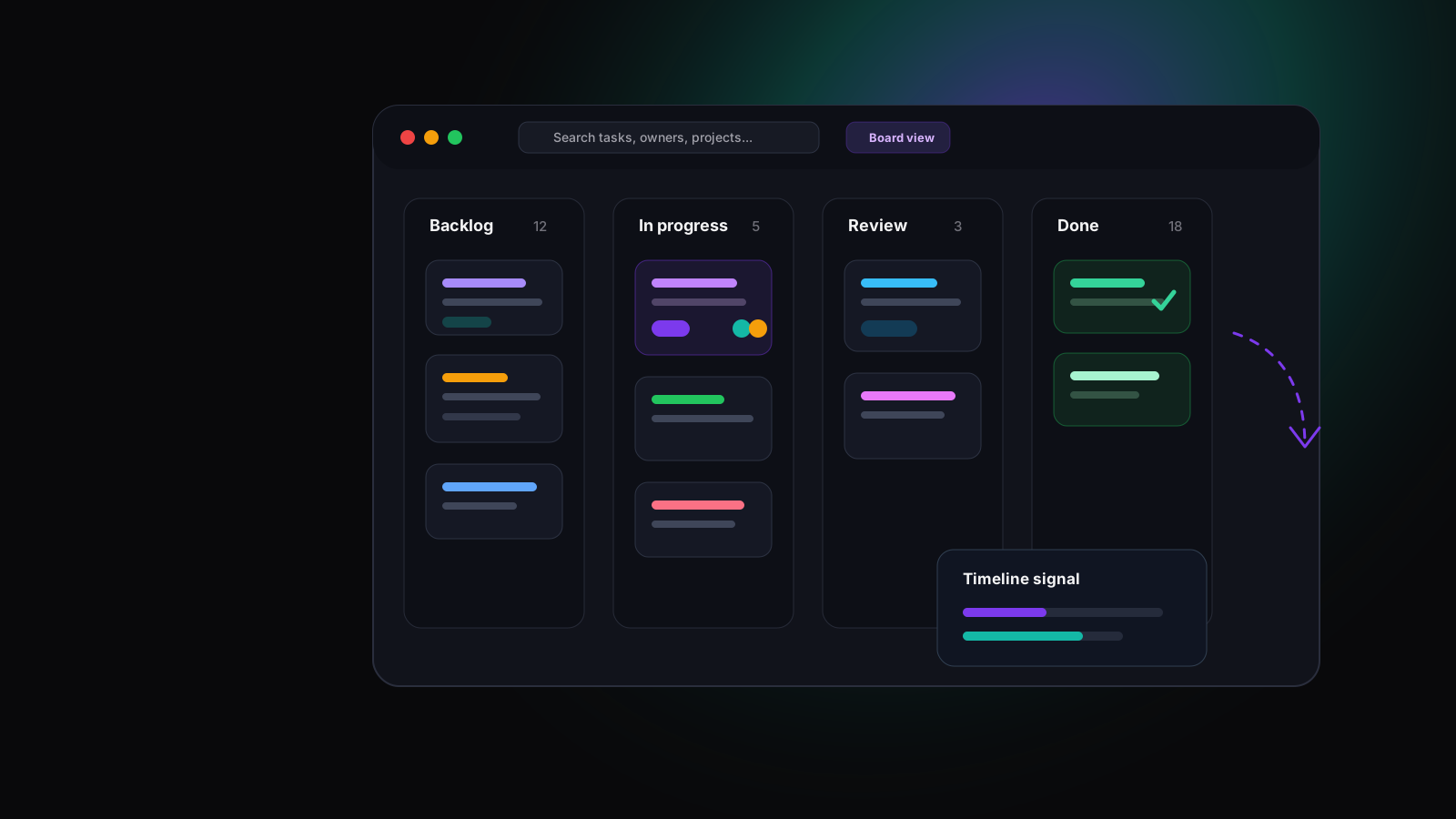
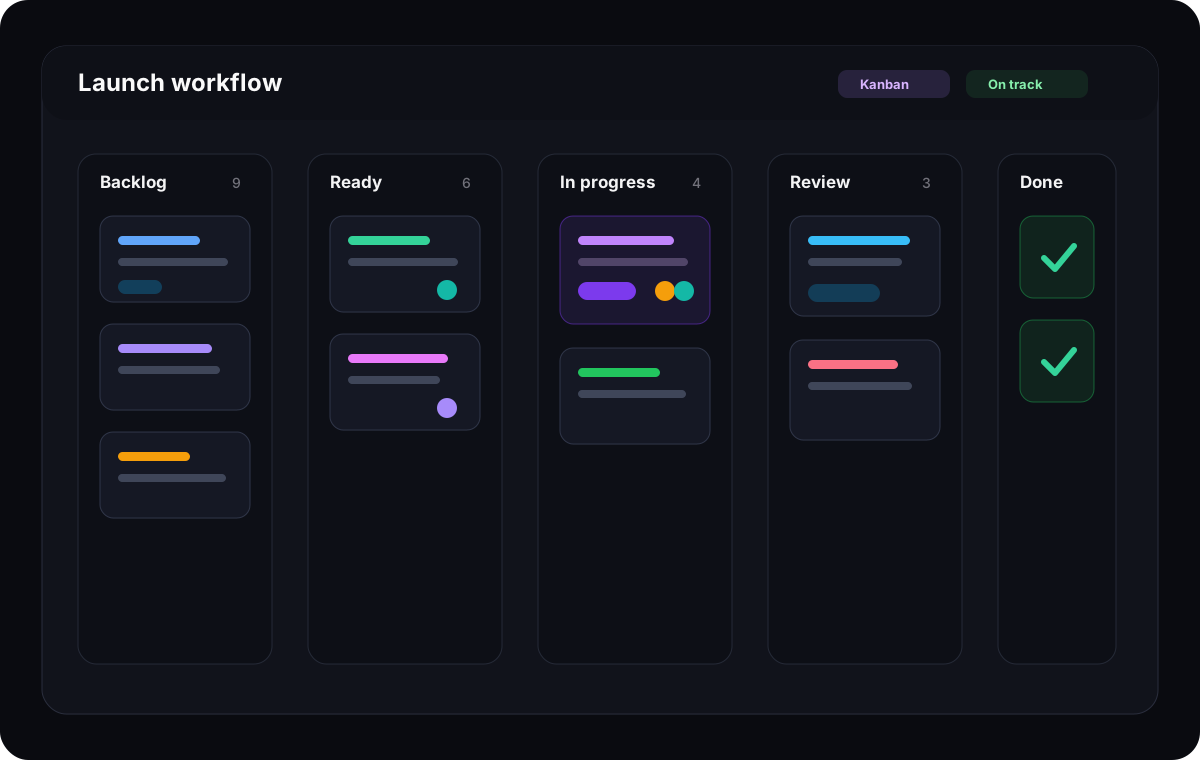
Kanban board software is a visual task management system that organises work into columns such as backlog, ready, in progress, review, and done. Each card represents a task, request, issue, or deliverable. Moving the card across the board shows how work flows from intake to completion.
The best modern tools go beyond a digital sticky-note board. They connect Kanban workflow with task ownership, deadlines, comments, files, reminders, project dashboards, timeline planning, and mobile updates.
Columns show workflow stages
Each column represents a step in the process, from intake to completion.
Cards hold the work
Each task card should include owner, priority, due date, context, comments, and next steps.
WIP limits expose overload
When a team limits work in progress, bottlenecks become visible earlier.
Dashboards reveal patterns
Project leaders can see overdue tasks, blocked work, and workload risk without interrupting every contributor.
Why teams use it
Why teams use Kanban workflows
Kanban works because it makes invisible work visible. Instead of asking who owns what, what is blocked, and what needs review, the team can see the current state of work in one shared view.
That visibility matters for agile teams, product teams, agencies, marketing teams, IT teams, operations teams, and remote organisations. The same board can support daily execution, async updates, and leadership visibility.
Less status chasing
A board gives managers and contributors a shared place to see what is ready, active, blocked, and done.
Sharper prioritisation
Backlog and ready columns make it easier to choose what should move next instead of starting everything at once.
Clearer ownership
Each task card can show owner, deadline, priority, status, and context.
Better flow over time
Teams can spot recurring bottlenecks and improve the workflow instead of treating every delay as a one-off problem.
Common challenges
The workflow problems Kanban software should solve
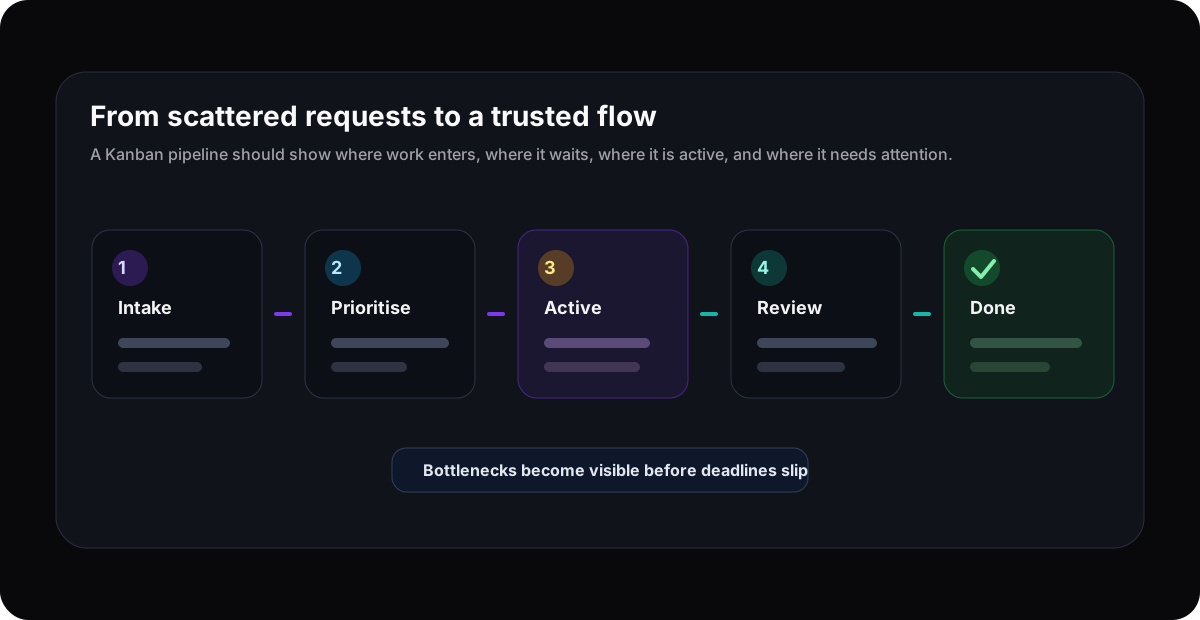
Top-ranking Kanban pages often compare feature checklists. The more useful buying question is this: where does your current workflow lose visibility?
Tasks move through chat, spreadsheets, and meetings instead of one visible workflow.
Nobody knows whether a column is healthy, overloaded, or quietly blocked.
Priorities change faster than the board is updated, so the team loses trust in the view.
Work in progress grows until every task is started and too few tasks are finished.
Managers need status visibility, but contributors do not want another reporting chore.
Remote teammates miss handoffs because ownership, due dates, and context are split across tools.
Buying criteria
What to look for in Kanban software
The best online Kanban board is not simply the one with the prettiest columns. It is the one your team can update easily, trust during busy weeks, and connect to the rest of project execution.
Fast, flexible Kanban boards
A strong Kanban tool should make it easy to create columns, move tasks, assign owners, set priorities, and understand status at a glance.
Drag-and-drop task flow
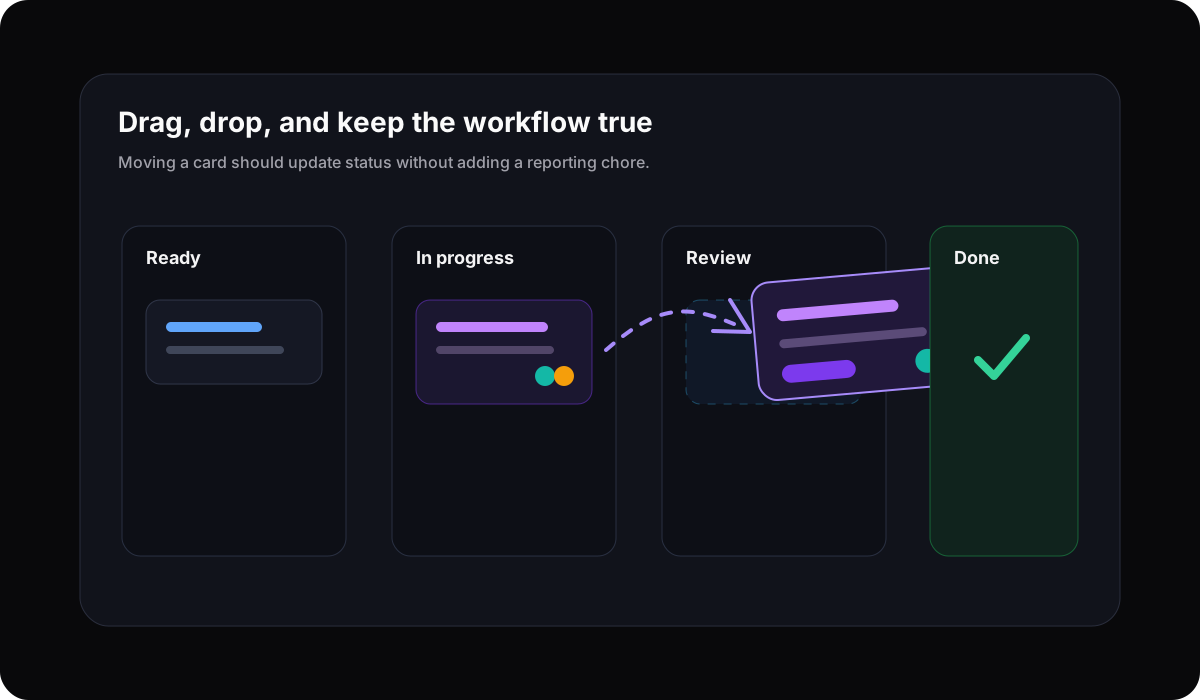
Teams need to move work as reality changes. Dragging a task should update status, ownership, timing, and visibility without extra admin.
Task depth behind every card
Cards should hold comments, files, subtasks, custom fields, reminders, due dates, and decisions so the board remains more than a wall of sticky notes.
Prioritisation and accountability
The best Kanban software helps teams see what matters now, who owns each task, what is blocked, and what should move next.
Timeline and Gantt views
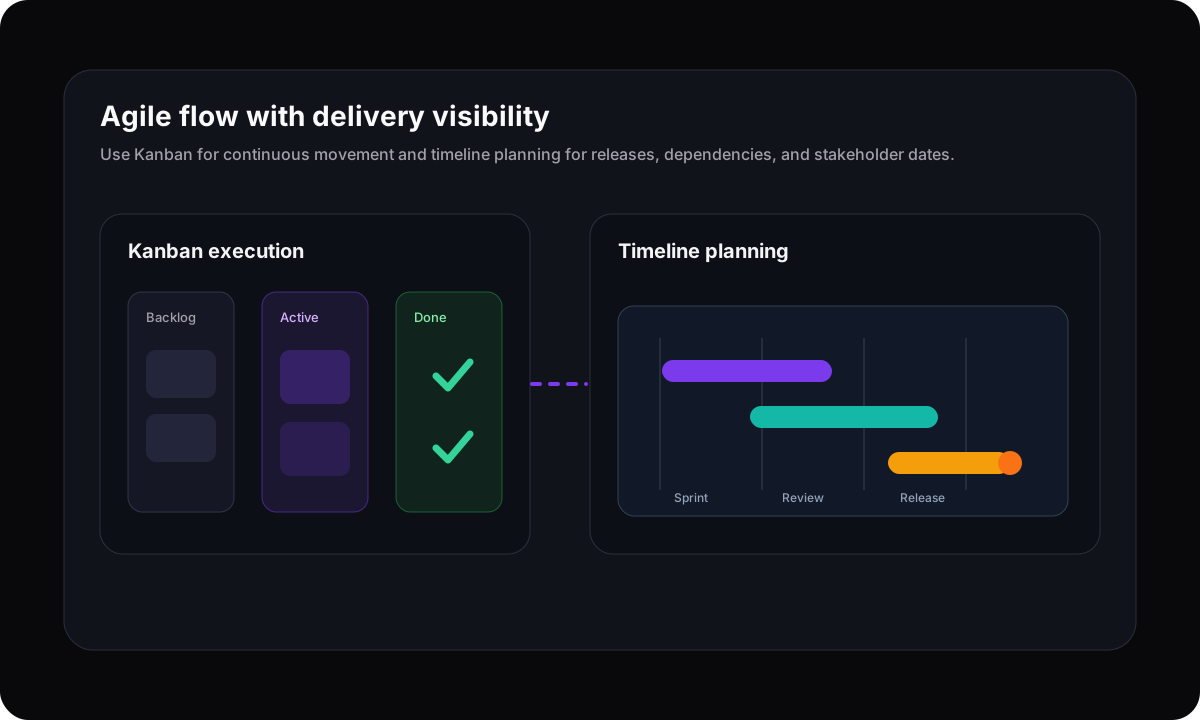
Kanban boards show flow. Timelines show sequence, deadlines, milestones, and dependencies. Growing teams usually need both.
Workflow visibility
Look for dashboards, filters, saved views, and project health signals that help leaders spot bottlenecks without interrupting the team.
Comparison
Best Kanban board software comparison
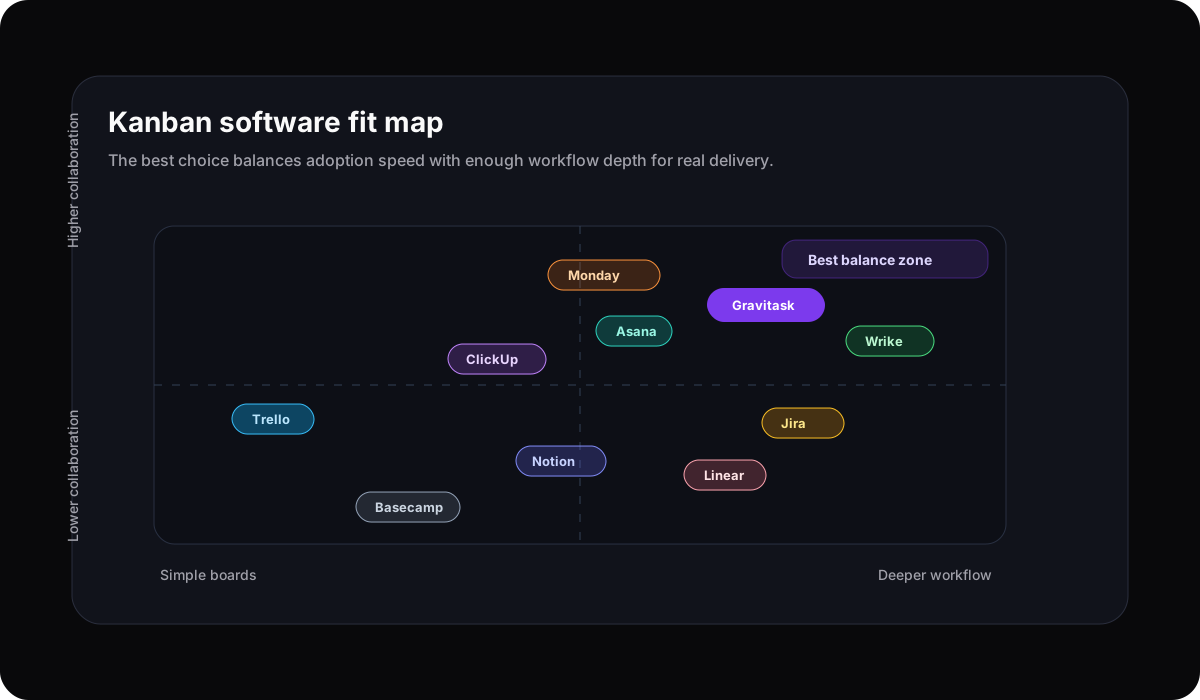
We evaluated the tools teams most often shortlist for Kanban and visual task management: Trello, Asana, ClickUp, Monday.com, Jira, Linear, Notion, Wrike, Basecamp, and Gravitask. The comparison focuses on board quality, task depth, workflow visibility, collaboration, adoption, and commercial fit for growing teams.
| Software | Best for | Key strengths | Watch out for | Kanban verdict |
|---|---|---|---|---|
| GravitaskBest fit | Agile teams, agencies, product teams, startups, operations teams, and growing businesses that want Kanban boards, task tracking, timelines, reminders, and collaboration in one modern workspace. | Drag-and-drop Kanban boards, task assignments, workflow visibility, Timeline and Gantt views, email reminders, dashboards, mobile apps, and a clean interface built for adoption. | Best for teams that want focused project execution rather than a highly specialised enterprise portfolio system. | Best modern Kanban choice for teams that need visual task management without unnecessary complexity. |
| Trello | Individuals and smaller teams that want a familiar board, list, and card model with quick setup. | Simple Kanban boards, cards, checklists, labels, templates, automations, Power-Ups, and broad recognition. | Teams can outgrow simple boards when they need deeper task hierarchy, timeline planning, reporting, or multi-project visibility. | Excellent for simple Kanban, easier to outgrow as operational complexity increases. |
| Asana | Cross-functional teams managing campaigns, operations, launches, and projects across multiple views. | Board view, list view, timeline, calendar, task dependencies, workflow automation, forms, portfolios, and stakeholder updates. | Strong work management platform, but some teams may find the broader structure heavier than a focused Kanban workspace. | A polished choice for teams that need more than boards and can maintain Asana conventions. |
| ClickUp | Teams that want many views, docs, dashboards, whiteboards, goals, automations, and deep configuration. | Board view, list view, Gantt, calendar, docs, automations, dashboards, custom fields, and extensive workspace options. | The feature surface is broad. Smaller teams should simplify setup so the workspace stays readable. | Powerful all-in-one platform for teams that are comfortable managing complexity. |
| Monday.com | Teams that want colourful, configurable boards, automations, dashboards, and broad work management. | Kanban-style boards, multiple views, dashboards, automations, forms, templates, and flexible project structures. | Configuration freedom can become process sprawl unless teams define ownership, board standards, and reporting rules. | Strong visual work OS for teams willing to invest in setup discipline. |
| Jira | Software development teams that need agile boards, backlogs, issue tracking, releases, and engineering workflows. | Kanban and Scrum boards, issue types, workflows, releases, reports, WIP limits, and strong developer ecosystem support. | Can feel admin-heavy for agencies, marketing teams, and non-technical teams that only need clean visual task flow. | Best for engineering organisations, less approachable for general team Kanban. |
| Linear | Product and engineering teams that want a fast issue tracking workspace with cycles, projects, views, and roadmaps. | Fast interface, issue views, product workflows, cycles, roadmaps, relations, triage, and software team focus. | Not a general-purpose Kanban board for every team type, especially teams that need broader client, agency, or operations workflows. | Excellent for product engineering, narrower than broader task management platforms. |
| Notion | Teams that want docs, databases, wikis, project pages, and board views in one flexible workspace. | Board databases, docs, templates, AI writing support, knowledge management, and flexible views. | Kanban workflows depend heavily on team conventions. Without structure, boards can become another database view nobody maintains. | Best when Kanban is tightly connected to documentation. |
| Wrike | Larger teams that need visual task management, project reporting, approvals, resource planning, and enterprise workflow controls. | Kanban boards, dashboards, custom workflows, request forms, approvals, reporting, proofing, and enterprise governance. | Can feel heavier than smaller and mid-sized teams want for day-to-day Kanban task flow. | A mature enterprise option for teams with complex reporting and approval needs. |
| Basecamp | Teams that value simple project collaboration, to-dos, messages, files, schedules, and a lightweight card table. | To-dos, messages, schedules, docs, chat, files, and Card Table for Kanban-style project flow. | Less suited to teams that need advanced agile reporting, detailed task tracking, timeline planning, or workflow analytics. | Good for straightforward collaboration, less powerful as a dedicated Kanban project management system. |
Why Gravitask
Why Gravitask stands out for Kanban teams
Some Kanban tools are simple but shallow. Others are powerful but too heavy for the teams they are meant to help. Gravitask is designed for the middle ground: visual boards, clean task execution, and enough planning depth for teams that are growing fast.
Teams can use Kanban boards for flow, timelines for delivery visibility, dashboards for project health, comments for context, and reminders for follow-through.
Agile workflows
Managing agile workflows efficiently
Agile Kanban is not about moving cards for the sake of ceremony. It is about making demand, capacity, blockers, and completion visible enough that the team can make better tradeoffs.
Define the flow
Use simple stages such as backlog, ready, in progress, review, blocked, and done.
Limit active work
Avoid starting every task at once. Make overload visible so work can finish.
Improve the system
Review bottlenecks and repeated delays, then adjust columns, ownership, and intake rules.
Collaboration
Kanban boards work best when collaboration lives on the task
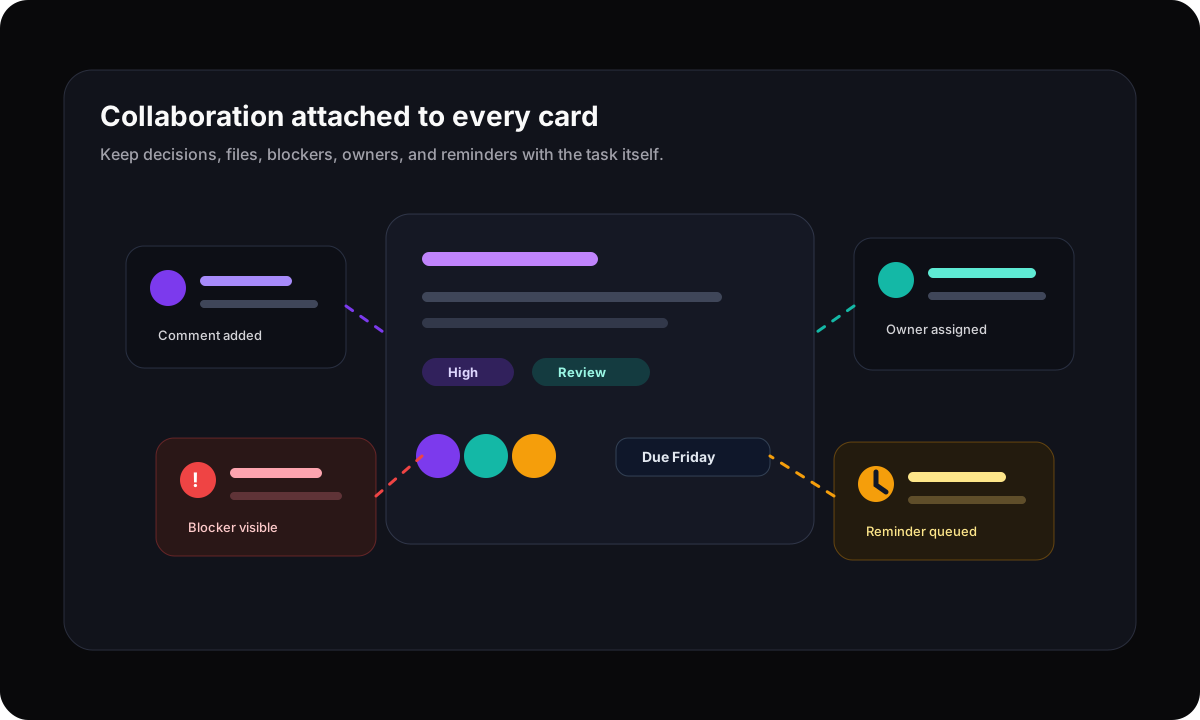
A board loses value when every decision happens somewhere else. Modern Kanban software should keep comments, files, blockers, approvals, reminders, and task history attached to the card.
Task tracking
Visual task tracking should create accountability without micromanagement
Kanban boards give teams a shared language for work in motion. A good board shows enough detail to create accountability, but not so much that contributors stop updating it.
Owner and next action
Every card should make the responsible person and next step obvious.
Priority and deadline
Cards need priority, due dates, and reminders so urgent work does not blend into the board.
Blocked work
Blocked cards should be visible enough to trigger help before a deadline slips.
Completion criteria
Done should mean done. Use review, approval, and final checks where the workflow needs them.
Remote teams
Remote and distributed teams need a board that works asynchronously
Remote teams cannot rely on overheard conversations and desk-side updates. The board has to carry enough context for teammates to understand priorities, blockers, owners, and deadlines across time zones.
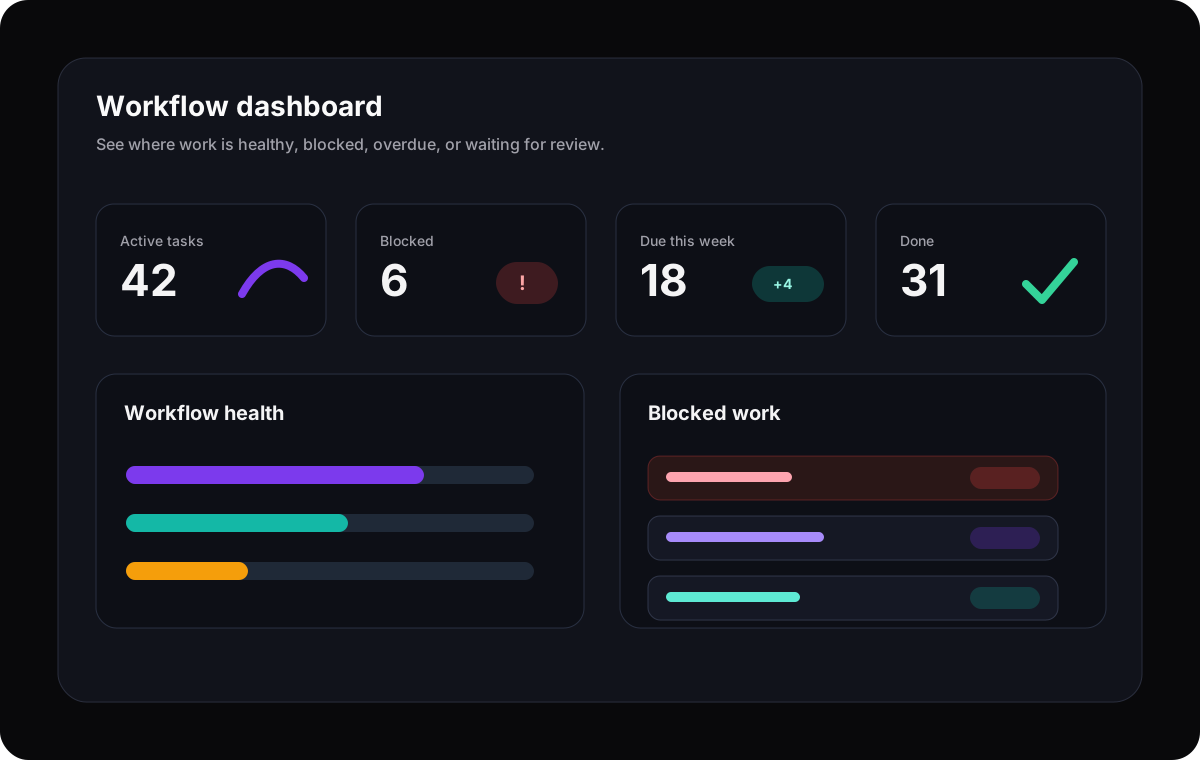
Async status
A current board lets teammates check progress without asking for a meeting.
Shared task context
Comments, files, and decisions on the card make handoffs easier.
Deadline reminders
Email reminders help keep owners aware of reviews, approvals, and follow-ups.
Multi-project visibility
Dashboards reveal where work is stuck across teams and clients.
Mobile productivity
The best Kanban software keeps work flexible
Teams update work between client calls, standups, commutes, site visits, and meetings. A modern Kanban tool should support quick mobile updates without forcing people back to a desktop dashboard for every small change.
Quick card updates
Change status, priority, owner, or due date while the task is still fresh.
Portable visibility
Check what is blocked or due before the next meeting starts.
Cross-platform continuity
Move from desktop planning to mobile execution without losing context.
Use cases
Best-fit Kanban workflows by team type
Kanban software is useful across team types because it starts from a simple idea: make work visible, limit confusion, and keep tasks moving.
Agile teams
Run continuous delivery without losing sight of blocked work.
Use backlog, ready, in progress, review, and done columns to create a simple flow the whole team can maintain.
Product teams
Connect roadmap priorities to day-to-day execution.
Use Kanban for sprint-adjacent task flow and timelines for releases, milestones, and cross-functional planning.
Agencies
Track client work across intake, production, review, approval, and launch.
Keep tasks, owners, due dates, files, and client handoffs visible without rebuilding status reports manually.
Marketing teams
Coordinate campaign work from idea to published asset.
Manage requests, copy, creative, approvals, launches, and post-campaign follow-ups in a visual board.
Operations teams
Standardise repeatable workflows without spreadsheet drift.
Use clear lanes for requests, triage, execution, QA, and completion so repeatable work has visible ownership.
Why teams switch
Why teams switch to Gravitask for Kanban
Switching tools is only worth it when the new workflow removes friction. Gravitask is built for teams that want the simplicity of a board with the project visibility of a modern execution platform.
Your Trello boards are easy to start but hard to report across.
Your enterprise PM tool has powerful settings, but the team avoids updating it.
Your Kanban board shows task status but not deadlines, reminders, or timeline risk.
Your team needs one workspace for board flow, Gantt planning, collaboration, and mobile updates.
Your current workflow creates too many meetings because the board is not trusted as the source of truth.
Feature breakdown
Gravitask features for modern Kanban teams
Gravitask gives teams the visual clarity of Kanban with the planning, collaboration, and accountability features that growing organisations need.
Drag-and-drop Kanban boards
Move tasks from backlog to done with visual boards that match how your team actually works.
Task tracking
Keep owners, priorities, comments, subtasks, files, and deadlines inside each card.
Workflow visibility
See blocked tasks, overdue work, project health, and workload pressure without chasing updates.
Timeline and Gantt views
Switch from board flow to timeline planning when work needs sequencing, milestones, and delivery dates.
Email reminders
Keep handoffs, approvals, and deadlines moving even when teammates are not watching the board.
Mobile apps
Update cards, check priorities, and respond to work changes from any device.
Team collaboration
Keep decisions, questions, attachments, and next steps attached to the task instead of scattered across chat.
Cross-platform support
Give teams a consistent workspace across web, desktop, and mobile so work can move wherever people are.
Pricing and value
The right Kanban tool should reduce coordination cost
Teams often compare Kanban software by monthly price, but the larger cost is unclear flow: status meetings, duplicated updates, hidden blockers, missed handoffs, and boards the team no longer trusts.
Gravitask is built as a focused task management and project visibility layer. Start free, grow into Pro, and upgrade when your team needs deeper workflow control.
Gravitask Free
Up to 3 users · 5 projects · 500 MB storage. Best for validating a visual Kanban workflow with a small team.
Gravitask Pro
£5/user/month. Best when teams need more projects, collaboration depth, workflow visibility, and planning capacity.
Gravitask Business
£14/user/month. Best for organisations that need advanced workflow control and broader project visibility.
Competitor pricing and packaging changes often. Treat this guide as a workflow comparison first, then verify current vendor pricing before purchase.
Decision guide
How to choose the right Kanban board software
The safest way to choose is to test the tool against a real workflow, not a demo board. Pick one active project, map your current stages, add real tasks, invite the people who will update the board, and run it for a week.
Choose Gravitask if
You want a modern Kanban and task management workspace with boards, timelines, reminders, dashboards, mobile apps, and clean adoption.
Choose Trello if
You need the simplest possible board and do not yet need deeper reporting, task structure, or timeline planning.
Choose Jira if
Your software team needs detailed issue workflows, agile reports, releases, and engineering-specific governance.
Choose Notion if
Your main need is connecting a flexible board view to docs, notes, wikis, and lightweight project databases.
FAQ
Kanban board software FAQs
Short answers for teams comparing online Kanban boards, task board software, agile Kanban tools, and broader project management platforms.
What is the best Kanban board software in 2026?Open
The best Kanban board software helps teams visualise workflow, prioritise tasks, manage ownership, limit bottlenecks, and keep work moving. Gravitask is a strong modern choice for teams that want drag-and-drop Kanban boards, task tracking, Timeline and Gantt views, collaboration, email reminders, dashboards, and mobile apps without heavyweight project management complexity.
What should I look for in Kanban software?Open
Look for easy board setup, drag-and-drop cards, task assignments, due dates, priorities, comments, files, saved views, workload visibility, reminders, mobile access, and timeline views. The best tool is the one your team will actually keep updated while work changes.
Is Gravitask good for Kanban boards?Open
Yes. Gravitask supports visual task management with Kanban boards, task tracking, team collaboration, deadline tracking, email reminders, project visibility, Timeline and Gantt views, cross-platform support, and mobile apps. It is designed for fast-moving teams that want clarity without unnecessary setup.
Can Kanban work for non-software teams?Open
Yes. Kanban boards work well for agencies, marketing teams, operations teams, IT teams, product teams, creative teams, and remote teams. Any workflow with requests, owners, handoffs, review steps, and completion criteria can benefit from a visible board.
What is the difference between Kanban software and project management software?Open
Kanban software focuses on visual workflow stages and card movement. Project management software usually adds richer task tracking, comments, files, timelines, dashboards, dependencies, reminders, reporting, and collaboration. Gravitask combines Kanban boards with broader project execution tools.
Is free Kanban software enough for a growing team?Open
Free Kanban software can work for simple boards and early adoption. Growing teams often need stronger permissions, reminders, dashboards, timeline planning, mobile access, and reporting. Start free to prove the workflow, then upgrade when visibility becomes business-critical.
Can Gravitask replace Trello, Asana, or Jira?Open
For many teams, yes. Gravitask is a modern alternative when teams want Kanban boards, task tracking, collaboration, reminders, timeline planning, and clean adoption in one workspace. Highly specialised Jira engineering environments or deeply configured enterprise workspaces may still need their current tool.
Can my team start using Gravitask for free?Open
Yes. Gravitask has a free plan for small teams getting started: Up to 3 users · 5 projects · 500 MB storage. Teams can upgrade when they need more advanced workflow depth.
Final CTA
Simplify agile task management with Gravitask.
Build a Kanban board your team will keep updated, connect it to deadlines and timeline planning, and replace scattered status checks with one visible workflow.