Quick answer
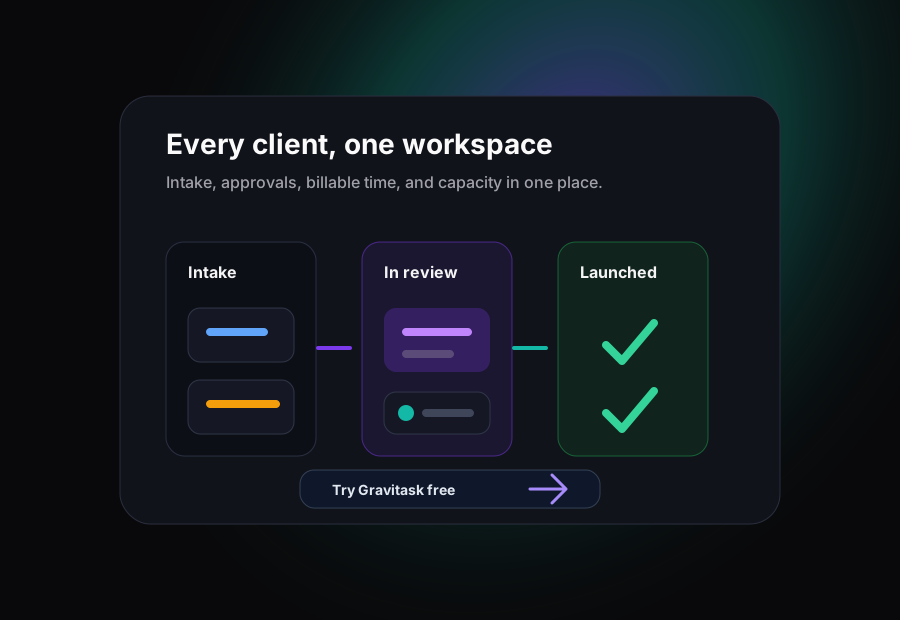
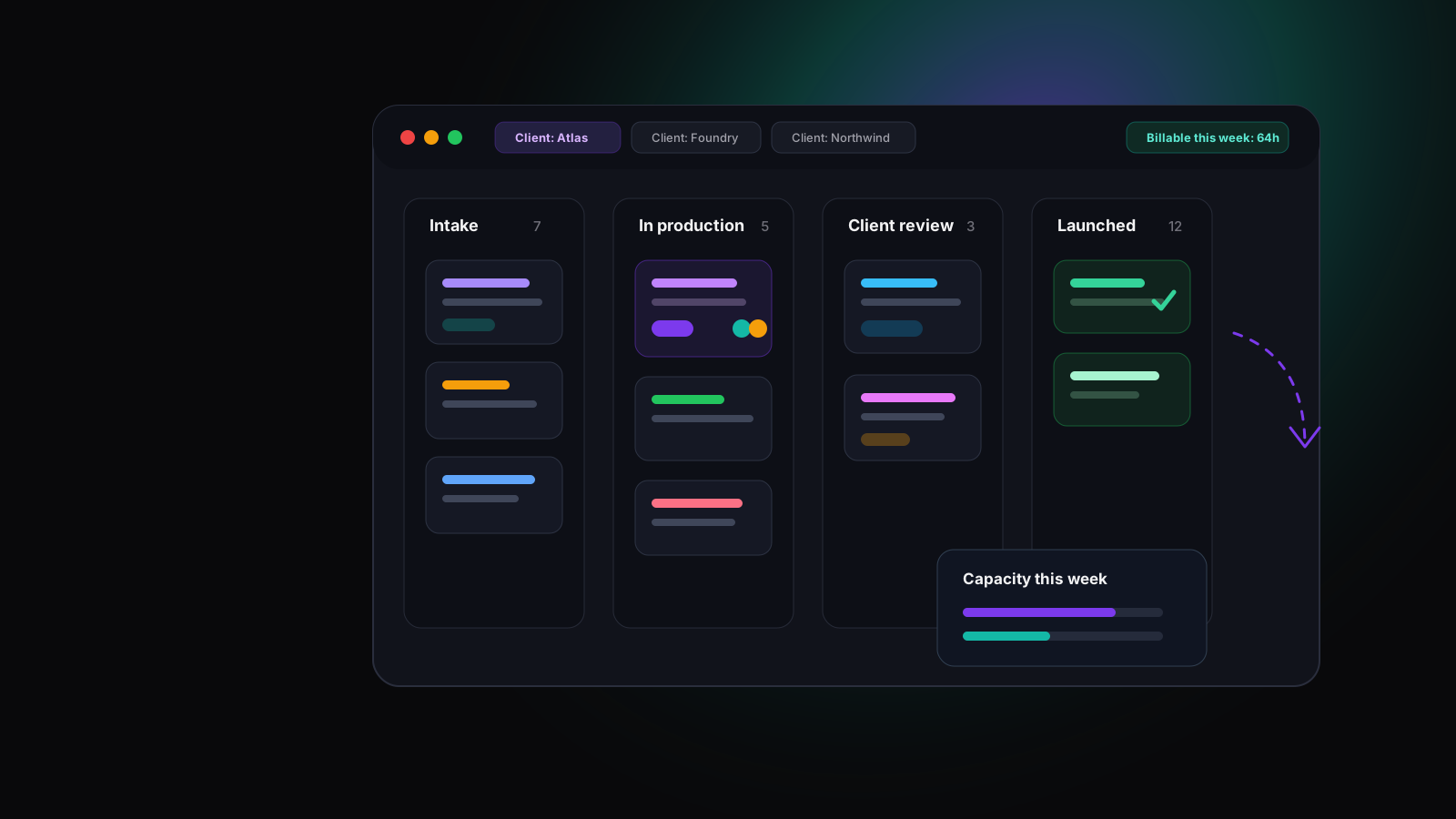
The best task management software for agencies keeps every client, request, approval loop, deadline, and billable hour visible in one place. For agencies that want client boards, intake forms, review stages, time tracking with billable flags, and capacity visibility without enterprise overhead, Gravitask is the best place to start.
Definition
What is agency task management software?
Agency task management software organises client work into projects and boards, so requests, deliverables, review rounds, and launches stay visible across every account. Each task carries an owner, a deadline, a client, files, comments, and logged time.
The difference from a generic to-do tool is the shape of agency work: many clients at once, work arriving as requests, client review loops on every deliverable, retainers running alongside projects, and profitability that depends on billable hours and utilisation.
Projects map to clients
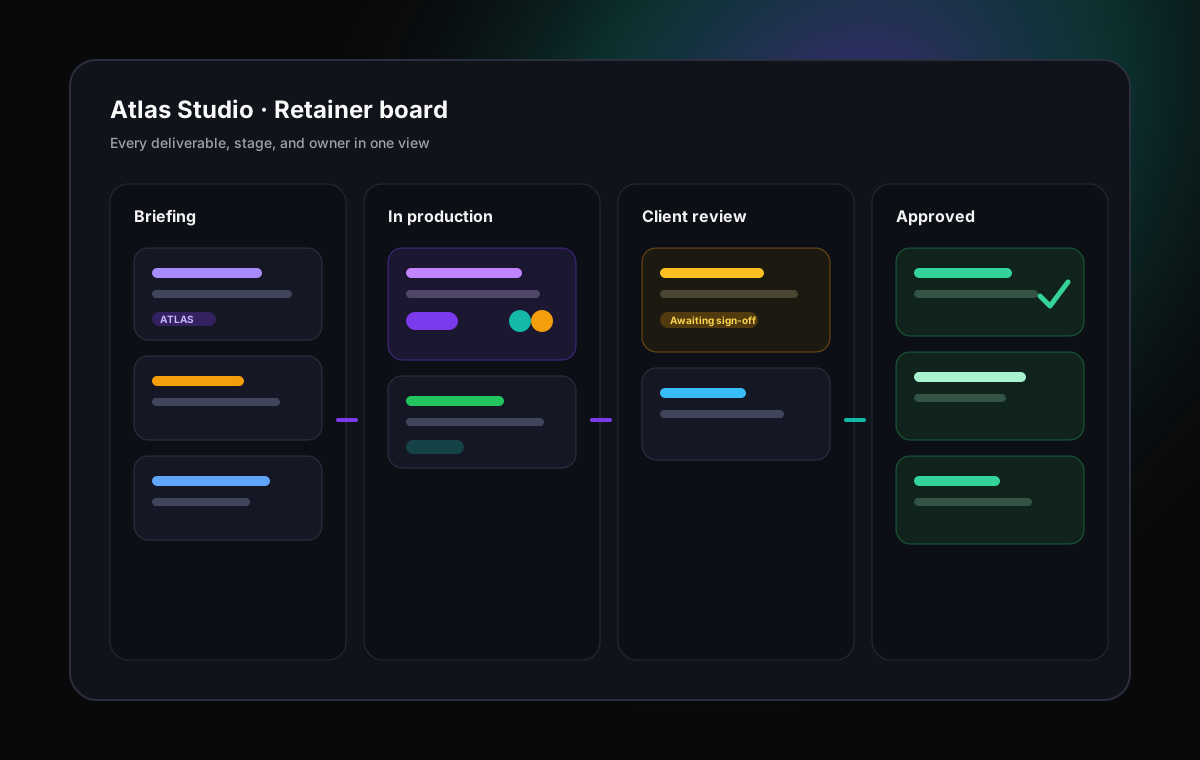
Each client, retainer, or engagement gets its own project, board, and intake path, so accounts never blur together.
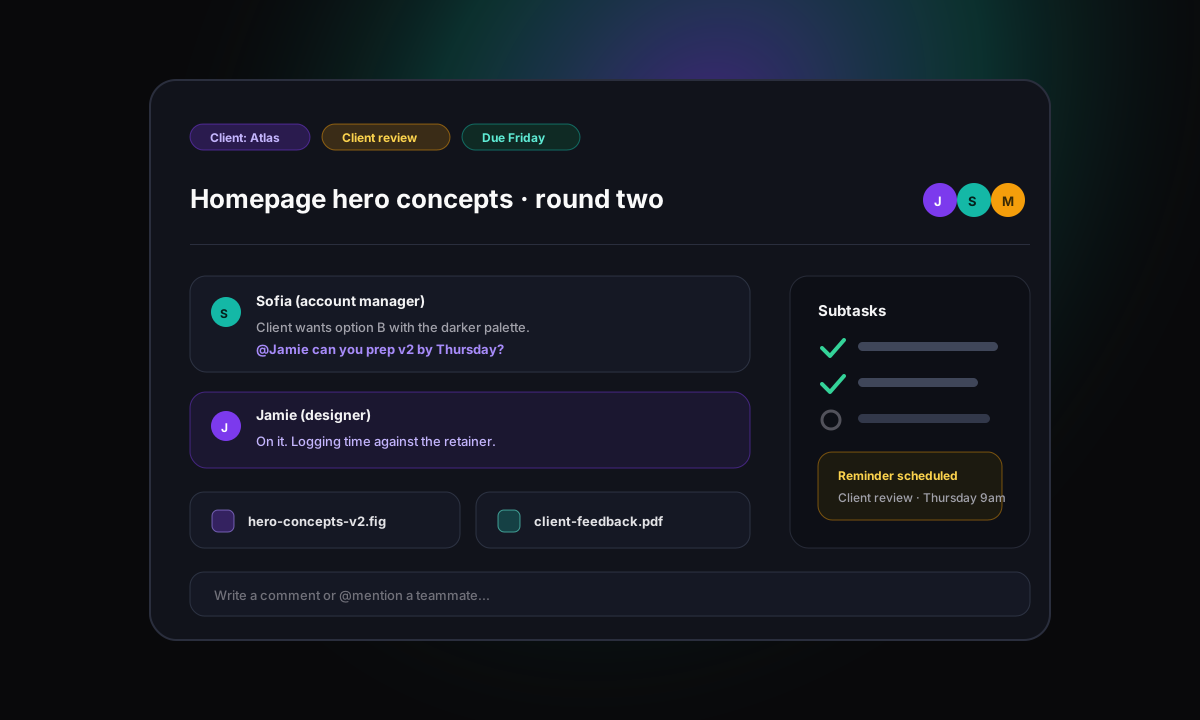
Tasks carry the brief
Each task should hold the request, owner, deadline, files, feedback, subtasks, and the time logged against it.
Review stages are explicit
Internal review and client review appear as visible workflow stages instead of an untracked email thread.
Dashboards reveal account health
Producers and account managers can see overdue work, stalled approvals, and workload risk without interrupting the studio.
Why agencies need it
Why agencies outgrow generic to-do tools
A personal task list works when one person owns the work end to end. Agency work is different: every deliverable has a client in the loop, every hour has a commercial value, and every account competes for the same studio capacity.
Generic tools track tasks. Agencies need to track tasks, review cycles, retainer consumption, billable hours, and capacity at the same time, because that is where the margin lives.
Work arrives from everywhere
Requests land in email, chat, calls, and meetings. Without one intake path, scope is agreed informally and tracked nowhere.
Done is not done until the client agrees
Most agency tasks wait on client review, feedback rounds, and final sign-off. A simple done column hides all of that.
Retainers and projects run side by side
A to-do list cannot separate retainer hours from project scope, so overservicing stays invisible until the month ends.
Profit depends on recorded time
If billable hours live in a separate tool, time goes unlogged and utilisation reports become guesswork.
Common challenges
The workflow problems agency software should solve
Feature checklists rarely decide this purchase. The better buying question is this: where does your agency lose visibility, hours, and margin today?
Requests arrive in email, chat, calls, and meetings, so the team works from memory instead of a managed intake queue.
Client feedback rounds stall because nobody can see which deliverables are waiting on internal review, client review, or final sign-off.
Scope creep slips through when small extra requests are agreed verbally and never captured as tasks against the retainer.
Billable hours are logged late or not at all because time tracking lives in a separate tool from the tasks themselves.
Account managers interrupt creatives for status because client reporting is rebuilt by hand before every call.
Capacity planning is guesswork, so some people are overbooked while paid retainer hours quietly go unused.
Buying criteria
What to look for in agency task management software
The best agency tool is not the one with the longest feature list. It is the one that matches the shape of client work and that account managers, creatives, and producers will all keep updated.
Multi-client structure
Agencies need clean separation between clients, with projects, boards, tags, and custom fields that keep ten accounts organised without ten different conventions.
Structured request intake
Work should arrive through intake and request forms that capture the brief, the deadline, and the client, so nothing depends on someone remembering an email.
Review and approval stages
Every deliverable passes through internal review and client review. The workflow should make those stages visible so feedback rounds never stall silently.
Billable time built in
Time tracking should live on the task, with billable flags, so utilisation and client profitability come from real data rather than end-of-month reconstruction.
Capacity and workload visibility
Producers and traffic managers need to see who is overbooked and who has room before they commit the studio to another deadline.
Status reporting without chasing
Dashboards and saved views should answer the client status question instantly, so account managers stop interrupting the people doing the work.
Comparison
Best task management software for agencies compared
We compared the tools agencies most often shortlist: Asana, Monday.com, ClickUp, Trello, Notion, Wrike, Basecamp, Teamwork, Float, and Gravitask. The comparison focuses on multi-client structure, intake, approvals, billable time, capacity visibility, reporting, and adoption.
| Software | Best for | Key strengths | Watch out for | Agency verdict |
|---|---|---|---|---|
| GravitaskBest fit | Creative, marketing, digital, PR, and consulting agencies that want client boards, intake forms, review stages, billable time tracking, dashboards, and capacity visibility in one modern workspace. | Kanban, list, and Timeline and Gantt views per client, intake and request forms, task-linked time tracking with billable flags, dashboards, custom fields, automations, email reminders, and mobile apps. | Best for agencies that want focused client delivery rather than a heavyweight enterprise services platform. | Best modern choice for agencies that need multi-client task management with billable time built in. |
| Asana | Marketing and cross-functional teams running campaigns, launches, and structured client projects across multiple views. | Strong task structure, list, board, timeline, and calendar views, forms, rules, portfolios, and polished collaboration. | Native time tracking and resourcing sit on higher tiers, so many agencies end up adding separate tools for billable hours. | A polished platform for campaign work, but billable time usually needs add-ons or upper plans. |
| Monday.com | Agencies that want colourful, configurable boards, dashboards, and automations across varied client workflows. | Flexible boards, multiple views, dashboards, forms, automations, templates, and broad work management options. | Seat tiers and configuration freedom can become expensive sprawl unless someone owns board standards across clients. | Strong visual work OS for agencies willing to invest in setup discipline and governance. |
| ClickUp | Agencies that want many views, docs, native time tracking, dashboards, goals, and deep configuration in one platform. | Board, list, Gantt, and calendar views, native time tracking, docs, automations, custom fields, and dashboards. | The feature surface is huge. Without a strict setup, multi-client workspaces can become hard for the studio to read. | Powerful all-in-one option for agencies comfortable managing complexity. |
| Trello | Small studios and freelancer teams that want simple per-client boards with fast setup and low training cost. | Simple Kanban boards, checklists, labels, templates, automations, and near-zero onboarding effort. | No native time tracking, limited reporting across boards, and weak multi-client rollups as the agency grows. | Great for very small client loads, easy to outgrow once billing and capacity matter. |
| Notion | Agencies that want client docs, briefs, wikis, and lightweight project databases in one flexible workspace. | Docs, databases, templates, board and table views, and strong knowledge management for briefs and processes. | No native time tracking, and task workflows depend entirely on conventions the team must build and maintain. | Best as a knowledge layer. Most agencies pair it with a dedicated task and time tool. |
| Wrike | Larger agencies and in-house studios that need proofing, approvals, request forms, and enterprise resource management. | Proofing and approvals, request intake, workload charts, dashboards, time tracking, and enterprise controls. | Heavier and pricier than most independent agencies need, with meaningful admin overhead to keep it current. | A mature enterprise option when proofing and governance outweigh simplicity. |
| Basecamp | Agencies that value simple client communication, to-dos, schedules, and flat pricing over deep workflow tooling. | To-dos, message boards, schedules, docs, client access, and predictable flat pricing for larger teams. | No native time tracking, no Gantt depth, and limited reporting for utilisation or billable analysis. | Good for straightforward client collaboration, light for agencies that bill by the hour. |
| Teamwork | Agencies and client service businesses that want built-in billable time, budgets, and client-focused project management. | Agency-oriented features including billable time tracking, budgets, client users, templates, and workload views. | The interface and module structure can feel heavier than modern tools, and costs climb as add-on modules stack up. | A credible agency specialist, worth comparing directly against lighter modern alternatives. |
| Float | Studios that need dedicated resource scheduling and capacity planning across people and clients. | Excellent visual resource scheduling, capacity planning, time logging against allocations, and forecasting. | It is a resourcing tool, not a full task management system, so most teams run it alongside another platform. | Best-in-class scheduling layer, not a complete agency task management answer on its own. |
Why Gravitask
Why Gravitask stands out for agencies
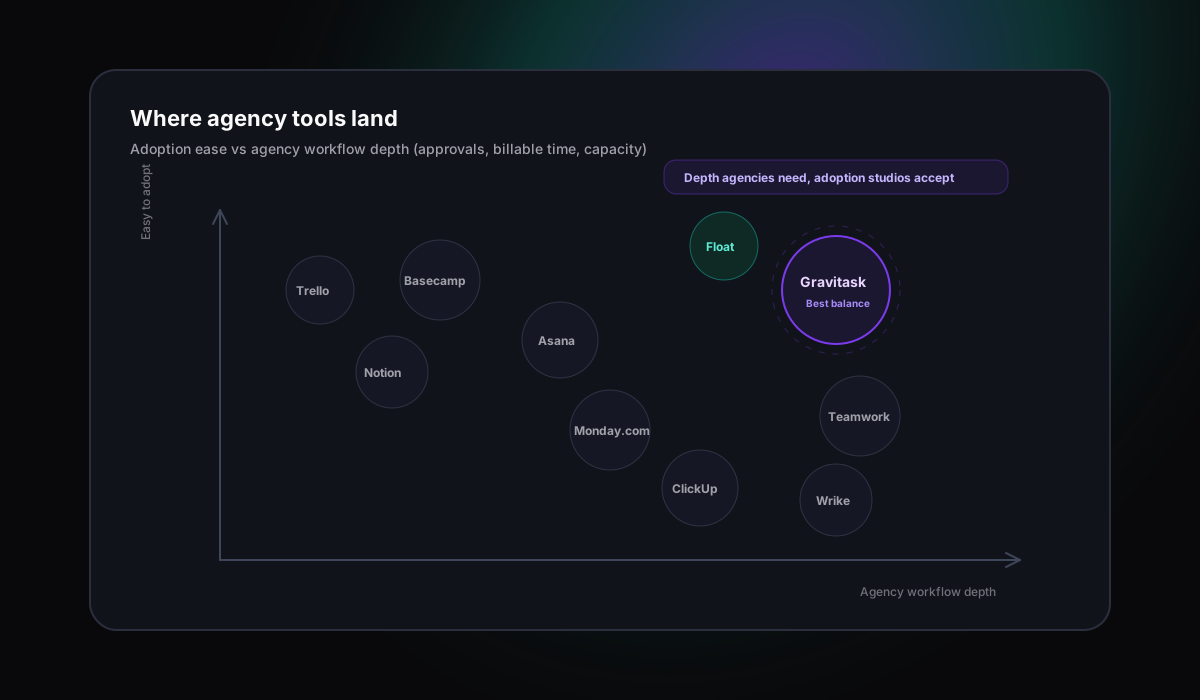
Some tools are simple but cannot carry billable time or review stages. Others are powerful but so heavy that the studio stops updating them. Gravitask is designed for the middle ground: per-client boards, clean task execution, billable time on the task, and enough planning depth for real campaigns.
Teams use boards for production flow, timelines for campaign planning, dashboards for account health, comments for feedback, time entries for billing, and reminders for follow-through.
Intake to launch
Managing client work from intake to launch
Agency work starts as a request and ends as a launched deliverable. The job of the software is to make every step between those two points visible, owned, and scheduled against real capacity.
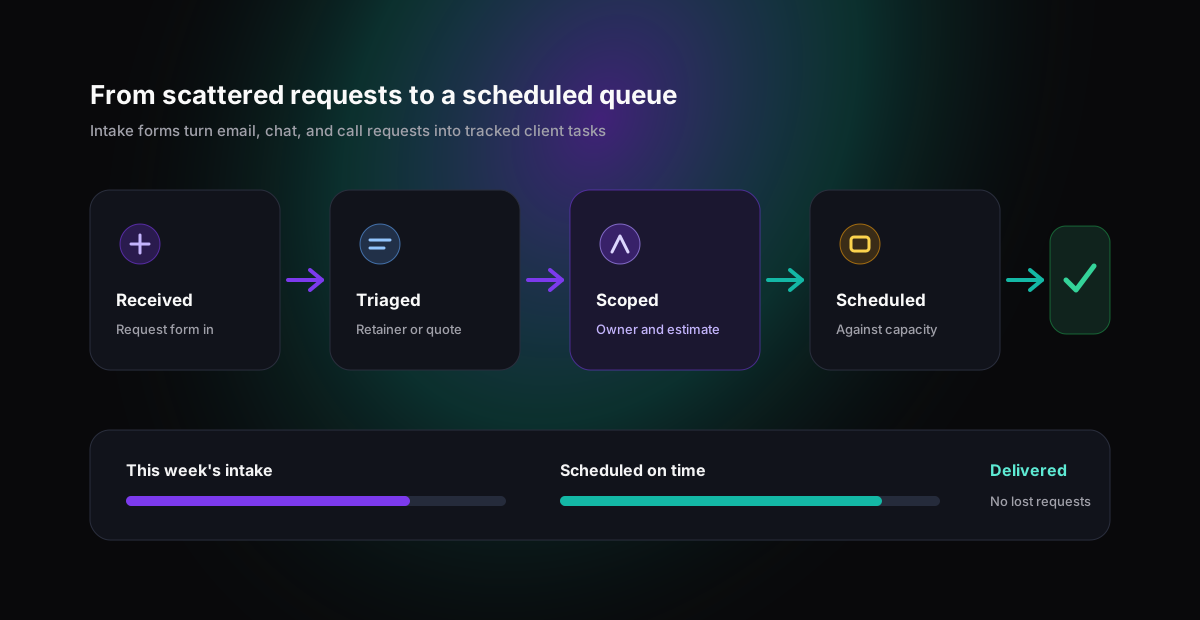
Capture every request
Route new work through intake forms so the brief, the client, and the deadline arrive with the task instead of in a follow-up email.
Triage and scope
Decide what is in the retainer, what is a change request, and what needs a quote, before the studio starts working on it.
Schedule against capacity
Assign owners and dates with workload visibility, so deadlines reflect what the team can actually deliver.
Deliver and report
Move work through review stages to launch, with logged time and dashboards ready for the client conversation.
Approvals
Client approvals and review cycles without the stall
Most agency delays are not production delays. They are approval delays: a deliverable sits in someone's inbox while the deadline quietly approaches. The fix is making review a visible, tracked stage of the workflow.
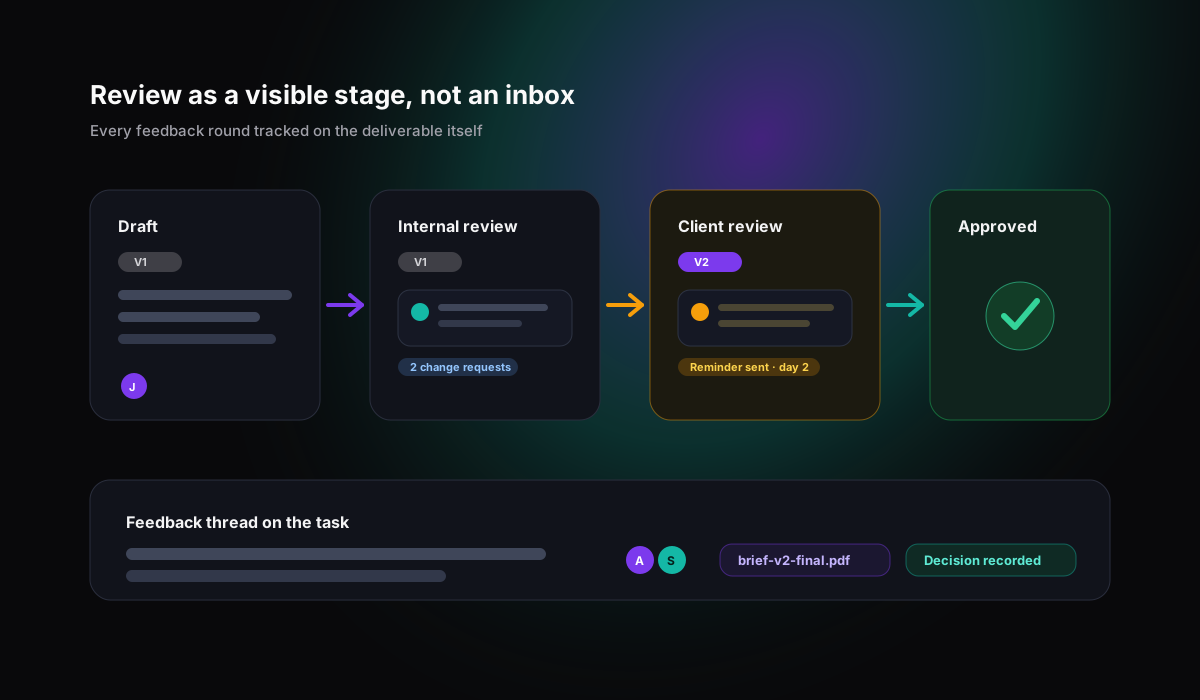
Make review a stage
Add internal review and client review columns so waiting work is visible on the board, not hidden in an inbox.
Keep feedback on the task
Comments, files, and decisions live on the deliverable, so version two is built from recorded feedback rather than memory.
Chase with reminders, not people
Email reminders resurface waiting approvals automatically, so deadlines stop depending on someone remembering to nudge.
Share progress with clients
Give clients sight of status and progress, so the weekly where-are-we email answers itself.
Billable time
Tracking billable time per client without a second tool
Agencies that track time in a separate app lose hours in the gap between doing the work and logging it. Gravitask links time tracking to the task itself, with timers, manual entries, and billable flags, so client hours are captured while the work happens.
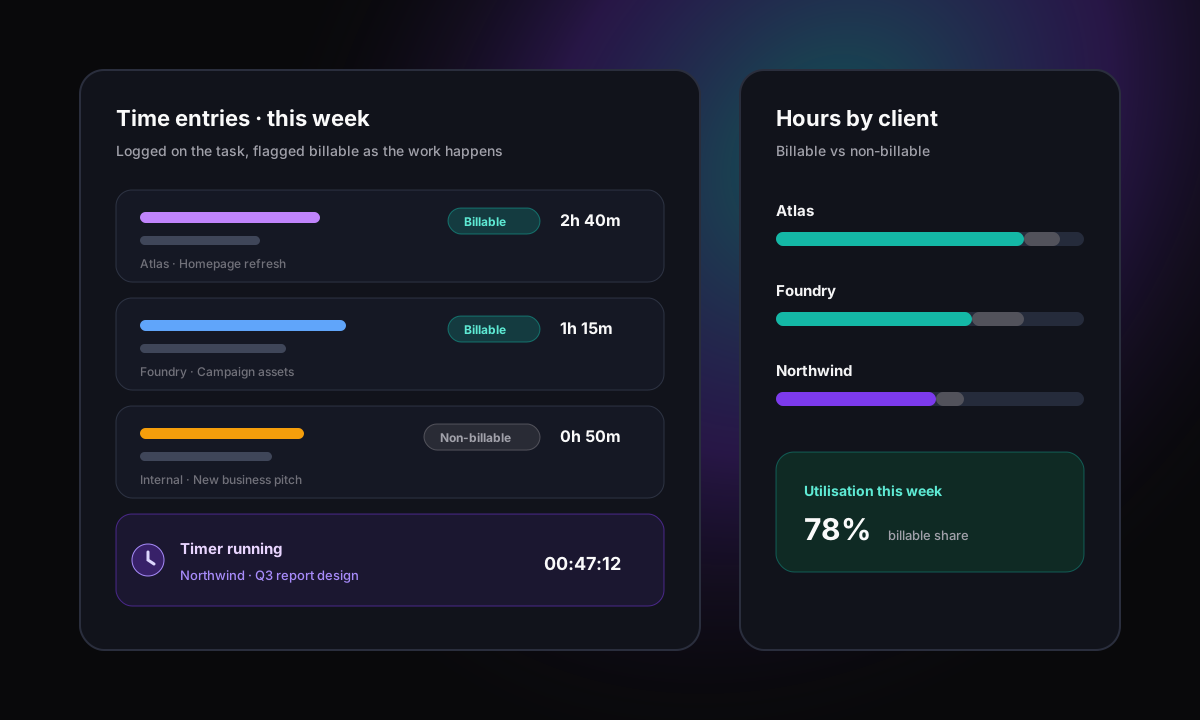
Timers on the task
Start a timer where the work lives, so logging time stops being a separate end-of-week chore.
Billable flags
Mark each entry billable or non-billable, so invoicing and utilisation reporting start from honest data.
Per-client visibility
Because tasks belong to client projects, hours roll up by client, project, and person automatically.
Protect the retainer
Compare logged hours against the retainer early in the month, while there is still time to act on overservicing.
Capacity
Workload and capacity across every account
Every new client deadline is a promise made against the same studio capacity. Without workload visibility, agencies overbook their best people, miss deadlines on quiet accounts, and only discover the problem in the retro.
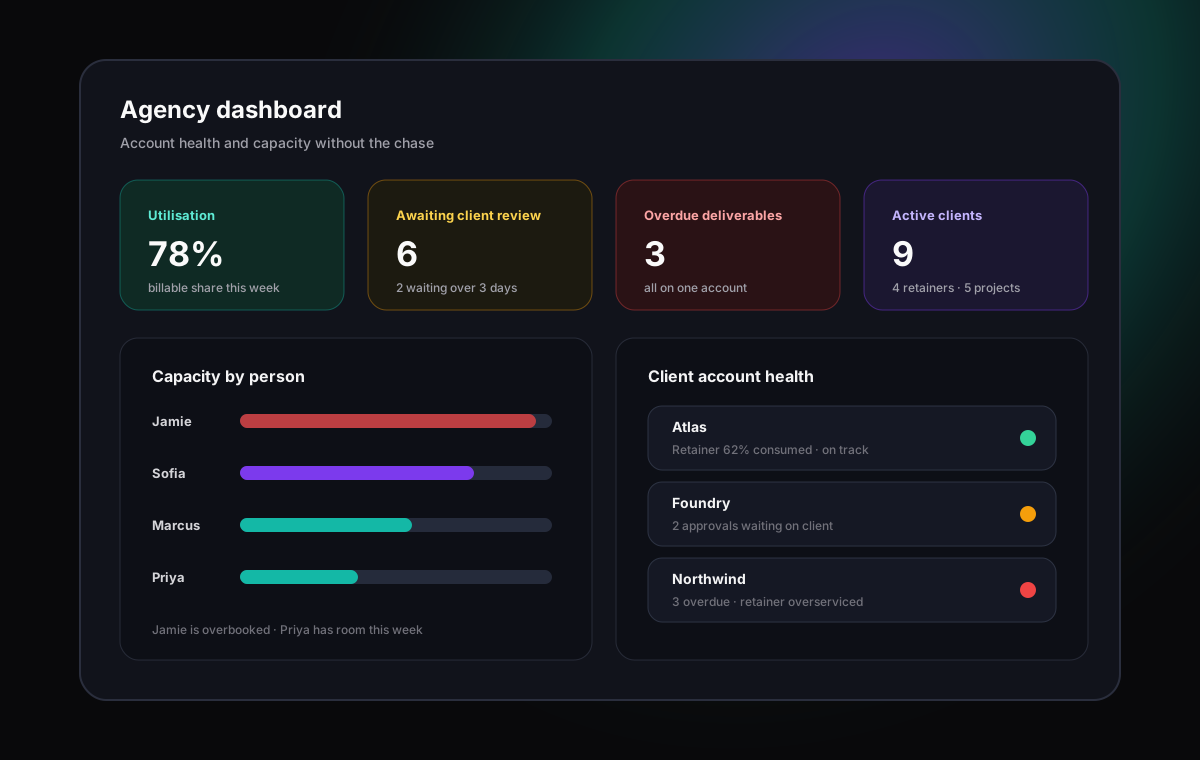
See load before committing
Check who has room before promising a client a date, instead of finding out at the standup.
Balance across accounts
Spot the designer carrying three clients while another seat has capacity, and rebalance early.
Watch utilisation trends
Logged billable time shows whether the team is overstretched or underused, account by account.
Catch risk early
Overdue and blocked deliverables surface on the dashboard before they surface in a client call.
Use cases
Best-fit workflows by agency type
The core loop is the same everywhere: requests in, deliverables out, approvals in between, hours logged throughout. The emphasis shifts by agency type.
Creative agencies
Run briefing, design, internal review, client review, and delivery as one visible production line.
Use boards for the creative production workflow, attach files and feedback to the task, and track versions through every review cycle.
Marketing agencies
Coordinate campaigns across channels, clients, and retainers without spreadsheet drift.
Plan campaigns on the timeline, manage always-on retainer tasks on boards, and report billable hours per client from logged time.
Digital and dev agencies
Connect scoped builds, change requests, and support work to estimates and billable time.
Use intake forms for change requests, subtasks and dependencies for builds, and dashboards to keep delivery dates honest.
PR agencies
Track pitches, placements, events, and client deliverables across fast-moving accounts.
Use list views for media outreach, deadlines and reminders for time-critical coverage, and shared views for client status.
Consulting firms
Keep engagements, deliverables, and utilisation visible across every active client.
Structure each engagement as a project, log billable hours against tasks, and use workload views to plan the next engagement realistically.
Why agencies switch
Why agencies switch to Gravitask
Switching tools is only worth it when the new workflow recovers margin. Agencies move to Gravitask when scattered tools stop matching the way client work actually flows.
Your client work lives in a generic to-do tool that cannot show review stages, billable hours, or capacity.
Your team tracks time in one tool, tasks in another, and reports in spreadsheets that are stale by Friday.
Your account managers spend hours rebuilding status updates instead of reading a live dashboard.
Your enterprise platform has the features on paper, but the studio avoids updating it so nothing in it is true.
Your retainers are quietly overserviced because extra requests never become visible, tracked tasks.
Feature breakdown
Gravitask features built for agency work
Gravitask combines the views, intake, time tracking, and reporting that agencies usually assemble from three or four separate subscriptions.
Kanban boards per client
Give every client and retainer a visual board so briefing, production, review, and launch stages stay obvious to the whole studio.
List views for delivery detail
Switch to list views when producers need owners, due dates, priorities, custom fields, and subtasks in one sortable place.
Timeline and Gantt views
Plan campaigns, launches, and multi-week productions with sequenced timelines, milestones, and dependencies.
Task-linked time tracking
Start a timer or log time on the task itself, with billable flags, so client hours are captured while the work happens.
Intake and request forms
Route new client requests through structured forms that create tasks with the brief, deadline, and context attached.
Dashboards across accounts
Watch overdue work, blocked deliverables, workload pressure, and project health across every client without manual reporting.
Email reminders
Keep approvals, feedback rounds, and deadlines moving even when clients and teammates are not watching the board.
Mobile apps
Update tasks, check deadlines, and respond to client changes from shoots, pitches, and client offices.
Pricing and value
The right agency tool should pay for itself in recovered hours
Agencies often compare tools by seat price, but the larger cost is unlogged billable time, overserviced retainers, stalled approvals, and the hours account managers spend rebuilding status reports by hand.
Gravitask is built as a focused client delivery layer. Start free, grow into Pro when the account list grows, and upgrade when the agency needs deeper workflow control.
Gravitask Free
Up to 3 users · 5 projects · 500 MB storage. Best for proving the workflow on one or two client accounts before rolling it out across the agency.
Gravitask Pro
£5/user/month. Best when the agency needs more projects, custom fields, billable reporting depth, and planning capacity.
Gravitask Business
£14/user/month. Best for agencies that need advanced workflow control and broader visibility across every account.
Competitor pricing and packaging changes often. Treat this guide as a workflow comparison first, then verify current vendor pricing before purchase.
Decision guide
How to choose the right tool for your agency
Test the shortlist against one real account, not a demo project. Set up your busiest client, route a week of genuine requests through intake, run one full review cycle, and log real billable time. The tool the team still updates on Friday is the answer.
Choose Gravitask if
You want client boards, intake forms, review stages, task-linked billable time tracking, dashboards, reminders, and mobile apps in one modern workspace.
Choose Teamwork if
You want an agency specialist with budgets and client modules and you are comfortable with a heavier, more configured platform.
Choose Float if
Your main gap is resource scheduling and you are happy running a dedicated capacity tool alongside your task manager.
Choose Trello if
You run a very small client load and need the simplest possible boards before billing and capacity become real concerns.
FAQ
Agency task management FAQs
Short answers for agencies comparing task management software, agency project management platforms, and client work management tools.
What is the best task management software for agencies in 2026?Open
The best task management software for agencies keeps every client, request, approval loop, deadline, and billable hour visible in one workspace. Gravitask is a strong modern choice because it combines client boards, list and Timeline and Gantt views, intake forms, task-linked time tracking with billable flags, dashboards, email reminders, and mobile apps without enterprise overhead.
What should an agency look for in task management software?Open
Look for clean multi-client structure, intake and request forms, visible review and approval stages, time tracking with billable flags on the task, workload and capacity views, dashboards for status reporting, reminders, and mobile access. The right tool is the one your studio keeps updated during the busiest weeks.
Is Gravitask good for agencies?Open
Yes. Gravitask gives agencies per-client boards and projects, Kanban, list, and Timeline and Gantt views, comments and files on every task, subtasks, custom fields, tags, intake forms, automations, dashboards, task-linked time tracking with billable flags, email reminders, a wiki for briefs and processes, and mobile apps. It is built for teams that juggle many clients at once.
Can Gravitask track billable hours per client?Open
Yes. Time tracking in Gravitask is linked to tasks, with timers and manual entries, and each entry can be flagged as billable or non-billable. Because tasks belong to client projects, you can see billable effort per client, per project, and per person from the time your team actually logged.
How do agencies handle client approvals in Gravitask?Open
Make internal review and client review explicit stages on the board, keep feedback and decisions in task comments with files attached, and use reminders so waiting deliverables resurface instead of stalling. You can also share progress with clients so they see status without another email thread.
Can agencies manage retainers and projects together?Open
Yes. Run each retainer as an ongoing project with its own board and intake form, and run fixed-scope work as separate projects with timelines. Because both use the same tasks, time entries, and dashboards, you can compare retainer consumption and project delivery in one view.
Can Gravitask replace Asana, Monday.com, or Teamwork for an agency?Open
For many agencies, yes. Gravitask covers the core agency workflow in one place: intake, multi-client task management, review stages, billable time tracking, dashboards, and reminders. Agencies with deeply customised enterprise setups or specialist proofing requirements should compare those specific workflows before switching.
Can my agency start using Gravitask for free?Open
Yes. Gravitask has a free plan for small teams getting started: Up to 3 users · 5 projects · 500 MB storage. Prove the workflow on one or two accounts, then upgrade when the agency needs more projects, billable reporting depth, and workload visibility.
Final CTA
Run your agency's client work in Gravitask.
Set up client boards, route requests through intake, make approvals visible, log billable time on the task, and give account managers a dashboard instead of a chase list.