Definition
What is MCP (Model Context Protocol)?
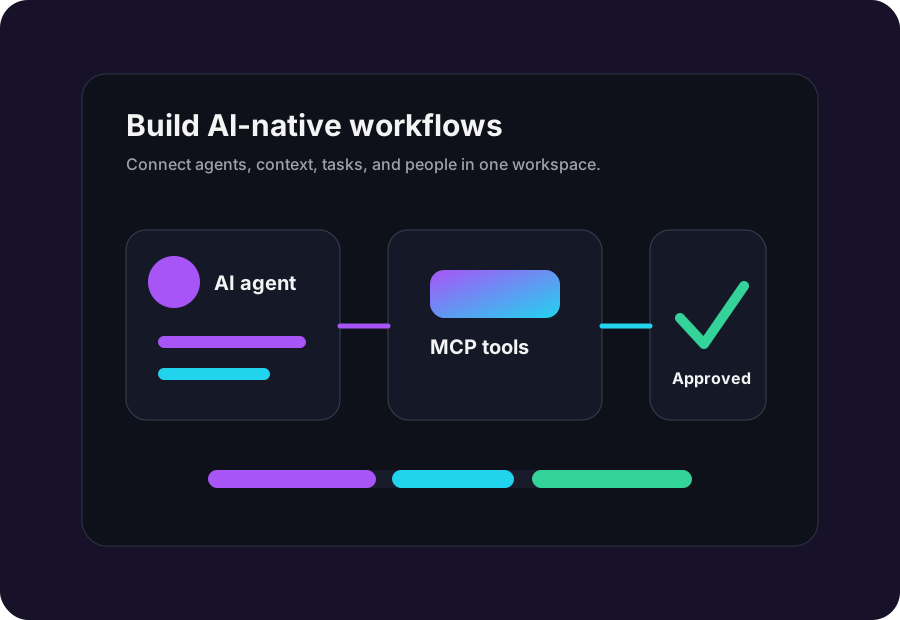
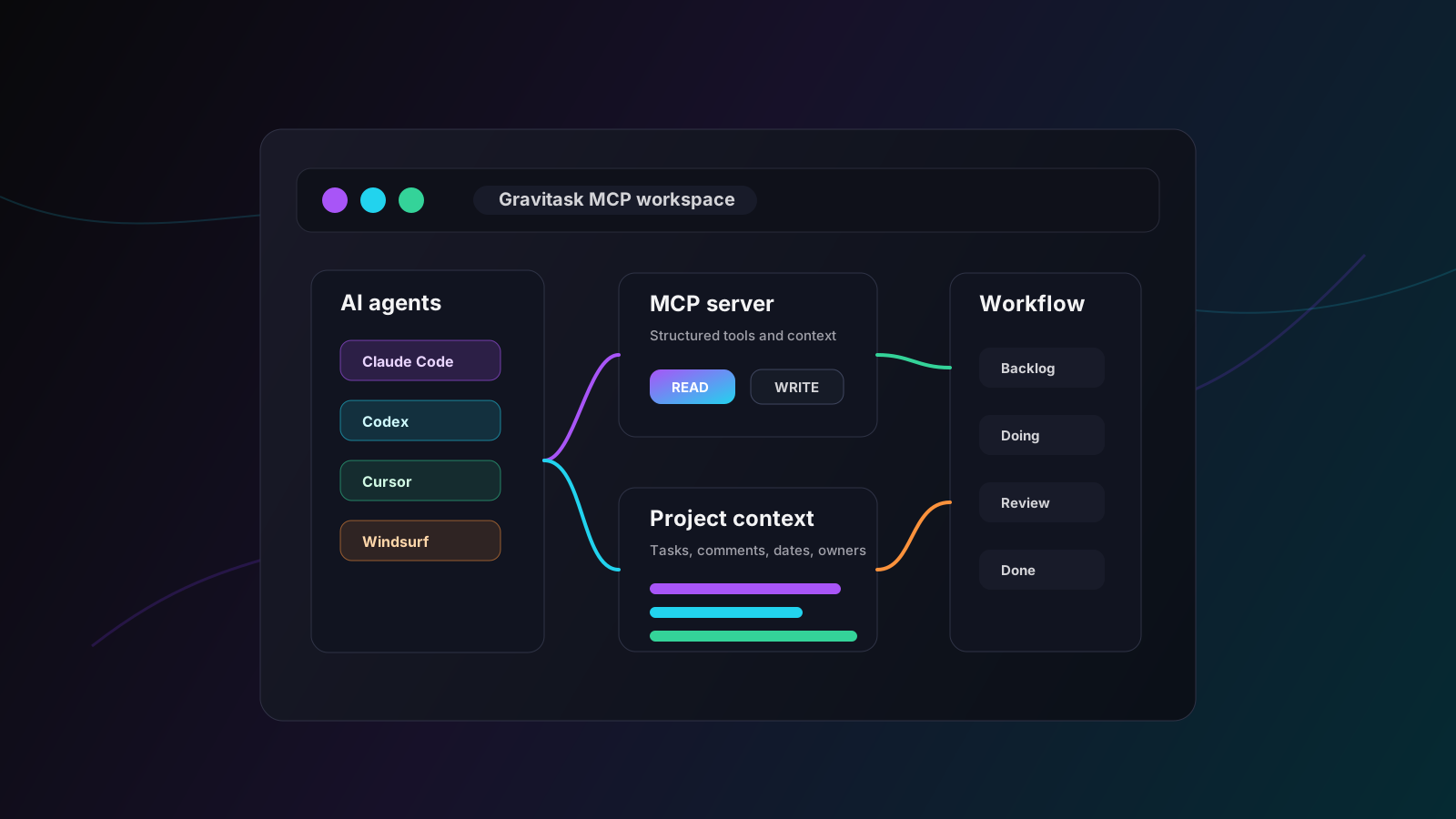
Model Context Protocol is an open standard that gives AI applications a consistent way to connect to external systems. In plain English, MCP lets an AI assistant discover approved tools, read useful context, and call actions against systems such as project management platforms, code repositories, calendars, databases, and workflow tools.
For project management, that changes the operating model. Instead of copying task lists into a prompt, asking an assistant what to do, and pasting the answer back into a board, a team can connect an MCP-compatible client to a project workspace. The agent can then work from live task context, suggest updates, and call approved actions with the right access controls.
Context layer
Why MCP matters for modern project management
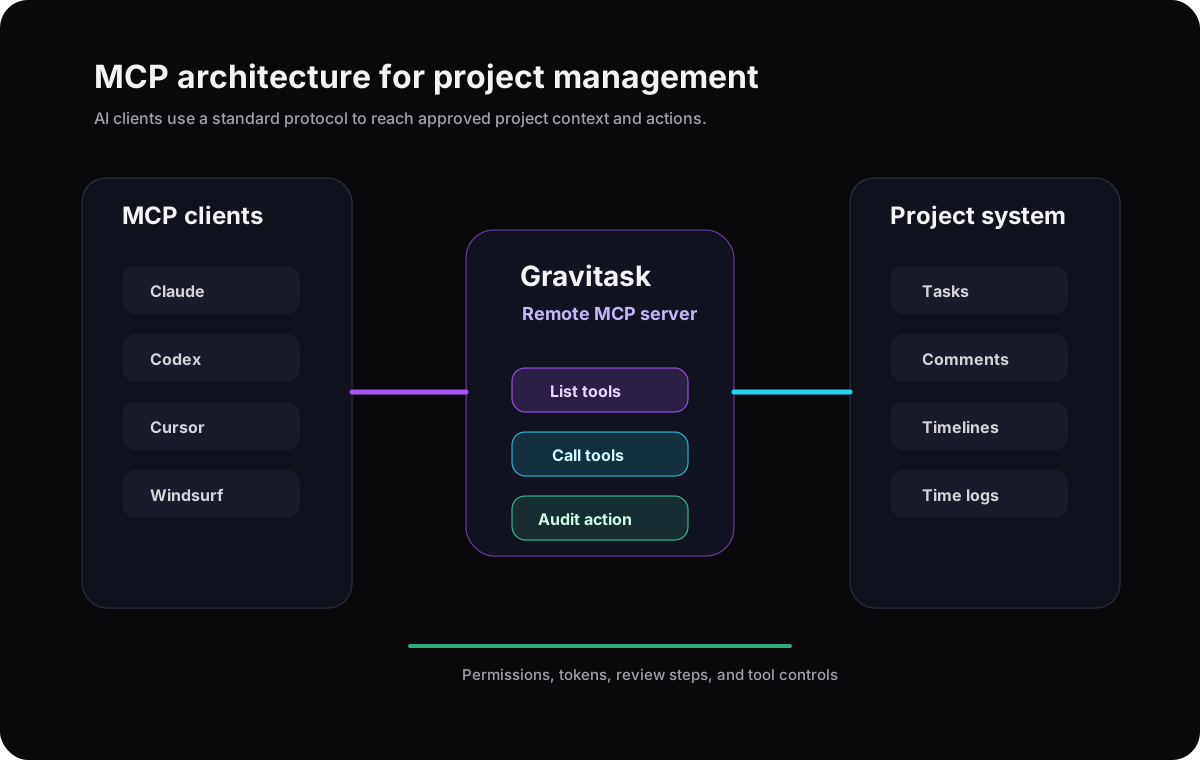
Project work depends on context. A task name alone rarely explains the decision history, owner, priority, blocker, timeline, dependency, or customer impact. MCP matters because it gives AI agents a structured way to retrieve that context and take controlled action where the work actually lives.
The future of AI project management is not a chatbot floating beside an old task board. It is a project system where agents can see the right context, humans can approve important changes, and every workflow remains understandable after the automation runs.
Less prompt copy-paste
Agents can read structured task context instead of relying on pasted status notes.
Safer automation
Scoped tools and permissions help teams decide what agents can read, suggest, or change.
Better visibility
Project actions stay connected to owners, comments, timelines, and status history.
Market shift
The rise of AI-native workflow management
The SERP for MCP project management is still young, but the direction is clear. Emerging tools talk about AI-native boards, agent-ready project context, MCP servers, and autonomous updates. Larger SaaS platforms are moving toward AI teammates, work agents, AI connectors, and workflow orchestration.
The winners will not be the tools that simply add a chat box. They will be the systems that expose reliable context, define safe actions, keep humans in the loop, and make AI-assisted work visible to the team.
Pain points
Common workflow orchestration challenges
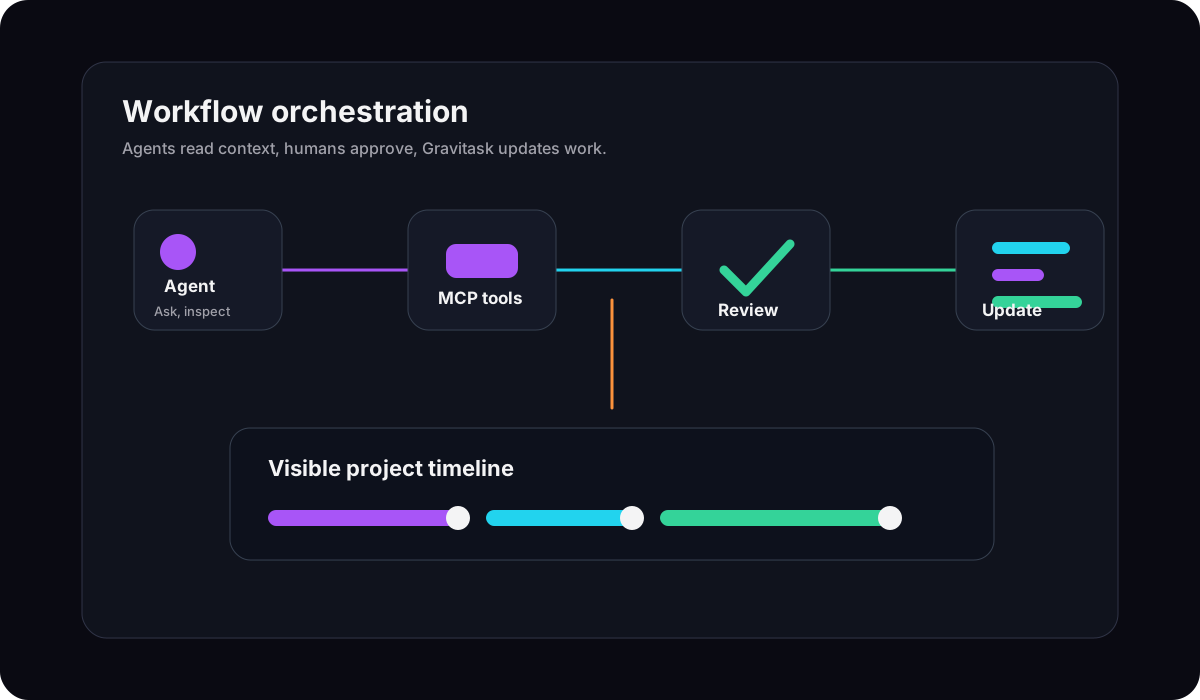
MCP does not remove the hard parts of project management. It makes the hard parts more explicit: context quality, permissions, observability, workflow ownership, and human decision rights.
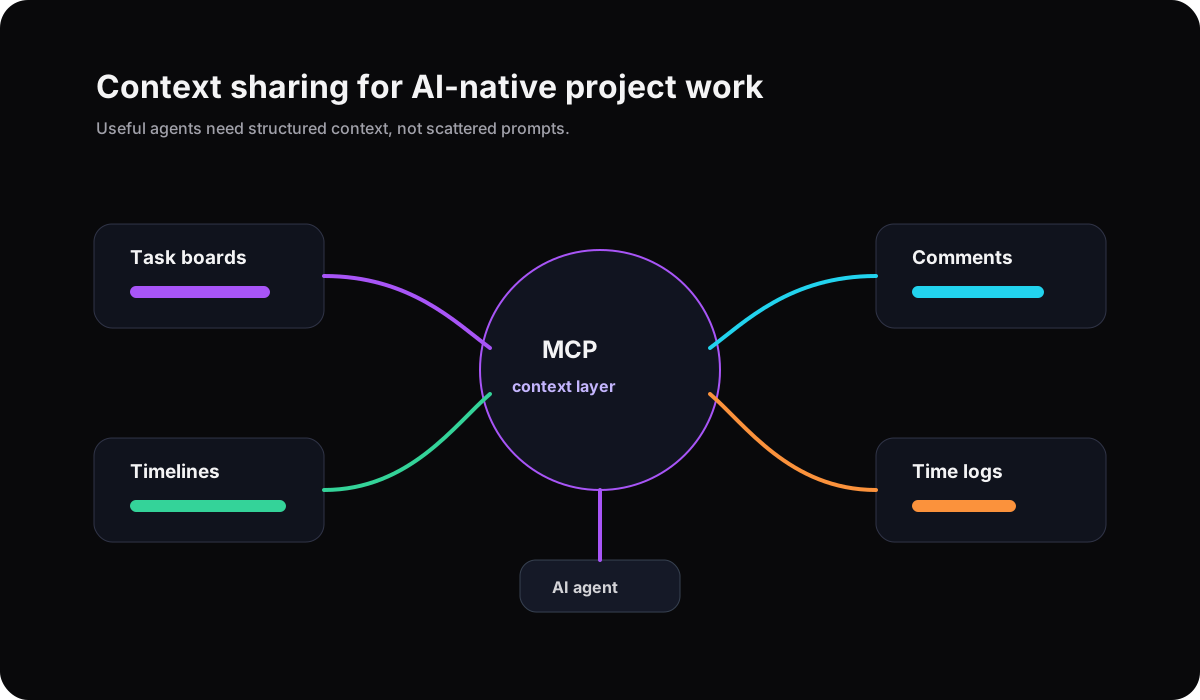
- Project context lives across task boards, docs, chat, repositories, spreadsheets, and meeting notes, so agents cannot reliably understand the work.
- AI tools can draft useful suggestions but lack safe, structured access to the systems where tasks, owners, comments, timelines, and decisions live.
- Teams experiment with AI automation, then lose confidence because they cannot see which tool acted, what changed, and whether a human reviewed the decision.
- Disconnected workflows force people to copy context into prompts, paste answers back into work systems, and repeat the same explanation in every tool.
- Legacy project management software was designed for human-only clicking, not for AI agents that need scoped, auditable tool access.
- Technical teams need automation power, but operations leaders need permissions, review checkpoints, and visibility before agents touch live work.
Buying guide
What to look for in MCP-ready PM software
MCP support is only valuable if the project data behind it is useful and the controls around it are clear. Use this checklist when evaluating AI-native project management tools.
Real MCP support
Look for a documented MCP server, modern remote transport support, clear setup instructions, and compatibility with clients such as Claude, Codex, Cursor, Windsurf, and VS Code.
Permission guardrails
Agents should use workspace-scoped keys, permission levels, and per-tool controls so teams can start read-only and expand access deliberately.
Project context depth
The AI layer should understand tasks, owners, comments, due dates, status, time logs, timelines, and project relationships, not only documents.
Workflow orchestration
A strong MCP project system lets agents read context, propose actions, update tasks, add comments, log time, and trigger workflows with human review when needed.
Human and AI collaboration
The best tools keep humans accountable for priorities, approvals, and judgment while giving agents structured ways to remove repetitive project admin.
Operational visibility
Teams need audit trails, clear notifications, and project views that make AI-assisted work visible instead of turning automation into another hidden process.
Comparison
Best MCP project management software comparison
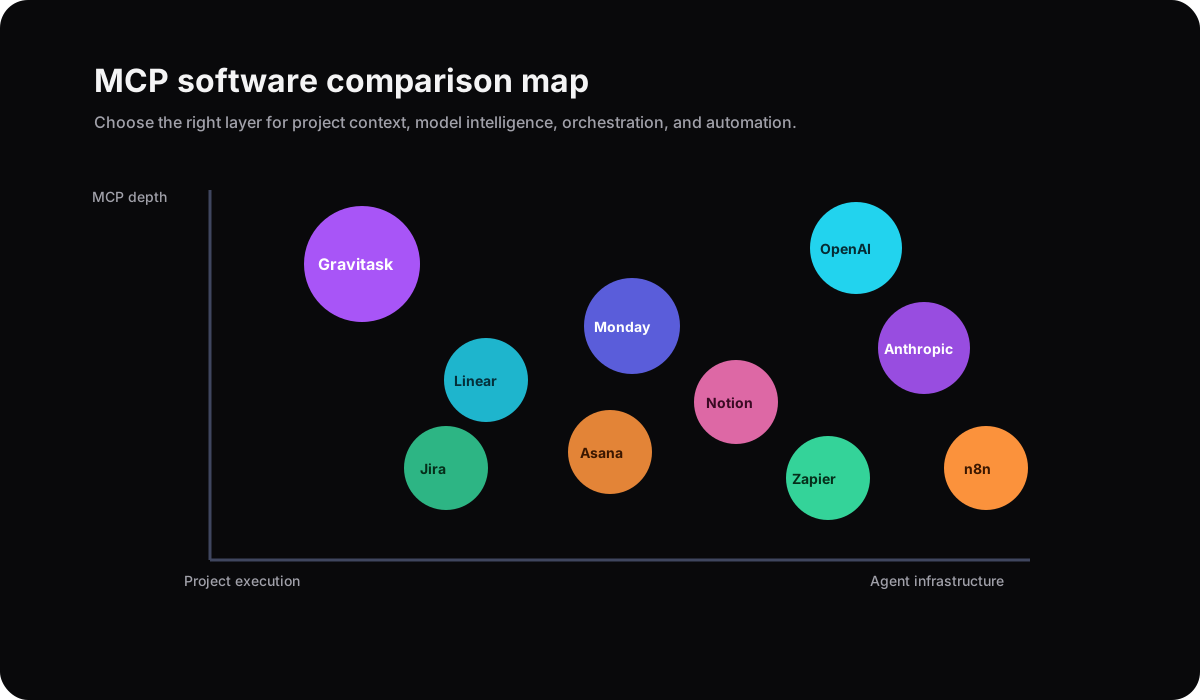
The market splits into three groups: project platforms adding AI agents, technical orchestration layers that connect tools, and AI-native project systems designed around agent access. Gravitask sits in the practical middle: a project workspace with real task execution depth and MCP-ready access.
| Software | Best for | MCP and agent fit | Project depth | Watch out for | Verdict |
|---|---|---|---|---|---|
| GravitaskTop pick | AI startups, product teams, engineering teams, SaaS founders, operations teams, agencies, and technical project managers that want a project workspace built for human and AI collaboration. | Remote MCP endpoint, MCP-compatible clients, workspace-scoped keys, read-only and read/write permission levels, per-tool disabling, audit visibility, and project actions such as reading tasks, creating tasks, updating tasks, moving tasks, adding comments, logging time, and checking critical path. | Modern project management with Kanban boards, Timeline and Gantt views, task management, collaboration, reminders, mobile apps, and project visibility. | Best for teams that want AI-connected project execution. Teams seeking a generic agent framework still need a separate model or orchestration layer. | Best modern MCP-ready project management option for teams that want AI agents connected to real project work with practical controls. |
| Notion AI | Teams that center work around docs, wikis, databases, meeting notes, and flexible internal workspaces. | Strong AI workspace and agent direction around knowledge and documentation. MCP fit depends on the specific Notion integration path and the team setup. | Flexible databases, docs, tasks, calendars, project pages, and templates, with project execution shaped by team conventions. | Excellent for context and documentation, but teams may need more structure for agent-driven project execution and timeline accountability. | A strong AI knowledge workspace, less direct as a dedicated MCP-first project execution system. |
| ClickUp AI | Teams that want a broad all-in-one work platform with tasks, docs, dashboards, automations, AI agents, and enterprise search. | Strong AI positioning with agents, AI answers, task creation, prioritization, and workflow automation across a large workspace. | Very broad project management surface with many views, custom fields, docs, dashboards, automations, goals, and reporting. | The breadth is useful, but smaller teams may need configuration discipline to avoid complexity. | Powerful AI work platform for teams that can manage a large workspace model. |
| Asana AI | Cross-functional organizations already using Asana for projects, goals, campaigns, portfolios, and process work. | Strong AI workflow messaging with AI teammates, AI Studio, smart assists, and connectors that turn conversations into coordinated work. | Mature work management with boards, lists, timelines, automations, forms, goals, portfolios, and reporting. | AI value depends on the Asana operating model and clean work graph setup. | A polished AI work management option for companies already standardized on Asana. |
| Monday AI | Teams that want a configurable work platform with boards, dashboards, automations, agents, and no-code workflows. | Monday positions around an AI work platform with people and agents working together, including MCP and AI agents in its broader platform direction. | Flexible boards, dashboards, forms, automations, docs, timelines, and product-specific workspaces. | Best when teams invest in workspace design, governance, and consistent board architecture. | Strong for configurable AI work orchestration, especially for teams that want broad department coverage. |
| Linear | Product and engineering teams that want fast issue tracking, cycles, projects, roadmaps, and developer-focused execution. | Official MCP server exposes Linear data to compatible AI models and agents through authenticated remote MCP. | Excellent for software teams, issue flow, product roadmaps, engineering cycles, and focused execution. | Narrower for agencies, operations teams, and broader project management use cases outside product engineering. | Excellent MCP-aware issue tracking for engineering teams, less broad as a general project management workspace. |
| Jira | Software organizations that need mature issue tracking, agile delivery, enterprise controls, and Atlassian ecosystem depth. | Atlassian Rovo brings AI search, chat, agents, work breakdown, instant context, and project management skills to Jira workflows. | Deep agile project management, backlogs, sprints, workflows, releases, reporting, and enterprise administration. | Can feel heavy for startups and teams that want simple adoption with AI-connected work. | Powerful for enterprise software delivery, heavier than many MCP-curious teams need. |
| OpenAI | Teams building custom agentic applications, internal copilots, and model-powered workflow systems. | OpenAI supports MCP in ChatGPT connectors, API integrations, and Agents SDK patterns for tool use, context, guardrails, and orchestration. | Not a project management system by itself. It provides model and agent infrastructure that can connect to project tools. | Requires a project source of truth, integrations, product design, and governance around the actions agents can take. | Essential AI infrastructure, not a standalone PM workspace. |
| Anthropic | Teams using Claude, Claude Code, and MCP-compatible workflows for AI assistants and developer agents. | Anthropic introduced MCP as an open standard for connecting AI assistants to data sources, tools, and workflows. | Not a project management platform. It provides Claude products and the protocol ecosystem around connected context. | Teams still need a PM system that exposes tasks and projects safely to agents. | Foundational to the MCP ecosystem, but not project management software. |
| LangChain | Engineering teams building custom agents, retrieval systems, and multi-step AI applications. | LangChain and Deep Agents support MCP tools so agents can call external servers without rewriting every tool wrapper. | Developer framework rather than a team project workspace. | Requires engineering ownership, infrastructure decisions, evaluation, and a connected work system. | Strong for custom agent orchestration, not a PM source of truth. |
| Zapier AI | Teams that want automation across many SaaS apps without building every integration themselves. | Zapier MCP lets AI agents discover and call tools from connected apps through Zapier-hosted MCP servers. | Automation and connector layer rather than a native project management workspace. | Great for cross-app actions, but the project plan still needs a source of truth. | Useful connective tissue for AI workflows, not a dedicated PM platform. |
| n8n | Technical teams that want source-available workflow automation, custom nodes, agent workflows, and self-hosting flexibility. | n8n connects AI models, services, data sources, MCP servers, and other agents through visual automation workflows. | Automation engine first. It can coordinate project workflows but does not replace a full project workspace by default. | Teams need automation design discipline and a project system where tasks, owners, comments, and timelines remain visible. | Excellent automation platform for technical teams, best paired with a PM workspace. |
Why Gravitask
Why Gravitask stands out for MCP project management
Gravitask is positioned for teams that want modern project management and AI-connected workflows without adopting a heavy enterprise work platform. It gives humans a clear workspace for project execution and gives AI clients a structured way to interact with work through MCP.
MCP-ready by design
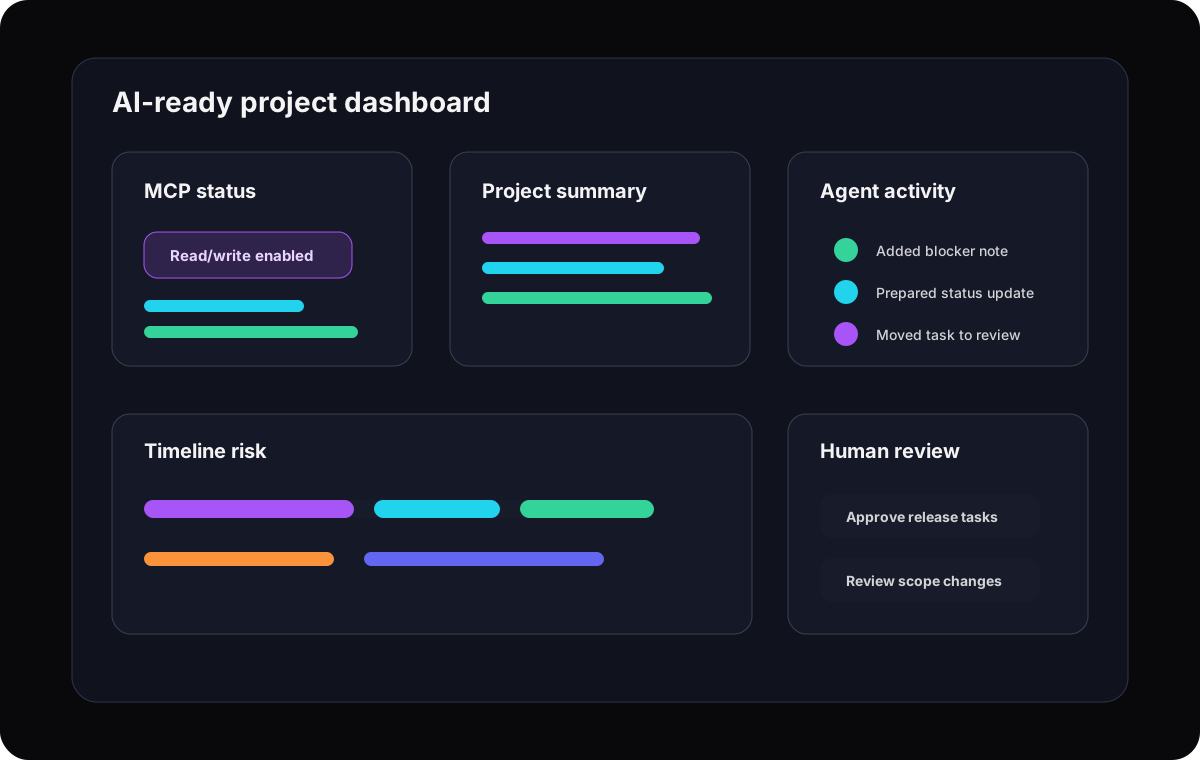
Gravitask exposes project actions through MCP so compatible clients can read tasks, create tasks, update tasks, move tasks, add comments, log time, and inspect delivery context through controlled tools.
Human-centered agent workflows
Teams can start with read-only context, then expand to write actions when they have the right review habits, permissions, and trust in the workflow.
Project depth without enterprise drag
Kanban boards, Timeline and Gantt views, reminders, task ownership, comments, mobile apps, and project visibility stay simple enough for fast-moving teams.
Collaboration model
AI agents and human collaboration
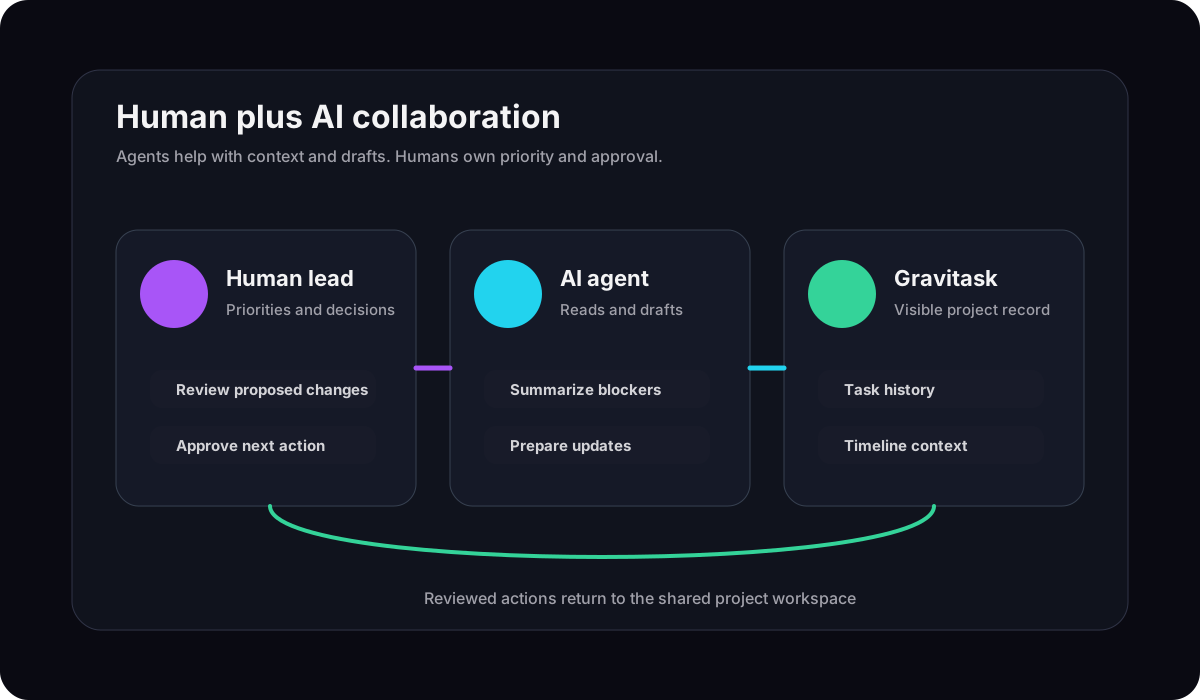
MCP should make teams more capable, not less accountable. The strongest human plus AI workflows are explicit about the role of each side. Agents gather context, draft updates, spot conflicts, and prepare repeatable actions. Humans decide priorities, approve high-impact changes, handle ambiguity, and set the rules of the system.
A practical MCP collaboration loop
- 1A human asks an MCP-compatible AI client to review project status.
- 2The client reads approved Gravitask context through scoped MCP tools.
- 3The agent drafts a summary, flags blockers, and proposes task updates.
- 4A human approves, edits, or rejects the suggested changes.
- 5Approved changes are written back to tasks, comments, dates, or status.
- 6The team reviews visible project updates instead of searching prompt history.
Automation
Context-aware workflow automation
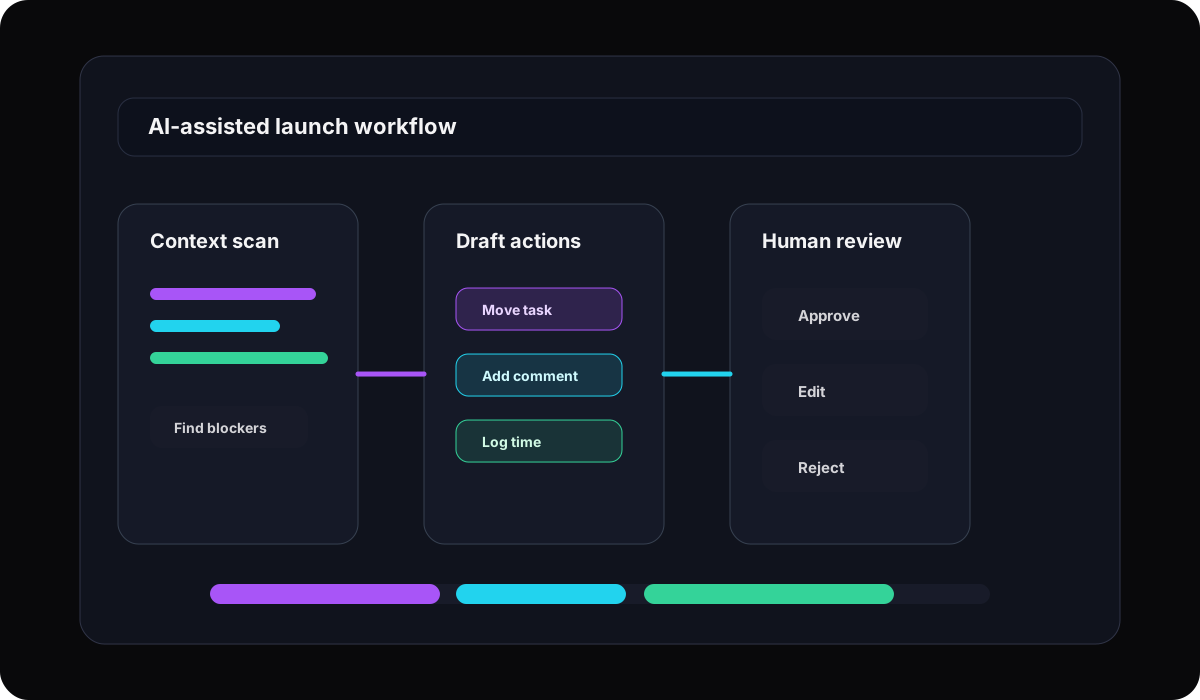
Context-aware automation is different from simple trigger-and-action automation. A trigger says, "when this happens, do that." A context-aware workflow can inspect project state, understand constraints, prepare a next step, and ask for review when the action might affect scope, timing, or ownership.
Read before acting
Agents should inspect owners, deadlines, blockers, comments, and project state before proposing work changes.
Use the smallest needed permission
Start with read-only access for summaries and analysis before enabling write actions.
Leave a visible trail
Updates should land in the project workspace, not disappear into an assistant conversation.
Planning
AI-assisted planning and prioritization
AI is useful for planning when it sees the right raw material. In Gravitask, that means tasks, deadlines, owners, comments, time logs, workflow stage, and timeline context. A connected agent can help draft backlog cleanup, identify stale work, suggest priority tradeoffs, and prepare task updates for review.
The key phrase is "for review." Prioritization is a business decision. MCP makes the agent useful by giving it context and tools, but the team still owns the tradeoff.
Agentic workflows
Agentic workflows and task orchestration
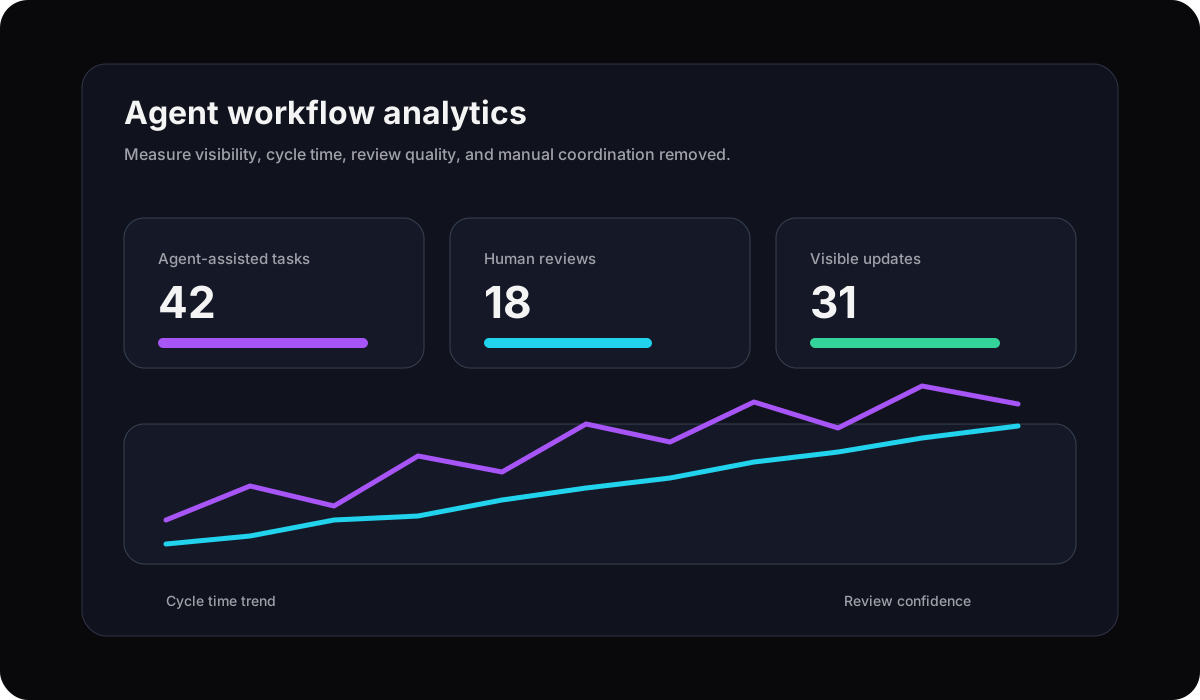
Agentic workflows work best when the workflow has boundaries. A coding agent might read a Gravitask task, inspect acceptance criteria, implement the change, add a comment, and move the task to review. An operations agent might summarize overdue tasks, draft a status comment, and remind an owner. In both cases, the project system must keep the action structured and visible.
Team workflows
Managing technical and product teams with AI
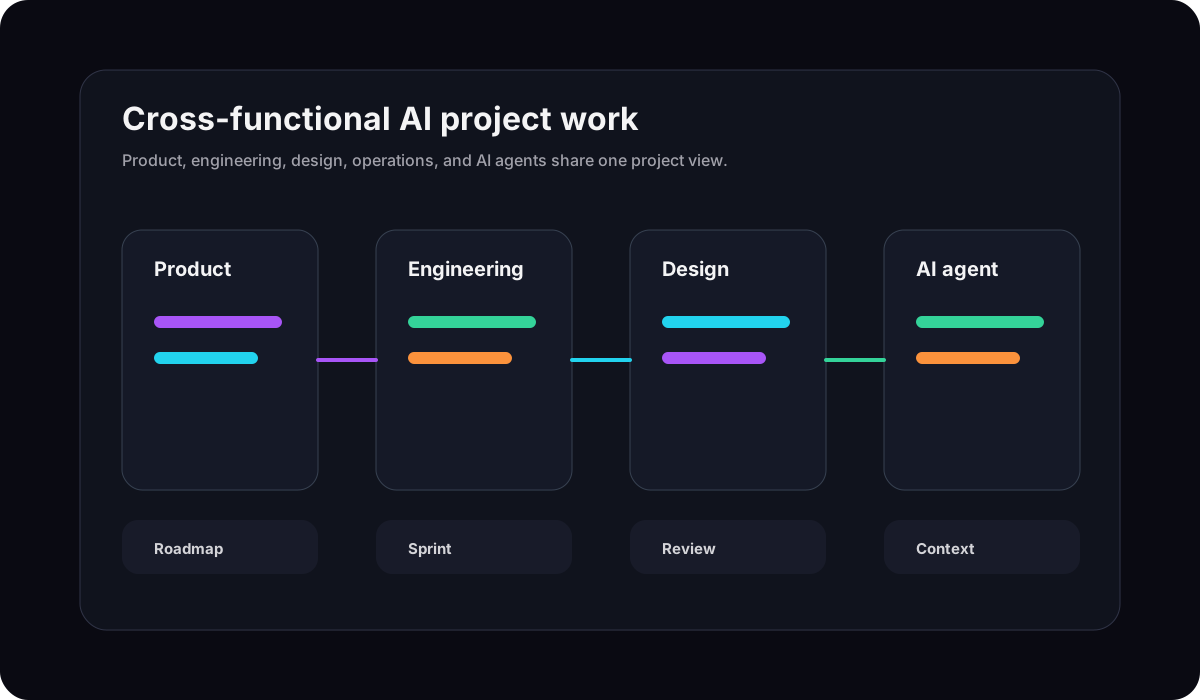
Product and engineering teams are often the first to feel the value of MCP because their work already spans tools: project boards, repositories, pull requests, docs, design files, chat, and deployment systems. Gravitask gives those teams a project layer that can coordinate human-owned and agent-assisted work without turning project management into another engineering-only tool.
Future
The future of AI-native project management
Project management is moving from static records toward living workflow infrastructure. Human teams will still set goals, define priorities, and resolve ambiguity. AI agents will increasingly help collect context, update work, summarize progress, detect blockers, and execute repeatable steps between meetings.
MCP is important because it gives this future a protocol, not just a pile of one-off integrations. The companies that benefit most will build their workflows around context quality, scoped actions, visible review, and a project system that both humans and agents can understand.
Use cases
MCP project management by team type
MCP-ready project management is not only for developers. It is useful for any team that wants AI assistance without losing project accountability.
AI startups
Turn project context into agent-ready infrastructure.
Use Gravitask as the source of truth for tasks, owners, project stages, timelines, and comments while connected agents help triage and update work.
Product and engineering teams
Keep roadmaps, sprints, bugs, and execution context visible.
Give AI tools structured access to tasks and delivery context while product, engineering, and design keep decisions reviewable.
SaaS founders
Reduce project admin without losing control.
Ask an MCP-connected assistant to draft backlog updates, summarize blockers, or prepare task changes, then approve the right action.
Operations teams
Make repeated work more visible and easier to automate.
Connect recurring processes, reminders, owners, and project handoffs so agents can help with repeatable coordination while people handle exceptions.
Automation builders
Give agents a cleaner work system to act on.
Pair Gravitask with frameworks such as OpenAI, Anthropic, LangChain, Zapier, or n8n when you need a clear project layer beneath custom automation.
Switching
Why teams switch to Gravitask
Teams usually explore MCP after AI has already entered the workflow. The problem is no longer whether AI can help. The problem is whether the project system is structured enough for agents to help safely.
Features
Detailed Gravitask feature breakdown
Gravitask is positioned as a modern, AI-ready project management platform for teams that want useful MCP access, clean task execution, and enough guardrails to make agent workflows trustworthy.
MCP-ready project management
Connect MCP-compatible AI clients to live project context through Gravitask so agents can work with tasks, comments, statuses, time logs, and critical-path signals.
AI-assisted workflow management
Let connected AI clients inspect project context, suggest next actions, draft updates, and prepare task changes while your team keeps final judgment.
Workspace-scoped access
Use scoped keys, permission levels, and tool controls so your team can decide whether agents read, update, or perform higher-impact actions.
Context-aware collaboration
Keep comments, owners, statuses, timelines, and decisions attached to the project record so agents and humans work from the same context.
Kanban boards
Use visual boards to track agent-assisted work, human-owned tasks, blockers, reviews, and handoffs without hiding execution in prompt history.
Timeline and Gantt views
Plan AI-assisted work around dependencies, milestones, due dates, and critical path so automation does not lose sight of delivery risk.
Intelligent notifications and reminders
Keep people in the loop with reminders and updates when work moves, deadlines change, or an agent-assisted workflow needs attention.
Cross-platform collaboration
Coordinate work from web, desktop, and mobile while AI clients interact with the same structured project workspace.
Pricing
Pricing and value comparison
AI-native workflow infrastructure should not require an enterprise rollout before a team can learn. Start with the project workflows you already need, then expand MCP access as the team builds trust.
Free to start
Up to 3 users · 5 projects · 500 MB storage. Start with core project workflows before upgrading.
MCP by plan
Pro starts at GBP 5/user/month with read-only MCP. Business starts at GBP 14/user/month with full read/write MCP.
Value beyond AI chat
Teams get task management, boards, timelines, reminders, collaboration, mobile apps, and MCP-ready access together.
External authority links
Suggested external references
Use these sources for outbound citations, sales enablement, and ongoing MCP topic-cluster research. They support the page with authoritative context without replacing Gravitask's own product positioning.