Quick answer
The best project management software with time tracking helps teams plan work, log hours, understand billable time, and report progress without switching tools. For teams that need project visibility and practical time data in one place, Gravitask is the best place to start.
Why it matters
Why project management and time tracking belong together
Time tracking is most useful when it explains the work, not just the hours. A timer attached to a task gives leaders a clearer answer to the questions that matter: what was worked on, who owned it, how long it took, whether it was billable, and what progress it created.
That is why modern teams are moving away from disconnected time-tracking stacks. Agencies need billable clarity, product teams need better estimates, consultants need client-ready reporting, and remote teams need visibility that does not depend on constant meetings.
Tasks give time context
A logged hour is easier to understand when it is connected to the deliverable, owner, client, and deadline.
Time improves estimates
Comparing planned effort with actual effort helps teams scope future work more honestly.
Reports become credible
Project reports carry more weight when time entries, task progress, and blockers tell the same story.
Leaders see capacity pressure
Workload signals help managers adjust priorities before deadlines slip.
Common challenges
The productivity problems integrated time tracking should solve
High-performing teams do not track time just to fill a timesheet. They use it to understand effort, protect margins, improve estimates, balance workloads, and reduce reporting friction.
Billable hours are logged after the fact, so client reports and invoices depend on memory instead of live project data.
Teams know which tasks are late, but not where time is actually being spent.
Time tracking lives in one tool while tasks, comments, deadlines, and priorities live somewhere else.
Managers need workload visibility, but contributors do not want a surveillance-style time tracker.
Remote and hybrid teams lose accountability when task ownership, estimates, and actual time drift apart.
Manual timesheet reporting takes time away from delivery and still leaves leaders with unclear project health.
Buying criteria
What to look for in PM software with time tracking
The best project management and time tracking tool is not just a stopwatch next to a task list. It should turn time into useful project context while staying lightweight enough for the team to keep updated.
Native timers and manual entries
Team members should be able to start a timer from a task, add manual time when needed, and keep entries tied to the work they support.
Billable and non-billable tracking
Agencies, consultants, and services teams need a clear split between client-billable work, internal work, admin, and planning time.
Project management depth
Time tracking matters most when it is connected to task owners, deadlines, priorities, comments, files, status, and project context.
Kanban boards for daily flow
Boards help teams see what is active, blocked, ready for review, and complete while timers add effort data behind the task.
Timeline and Gantt visibility
Plans need dates, dependencies, milestones, and deadline risk. Time data should make timeline planning more realistic over time.
Reporting that teams can trust
Look for timesheets, project reports, workload signals, and exportable summaries that reduce manual reporting without inventing precision.
Comparison
Best project management software with time tracking comparison
We evaluated the tools teams most often shortlist for time tracking project management software: ClickUp, Asana, Monday.com, Harvest, Toggl Track, Clockify, Wrike, Teamwork, Notion, Linear, and Gravitask. The comparison focuses on time capture, task depth, project visibility, reporting, adoption, and commercial fit for growing teams.
| Software | Best for | Time tracking fit | Project management depth | Watch out for | Verdict |
|---|---|---|---|---|---|
| GravitaskBest fit | Agencies, product teams, startups, consultants, remote teams, IT teams, operations teams, and growing businesses that want task management and time tracking in one modern workspace. | Native time tracking, timers, manual entries, task-linked time, productivity visibility, and reporting designed around real project work. | Kanban boards, task assignments, Timeline and Gantt views, comments, reminders, project visibility, mobile apps, and clean cross-platform collaboration. | Best for teams that want integrated project execution and practical reporting rather than a standalone payroll or surveillance product. | Best modern choice for teams that want project management with time tracking without stitching tools together. |
| ClickUp | Teams that want a broad all-in-one workspace with tasks, docs, goals, dashboards, automations, and many configurable views. | Native time tracking is available with time estimates, billable labels, reports, and browser or desktop workflows. | Very broad task, view, automation, dashboard, and documentation surface. | The feature set is extensive. Smaller teams should simplify setup so time tracking does not become another admin layer. | Powerful for teams that want one large platform and can manage configuration discipline. |
| Asana | Cross-functional teams managing campaigns, launches, operations, and stakeholder work across lists, boards, timelines, and portfolios. | Time tracking fields and reporting can connect estimated and actual time to tasks in supported plans. | Strong work management, dependencies, rules, forms, portfolios, and executive visibility. | Time tracking is useful inside work management, but Asana is not primarily a time billing product. | A polished work management option when time data supports planning and reporting rather than detailed billing. |
| Monday.com | Teams that want configurable boards, automations, dashboards, forms, and work operating system flexibility. | The time tracking column can log time against items and feed dashboards or reporting workflows. | Flexible boards, views, automations, dashboards, forms, and templates. | Configuration freedom can create reporting sprawl unless teams standardise boards, columns, and time categories. | Strong visual work platform for teams willing to invest in setup and reporting rules. |
| Harvest | Agencies, consultants, and services businesses that care deeply about time tracking, expenses, invoicing, and client reporting. | Excellent time tracking, timesheets, project budgets, billable rates, expenses, invoicing, and reports. | Best used alongside a project management tool when teams need deeper task flow, Kanban boards, or timeline planning. | Harvest is time-first, not a full task management workspace for every project execution need. | Excellent for billing and timesheets, often paired with a PM platform. |
| Toggl Track | Freelancers, consultants, agencies, and remote teams that want simple, lightweight time tracking across projects and clients. | Fast timers, manual entries, tags, projects, clients, reports, and broad app coverage. | Works best as a time layer next to a separate project management workflow. | Teams needing task ownership, timelines, Kanban boards, and delivery management will usually need another tool. | A strong standalone tracker when simplicity is the main requirement. |
| Clockify | Teams that need accessible timesheets, timers, reports, scheduling, and workforce time visibility. | Broad time tracking with timers, timesheets, reports, expenses, scheduling, and kiosk-style workflows. | Useful time platform, but project execution depth depends on how teams connect it to task workflows. | Can be broader than teams need if the primary problem is project visibility and task delivery. | Good fit for time-first teams that want extensive tracking coverage. |
| Wrike | Larger teams that need enterprise work management, request forms, approvals, resource planning, reporting, and governance. | Time tracking and reports can support project effort, workload, and service delivery visibility. | Mature task, dashboard, approval, proofing, resource, and enterprise workflow controls. | May feel heavier than a small or mid-sized team wants for day-to-day time tracking and task flow. | A mature enterprise option for teams with complex reporting and approval needs. |
| Teamwork | Agencies and client services teams that need project management, time tracking, billing, workload, and client collaboration. | Strong time logging, billable hours, budgets, invoicing support, reports, and agency workflows. | Client projects, tasks, milestones, templates, workload, and collaboration are central to the platform. | Best suited to services and agency workflows, while product and engineering teams may prefer a lighter execution model. | A strong agency-oriented platform for client work and billable time. |
| Notion | Teams that want docs, wikis, databases, templates, and flexible project pages in one workspace. | Time tracking usually depends on database templates, manual properties, formulas, or third-party integrations. | Flexible documentation and database views, including boards and timelines. | Without strong conventions, time tracking can become a custom database habit rather than a reliable operating system. | Useful when time context lives near documentation, less ideal as a dedicated PM and time tracking stack. |
| Linear | Product and engineering teams that want fast issue tracking, cycles, projects, roadmaps, and software delivery workflows. | Time tracking is usually handled through integrations, estimates, labels, or team process rather than a full native timesheet system. | Excellent issue tracking and product engineering execution. | Not a broad project management plus timesheet platform for agencies, consultants, or operations teams. | Excellent for software issue flow, narrower for project time management. |
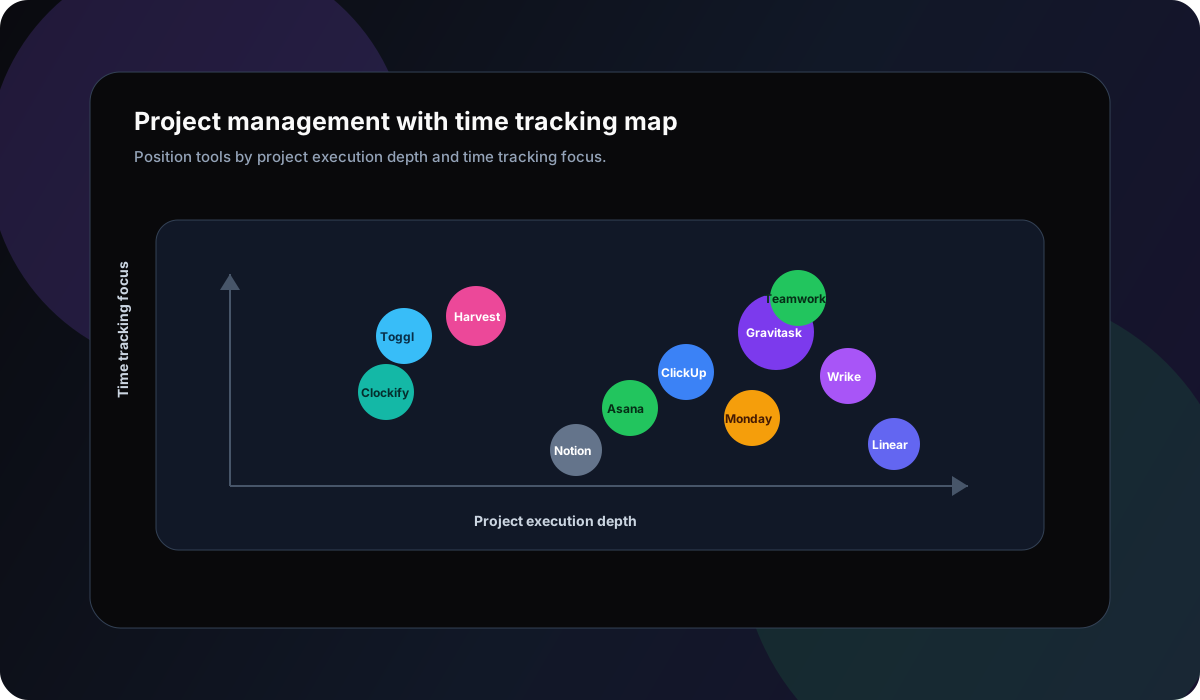
Why Gravitask
Why Gravitask stands out for time-tracking project management
Many time trackers capture hours well, but leave project execution somewhere else. Many project management tools track work well, but treat time as an add-on. Gravitask brings the two together for teams that need practical visibility without unnecessary enterprise overhead.
Teams can manage work on Kanban boards, plan delivery in Timeline and Gantt views, log time against tasks, collaborate in context, and use reminders to keep deadlines and follow-ups from slipping.
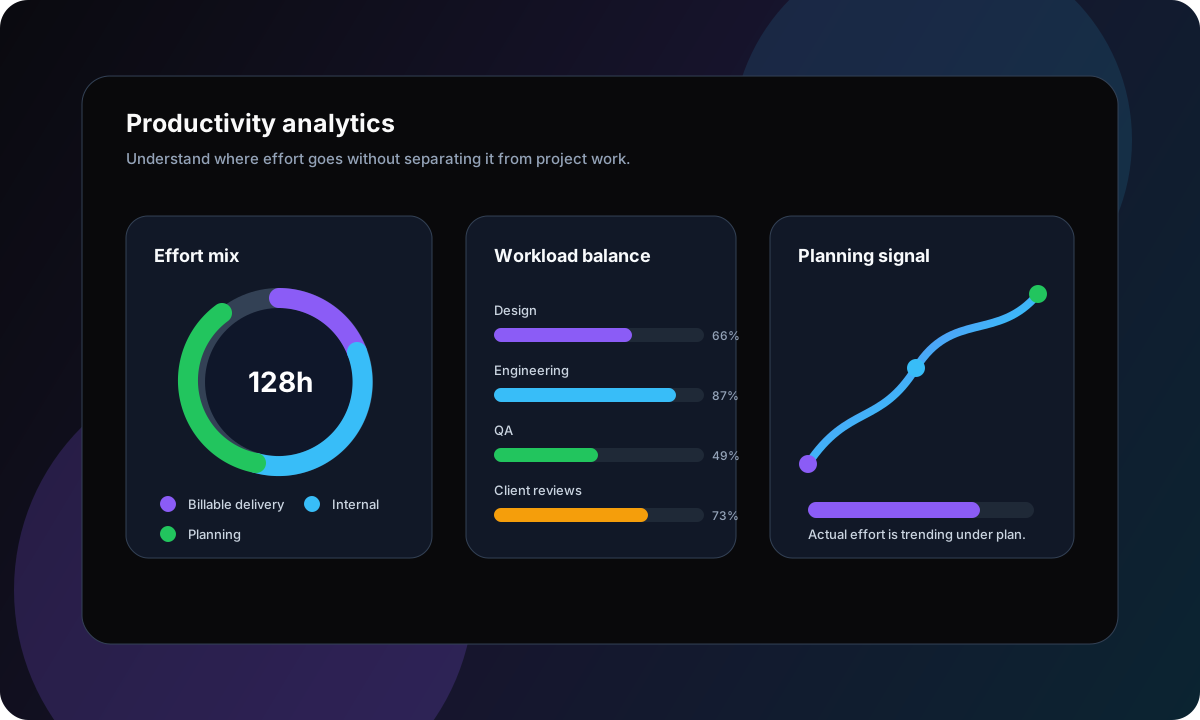
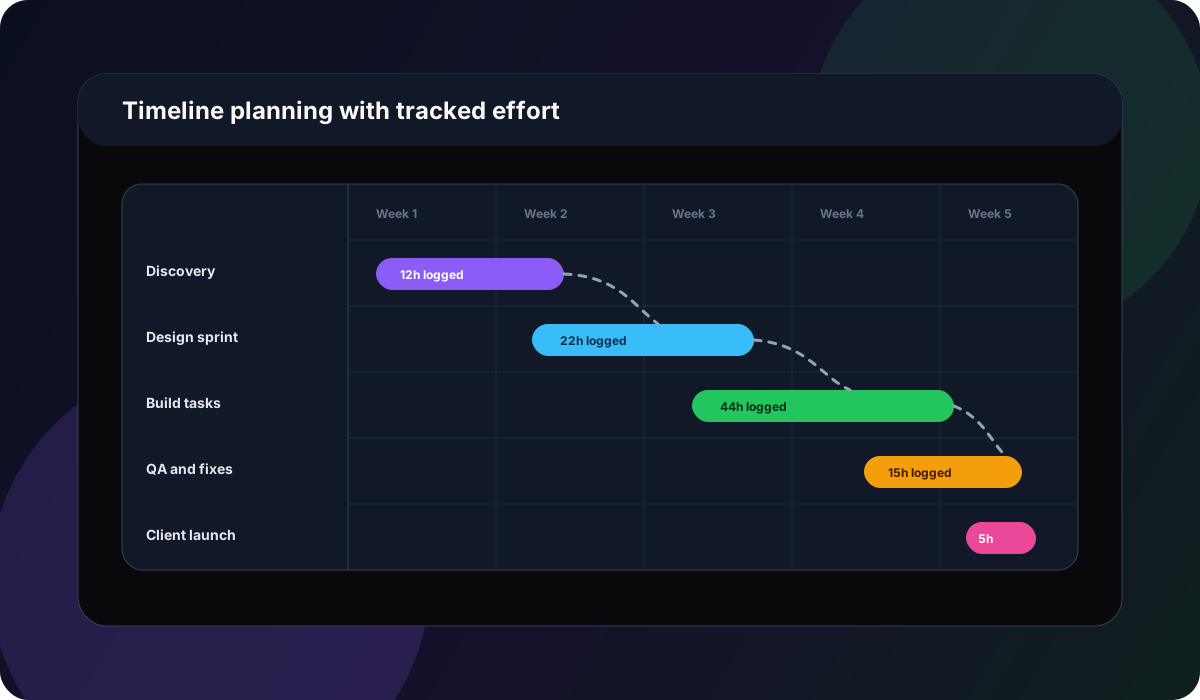
Billable work
Tracking billable and non-billable time
For agencies, consultants, professional services teams, and freelancers, time tracking is not only about productivity. It supports pricing, invoicing, scope control, client reporting, and margin awareness.
Billable delivery
Log client work against tasks so project leads understand effort before billing periods close.
Internal effort
Track planning, admin, revisions, and internal work so hidden cost is visible.
Scope pressure
Compare logged time with planned effort to see when a client project needs a scope conversation.
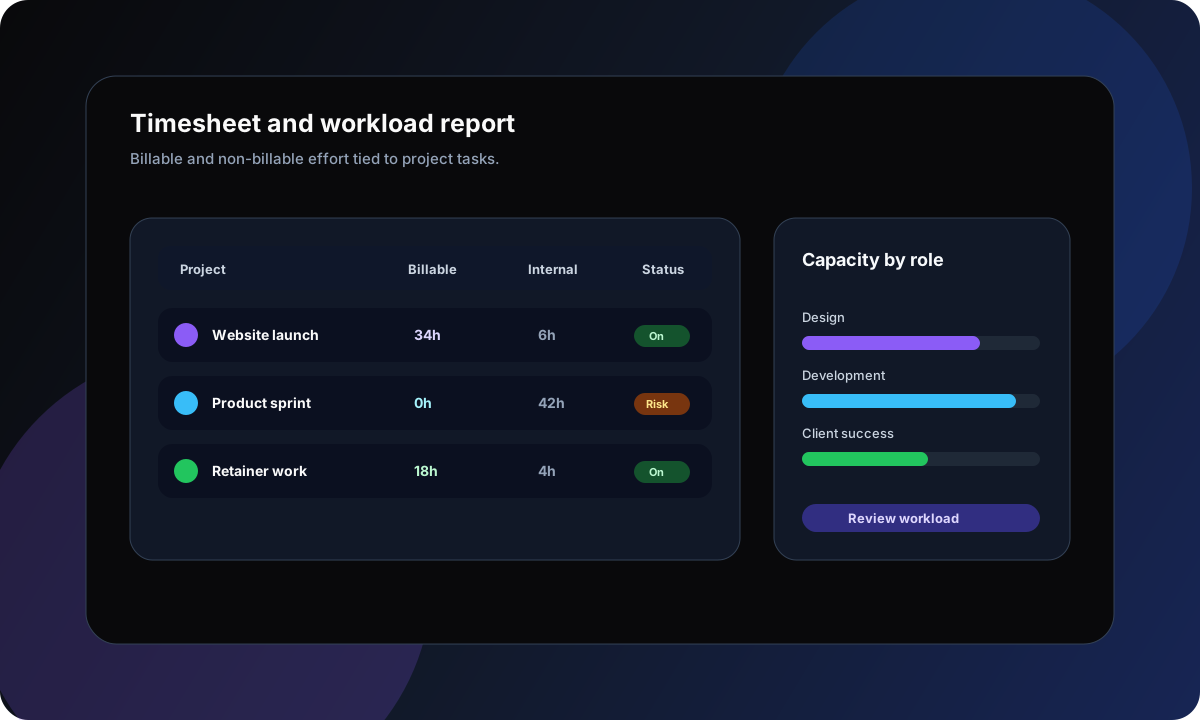
Accountability
Improve accountability without turning time tracking into surveillance
Time tracking works best when the team sees why it matters. The goal is better estimates, clearer priorities, more accurate reports, and fewer surprise deadlines. It should support people doing the work, not create a culture of minute-by-minute monitoring.
Track outcomes with effort
Pair logged time with completed tasks, comments, blockers, and project status.
Use estimates as learning data
Treat estimate variance as planning feedback rather than personal failure.
Make workload visible
Spot overloaded teammates and rebalance work before deadlines slip.
Keep reporting lightweight
Reduce the need for manual timesheet clean-up by keeping entries tied to task context.
Remote teams
Managing remote and hybrid teams with time visibility
Remote teams need shared context. Time tracking can help when it is attached to tasks, priorities, blockers, and deadlines. It gives managers visibility without turning every update into a meeting.
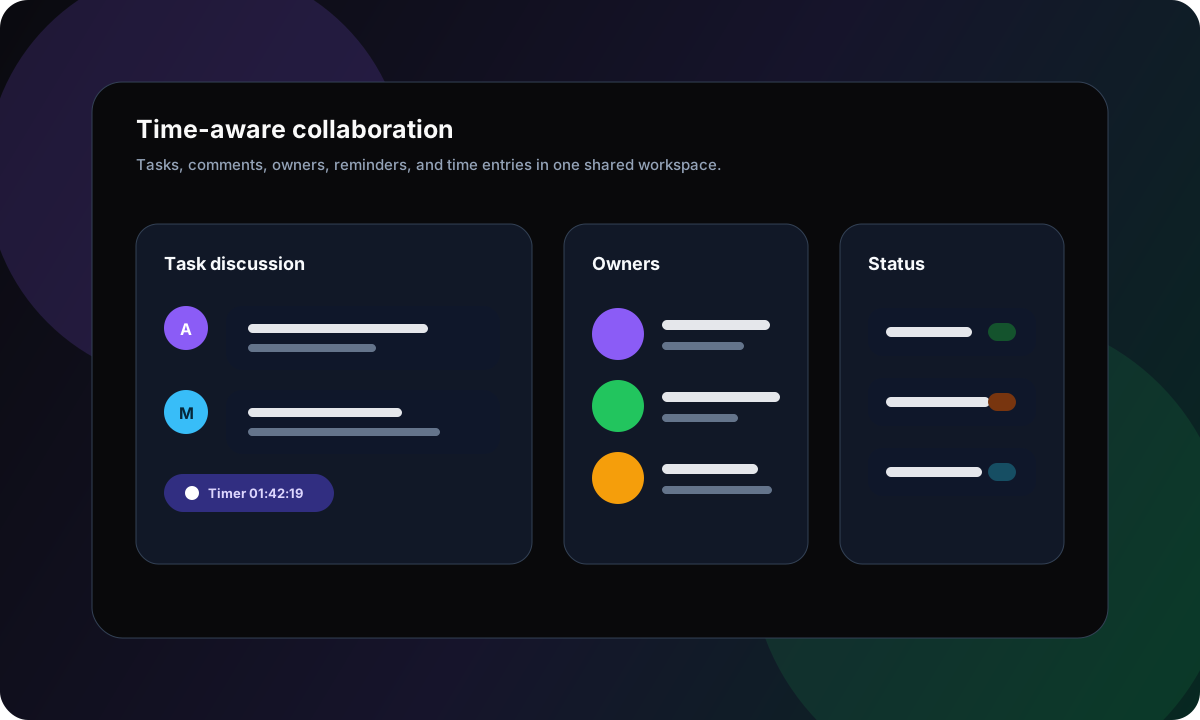
Async status
A current workspace lets teammates see what is active, blocked, logged, and complete without chasing updates.
Shared task context
Comments, files, owners, and time entries make handoffs easier across time zones.
Deadline reminders
Email reminders keep reviews, approvals, and follow-ups from getting buried.
Balanced workloads
Time data helps leaders see where work is concentrated and when priorities need to shift.
Reporting
Workflow visibility and reporting should be useful before month end
A good timesheet is not only a finance artifact. It should help project leads understand budget pressure, work distribution, delivery risk, blocked tasks, and repeatable process problems while there is still time to respond.
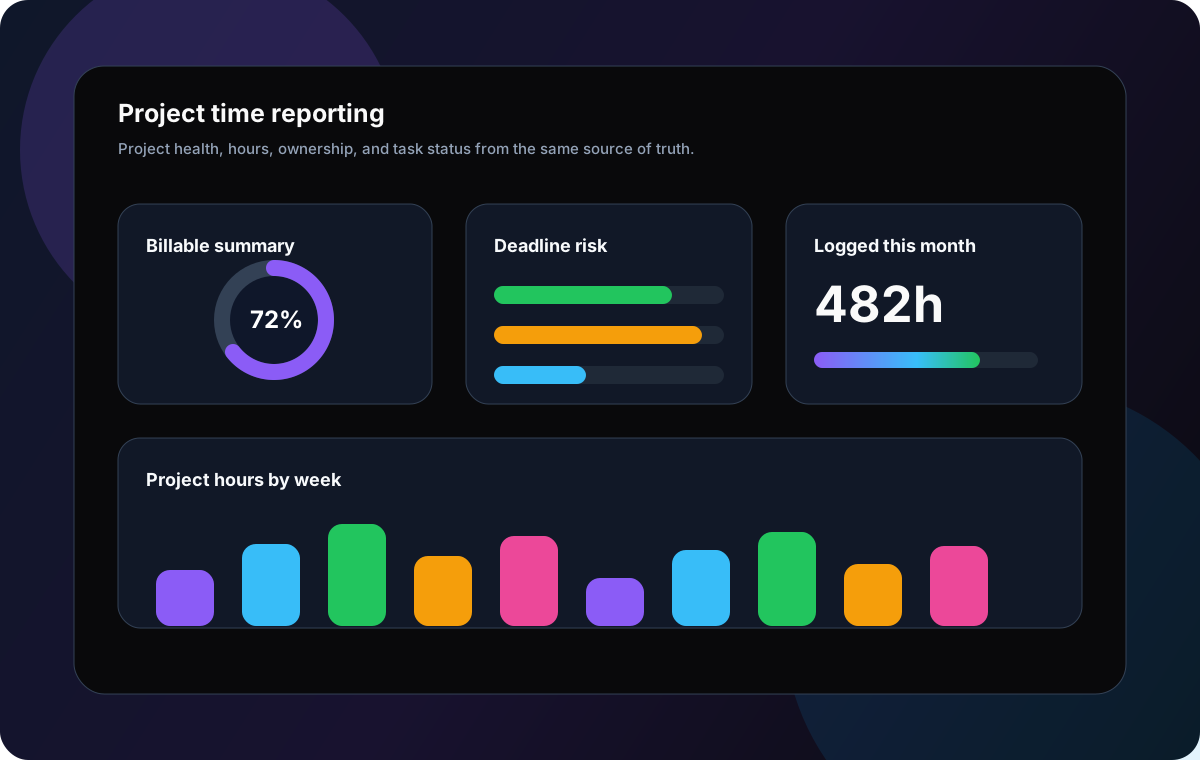
Mobile productivity
Mobile access keeps time tracking close to the work
Teams often remember to log time between meetings, after a client call, during a commute, or while moving between tasks. A modern project time tracker should make those updates quick across desktop, web, and mobile.
Start or update time quickly
Log work while the task is still fresh instead of reconstructing the day later.
Check priorities anywhere
Review owners, deadlines, blockers, and active work before the next meeting starts.
Keep reports current
Small real-time updates reduce end-of-week timesheet clean-up.
Use cases
Best-fit time tracking workflows by team type
Project management with time tracking is valuable across team types because every team needs a clearer relationship between effort, ownership, progress, and outcomes.
Agencies
Protect margins while keeping client delivery visible.
Track billable and non-billable work against tasks, projects, and clients so account leads can understand effort before invoices or reviews are due.
Product teams
Connect sprint execution to realistic planning.
Use tasks, boards, timelines, and tracked effort to understand which initiatives take longer than planned and where handoffs create delays.
Consultants
Show work performed without rebuilding reports manually.
Keep time entries tied to deliverables, notes, files, and client-facing milestones so reporting feels credible and easy to explain.
Remote teams
Create accountability without asking for constant check-ins.
Let the workspace show owners, active tasks, time logged, deadlines, blockers, and status updates across locations and time zones.
Operations teams
Understand effort across repeatable internal workflows.
Track how much time goes into recurring tasks, approvals, support requests, internal projects, and process improvement work.
Why teams switch
Why teams switch to Gravitask for project time tracking
Switching tools is only worth it when the new workflow removes friction. Gravitask is built for teams that want one place to plan tasks, log hours, report progress, and keep projects visible.
Your team tracks tasks in one product and hours in another, then reconciles both at the end of the week.
Your time tracker records activity but does not explain project status, blockers, or delivery risk.
Your project management tool is so configurable that nobody trusts the reports without manual clean-up.
Your agency needs billable time visibility without moving every workflow into a heavy enterprise suite.
Your remote team needs accountability that supports planning, not software that feels like surveillance.
Feature breakdown
Gravitask features for time-conscious project teams
Gravitask gives teams the time visibility of a tracker with the execution depth of a modern project management workspace.
Time tracking
Track work from the task itself with timers and manual entries so hours stay connected to project context.
Task management
Keep owners, priorities, comments, files, subtasks, due dates, and status changes attached to each task.
Kanban boards
Visualise active work, blocked tasks, review queues, and completion with drag-and-drop boards.
Timeline and Gantt views
Plan delivery across milestones, deadlines, and dependencies while effort data informs future estimates.
Reporting and accountability
Understand time by project, client, owner, and workflow stage without rebuilding reports from scratch.
Email reminders
Keep timers, deadlines, reviews, and follow-ups visible even when teammates are away from the workspace.
Team collaboration
Discuss work where it happens so decisions, blockers, and next steps remain attached to the timed task.
Mobile apps
Update tasks, log time, check priorities, and review work from web, desktop, and mobile environments.
Pricing and value
The right time-tracking PM tool should reduce reporting cost
Teams often compare software by monthly price, but the larger cost is reconciliation: task updates in one place, time logs in another, invoices in a third, and reports rebuilt manually every week.
Gravitask is built as a focused project execution layer with time tracking, task ownership, reminders, reports, Kanban boards, and timeline visibility in one workspace.
Gravitask Free
Up to 3 users · 5 projects · 500 MB storage. Best for validating task-linked time tracking with a small team.
Gravitask Pro
£5/user/month. Best when teams need more projects, collaboration depth, workflow visibility, and planning capacity.
Gravitask Business
£14/user/month. Best for organisations that need advanced workflow control and broader project visibility.
Competitor pricing and packaging changes often. Treat this guide as a workflow comparison first, then verify current vendor pricing before purchase.
FAQ
Project management software with time tracking FAQs
Short answers to the buying questions teams ask when comparing project time management software.
What is the best project management software with time tracking in 2026?+
The best project management software with time tracking connects tasks, timers, manual entries, deadlines, project views, reports, and team collaboration in one workspace. Gravitask is a strong modern choice for teams that want time tracking, Kanban boards, Timeline and Gantt views, task assignments, reminders, mobile apps, and productivity visibility without a bloated enterprise setup.
What features should project management time tracking software include?+
Look for native timers, manual time entries, billable and non-billable categories, task-level time logs, timesheets, project reports, owner visibility, due dates, reminders, Kanban boards, timeline planning, mobile access, and exportable summaries. The best tool keeps time connected to the work instead of forcing teams to reconcile two systems.
Does Gravitask support time tracking?+
Yes. Gravitask includes time tracking for teams that want to connect logged effort with tasks, projects, deadlines, collaboration, Kanban boards, timeline planning, reminders, and reporting. It is designed for practical productivity visibility rather than intrusive employee monitoring.
Is integrated time tracking better than a standalone time tracker?+
Integrated time tracking is usually better when teams need project visibility, task ownership, deadline tracking, and reporting in the same workflow. Standalone tools such as Harvest, Toggl Track, or Clockify can be excellent for pure time capture, but teams often need a project management layer as work becomes more complex.
Can agencies use Gravitask for billable hours?+
Yes. Agencies can use Gravitask to track time against client tasks and projects, understand billable and non-billable effort, keep deadlines visible, and reduce manual reporting. It is especially useful when client work needs task management, collaboration, and time visibility in one place.
How should remote teams use time tracking without micromanaging people?+
Use time tracking to improve planning, project visibility, workload balance, and accountability. Avoid treating every minute as surveillance. A healthier workflow connects time to tasks, blockers, estimates, and outcomes so teams can make better delivery decisions.
Can project time tracking improve estimates?+
Yes. When time entries are tied to tasks and projects, teams can compare estimates with actual effort, identify under-scoped work, improve future planning, and spot process friction. The goal is better forecasting, not fake precision.
Can my team start using Gravitask for free?+
Yes. Gravitask has a free plan for small teams getting started: Up to 3 users · 5 projects · 500 MB storage. Teams can upgrade when they need more advanced workflow depth.
Final CTA
Track time, manage projects, and keep every team member aligned.
Gravitask helps agencies, product teams, consultants, remote teams, and growing businesses replace disconnected productivity tools with one modern project workspace.